> ## Documentation Index
> Fetch the complete documentation index at: https://docs.together.ai/llms.txt
> Use this file to discover all available pages before exploring further.
# Build a resume-to-website app with structured outputs
> Build an AI-powered site builder that turns PDF resumes into personal websites with structured outputs.
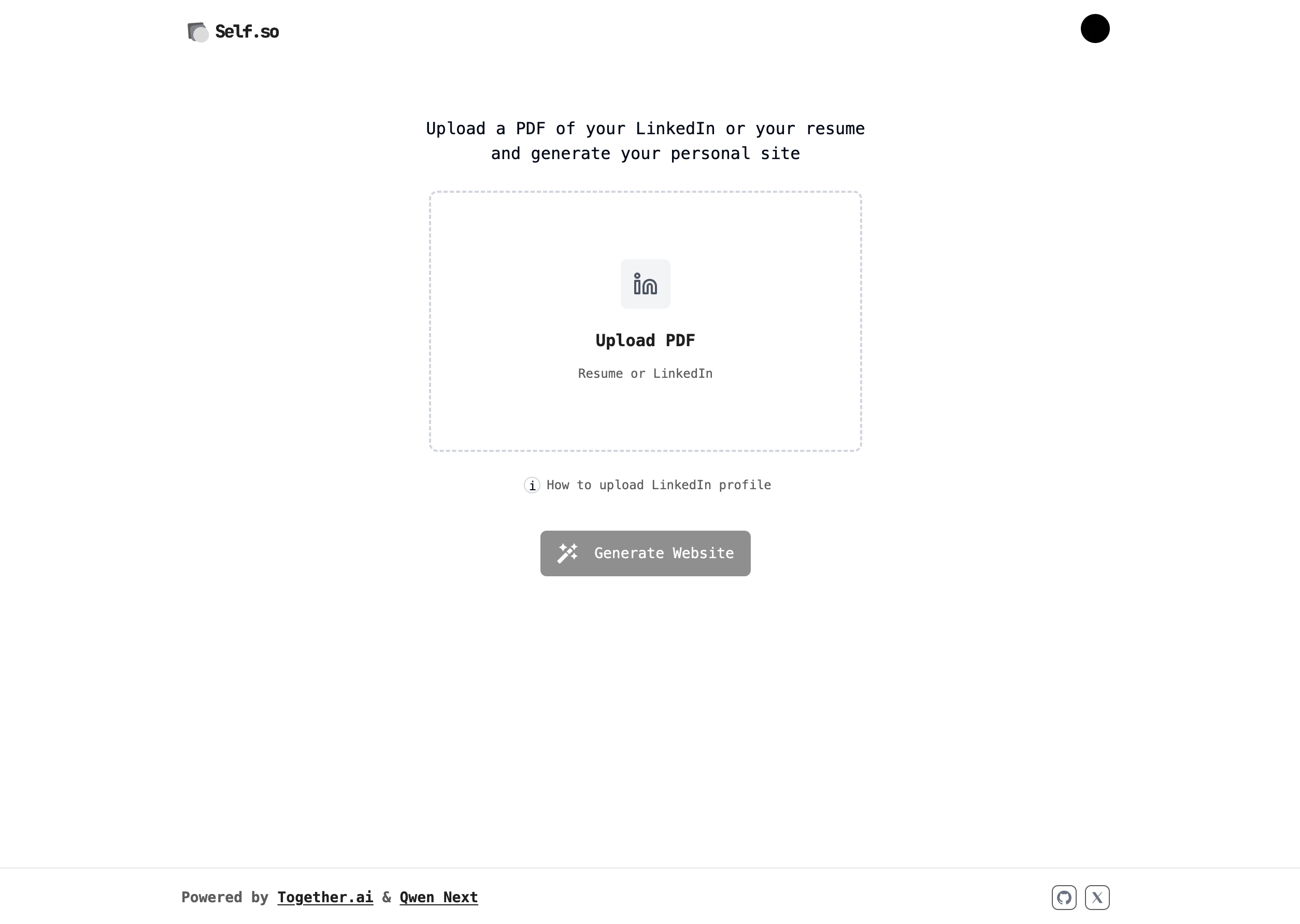
[Self.so](https://www.self.so) is an open-source personal site builder that turns a PDF resume into a live website. You upload a resume, and a Together AI model extracts its content into a typed JSON object that the app renders as a site.
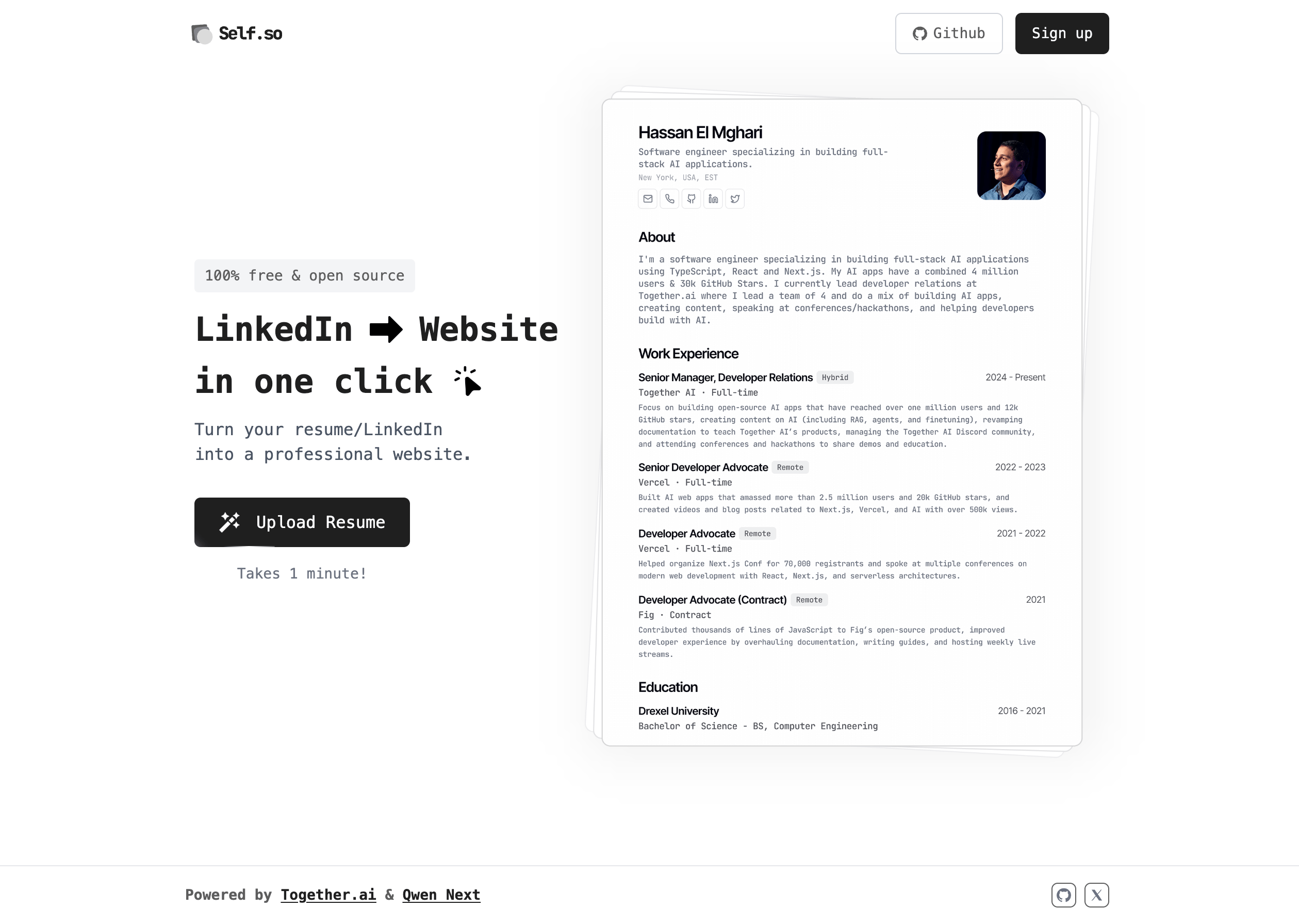 Building a personal website normally requires a lot of manual data entry, plus some design work. Self.so automates the whole process, and this guide walks through the AI pipeline that makes it work as it exists in the [open-source repository](https://github.com/nutlope/self.so): extracting text from the PDF, checking the content for safety, and generating structured data with a schema. Each step uses Together AI models through [Vercel's AI SDK](/docs/using-together-with-vercels-ai-sdk), and each section names the source file it covers and links to it on GitHub.
The TypeScript examples use [Vercel's AI SDK](/docs/using-together-with-vercels-ai-sdk) v6 and Zod v4. They are adapted from the Self.so source and updated to current SDK and model versions, so they can differ in small ways from the linked files.
## Model selection
Self.so uses two models, each chosen to perform a specific job:
* [**Llama Guard 4 12B**](https://api.together.ai/models/meta-llama/Llama-Guard-4-12B): Content safety classification.
* [**Kimi K2.6**](https://api.together.ai/models/moonshotai/Kimi-K2.6): Structured data extraction.
Llama Guard is purpose-built for safety classification, and Kimi K2.6 follows schema instructions reliably for structured output generation. See [recommended models](/docs/inference/recommended-models) for our current picks.
## Data flow
To keep each model call focused and avoid passing raw files around, the app separates concerns into four steps:
1. **Upload and storage:** PDFs are uploaded to S3 with temporary URLs.
2. **Text extraction:** PDF content is extracted to plain text, and the raw file is never sent to a model.
3. **Safety validation:** The extracted text is checked for safety before further processing.
4. **Structured generation:** Clean text goes to the extraction model with specific instructions to generate the structured data.
### Extract text from the PDF
The `scrapePdfContent` function in [`lib/server/scrapePdfContent.ts`](https://github.com/nutlope/self.so/blob/main/lib/server/scrapePdfContent.ts) extracts text with `pdfjs-dist`, with guards against fetching arbitrary URLs, oversized files, and JavaScript embedded in the PDF. It returns the text as a string:
```typescript theme={null}
// PDF text extraction using pdfjs-dist
import * as pdfjs from "pdfjs-dist";
const MAX_PDF_SIZE = 15 * 1024 * 1024; // 15 MB
export async function scrapePdfContent(pdfUrl: string) {
// Only fetch from your own storage bucket, never an arbitrary URL
if (!isAllowedPdfUrl(pdfUrl)) {
throw new Error("Invalid PDF URL: only approved storage hostnames are allowed");
}
const response = await fetch(pdfUrl, { headers: { Accept: "application/pdf" } });
if (!response.ok) {
throw new Error(`Failed to fetch PDF: ${response.status}`);
}
const arrayBuffer = await response.arrayBuffer();
if (arrayBuffer.byteLength > MAX_PDF_SIZE) {
throw new Error("PDF exceeds maximum allowed size of 15 MB");
}
const pdf = await pdfjs.getDocument({
data: new Uint8Array(arrayBuffer),
useSystemFonts: true,
isEvalSupported: false, // Disable JavaScript execution inside the PDF
}).promise;
let text = "";
for (let i = 1; i <= pdf.numPages; i++) {
const page = await pdf.getPage(i);
const textContent = await page.getTextContent();
text +=
textContent.items.map((item: any) => ("str" in item ? item.str : "")).join(" ") +
"\n";
}
await pdf.destroy();
return text;
}
```
### Check content safety
Before generating anything from user-supplied content, the app classifies it with Llama Guard in [`lib/server/ai/isFileContentBad.ts`](https://github.com/nutlope/self.so/blob/main/lib/server/ai/isFileContentBad.ts). The model returns a response that starts with `safe` or `unsafe`, which the app uses to determine whether to proceed:
```typescript theme={null}
import { generateText } from "ai";
import { createTogetherAI } from "@ai-sdk/togetherai";
const togetherai = createTogetherAI({
apiKey: process.env.TOGETHER_API_KEY ?? "",
});
export const isFileContentBad = async (fileContent: string) => {
const generationResult = await generateText({
model: togetherai("meta-llama/Llama-Guard-4-12B"),
prompt: `You are given the following file content, evaluate if content is harmful or spammy.
${fileContent}
`,
});
if (generationResult.text.startsWith("unsafe")) {
return true;
} else {
return false;
}
};
```
## Generate structured data
The core of Self.so is turning unstructured resume text into structured JSON. The `generateResumeObject` function in [`lib/server/ai/generateResumeObject.ts`](https://github.com/nutlope/self.so/blob/main/lib/server/ai/generateResumeObject.ts) uses Kimi K2.6 with [structured outputs](/docs/inference/chat/structured-outputs) so the response always matches the schema the site renderer expects:
```typescript theme={null}
import { generateText, Output } from "ai";
import { createTogetherAI } from "@ai-sdk/togetherai";
import { ResumeDataSchema } from "@/lib/resume";
import dedent from "dedent";
const togetherai = createTogetherAI({
apiKey: process.env.TOGETHER_API_KEY ?? "",
});
export const generateResumeObject = async (resumeText: string) => {
const { output } = await generateText({
model: togetherai("moonshotai/Kimi-K2.6"),
maxRetries: 1,
timeout: 15_000,
maxOutputTokens: 4096,
providerOptions: {
togetherai: {
reasoning: { enabled: false },
},
},
output: Output.object({
schema: ResumeDataSchema,
}),
prompt:
dedent(`You are an expert resume writer. Generate a resume object from the following resume text with this EXACT structure:
// ... detailed JSON schema and instructions
## Resume text:
${resumeText}
`),
});
return output;
};
```
Two details in this call are worth calling out:
* Kimi K2.6 is a hybrid reasoning model with reasoning on by default. Passing `reasoning: { enabled: false }` through `providerOptions` keeps extraction fast, because the schema does the work that reasoning tokens would otherwise pay for.
* `Output.object` accepts the Zod schema directly and validates the result against it.
### Define the schema with Zod
The Zod schema in [`lib/resume.ts`](https://github.com/nutlope/self.so/blob/main/lib/resume.ts) is the contract between the AI extraction and the site renderer:
```typescript theme={null}
import { z } from "zod";
export const ResumeDataSchema = z.object({
header: z.object({
name: z.string(),
shortAbout: z.string(),
location: z.string().optional(),
contacts: z.object({
website: z.string().optional(),
email: z.string().optional(),
phone: z.string().optional(),
twitter: z.string().optional(),
linkedin: z.string().optional(),
github: z.string().optional(),
}),
skills: z.array(z.string()),
}),
summary: z.string(),
workExperience: z.array(
z.object({
company: z.string(),
link: z.string(),
location: z.string(),
contract: z.string(),
title: z.string(),
start: z.string(),
end: z.string().optional().nullable(),
description: z.string(),
}),
),
education: z.array(
z.object({
school: z.string(),
degree: z.string(),
start: z.string(),
end: z.string(),
}),
),
});
```
## Observability
Self.so wraps each extraction call in a Braintrust span that records the model, token usage, finish reason, and duration. The tracing helpers live in [`lib/server/ai/braintrust.ts`](https://github.com/nutlope/self.so/blob/main/lib/server/ai/braintrust.ts). This makes it possible to monitor extraction quality and compare models over time.
## The complete pipeline
The full server-side pipeline runs when a user uploads a resume:
1. **Upload:** The PDF is uploaded to S3.
2. **Extraction:** `pdfjs-dist` converts the PDF to plain text.
3. **Safety check:** Llama Guard validates the content.
4. **Generation:** Kimi K2.6 extracts the text into the `ResumeDataSchema` shape.
5. **Storage:** The structured data is stored in Upstash Redis.
6. **Rendering:** The site renders from the structured data.
Building a personal website normally requires a lot of manual data entry, plus some design work. Self.so automates the whole process, and this guide walks through the AI pipeline that makes it work as it exists in the [open-source repository](https://github.com/nutlope/self.so): extracting text from the PDF, checking the content for safety, and generating structured data with a schema. Each step uses Together AI models through [Vercel's AI SDK](/docs/using-together-with-vercels-ai-sdk), and each section names the source file it covers and links to it on GitHub.
The TypeScript examples use [Vercel's AI SDK](/docs/using-together-with-vercels-ai-sdk) v6 and Zod v4. They are adapted from the Self.so source and updated to current SDK and model versions, so they can differ in small ways from the linked files.
## Model selection
Self.so uses two models, each chosen to perform a specific job:
* [**Llama Guard 4 12B**](https://api.together.ai/models/meta-llama/Llama-Guard-4-12B): Content safety classification.
* [**Kimi K2.6**](https://api.together.ai/models/moonshotai/Kimi-K2.6): Structured data extraction.
Llama Guard is purpose-built for safety classification, and Kimi K2.6 follows schema instructions reliably for structured output generation. See [recommended models](/docs/inference/recommended-models) for our current picks.
## Data flow
To keep each model call focused and avoid passing raw files around, the app separates concerns into four steps:
1. **Upload and storage:** PDFs are uploaded to S3 with temporary URLs.
2. **Text extraction:** PDF content is extracted to plain text, and the raw file is never sent to a model.
3. **Safety validation:** The extracted text is checked for safety before further processing.
4. **Structured generation:** Clean text goes to the extraction model with specific instructions to generate the structured data.
### Extract text from the PDF
The `scrapePdfContent` function in [`lib/server/scrapePdfContent.ts`](https://github.com/nutlope/self.so/blob/main/lib/server/scrapePdfContent.ts) extracts text with `pdfjs-dist`, with guards against fetching arbitrary URLs, oversized files, and JavaScript embedded in the PDF. It returns the text as a string:
```typescript theme={null}
// PDF text extraction using pdfjs-dist
import * as pdfjs from "pdfjs-dist";
const MAX_PDF_SIZE = 15 * 1024 * 1024; // 15 MB
export async function scrapePdfContent(pdfUrl: string) {
// Only fetch from your own storage bucket, never an arbitrary URL
if (!isAllowedPdfUrl(pdfUrl)) {
throw new Error("Invalid PDF URL: only approved storage hostnames are allowed");
}
const response = await fetch(pdfUrl, { headers: { Accept: "application/pdf" } });
if (!response.ok) {
throw new Error(`Failed to fetch PDF: ${response.status}`);
}
const arrayBuffer = await response.arrayBuffer();
if (arrayBuffer.byteLength > MAX_PDF_SIZE) {
throw new Error("PDF exceeds maximum allowed size of 15 MB");
}
const pdf = await pdfjs.getDocument({
data: new Uint8Array(arrayBuffer),
useSystemFonts: true,
isEvalSupported: false, // Disable JavaScript execution inside the PDF
}).promise;
let text = "";
for (let i = 1; i <= pdf.numPages; i++) {
const page = await pdf.getPage(i);
const textContent = await page.getTextContent();
text +=
textContent.items.map((item: any) => ("str" in item ? item.str : "")).join(" ") +
"\n";
}
await pdf.destroy();
return text;
}
```
### Check content safety
Before generating anything from user-supplied content, the app classifies it with Llama Guard in [`lib/server/ai/isFileContentBad.ts`](https://github.com/nutlope/self.so/blob/main/lib/server/ai/isFileContentBad.ts). The model returns a response that starts with `safe` or `unsafe`, which the app uses to determine whether to proceed:
```typescript theme={null}
import { generateText } from "ai";
import { createTogetherAI } from "@ai-sdk/togetherai";
const togetherai = createTogetherAI({
apiKey: process.env.TOGETHER_API_KEY ?? "",
});
export const isFileContentBad = async (fileContent: string) => {
const generationResult = await generateText({
model: togetherai("meta-llama/Llama-Guard-4-12B"),
prompt: `You are given the following file content, evaluate if content is harmful or spammy.
${fileContent}
`,
});
if (generationResult.text.startsWith("unsafe")) {
return true;
} else {
return false;
}
};
```
## Generate structured data
The core of Self.so is turning unstructured resume text into structured JSON. The `generateResumeObject` function in [`lib/server/ai/generateResumeObject.ts`](https://github.com/nutlope/self.so/blob/main/lib/server/ai/generateResumeObject.ts) uses Kimi K2.6 with [structured outputs](/docs/inference/chat/structured-outputs) so the response always matches the schema the site renderer expects:
```typescript theme={null}
import { generateText, Output } from "ai";
import { createTogetherAI } from "@ai-sdk/togetherai";
import { ResumeDataSchema } from "@/lib/resume";
import dedent from "dedent";
const togetherai = createTogetherAI({
apiKey: process.env.TOGETHER_API_KEY ?? "",
});
export const generateResumeObject = async (resumeText: string) => {
const { output } = await generateText({
model: togetherai("moonshotai/Kimi-K2.6"),
maxRetries: 1,
timeout: 15_000,
maxOutputTokens: 4096,
providerOptions: {
togetherai: {
reasoning: { enabled: false },
},
},
output: Output.object({
schema: ResumeDataSchema,
}),
prompt:
dedent(`You are an expert resume writer. Generate a resume object from the following resume text with this EXACT structure:
// ... detailed JSON schema and instructions
## Resume text:
${resumeText}
`),
});
return output;
};
```
Two details in this call are worth calling out:
* Kimi K2.6 is a hybrid reasoning model with reasoning on by default. Passing `reasoning: { enabled: false }` through `providerOptions` keeps extraction fast, because the schema does the work that reasoning tokens would otherwise pay for.
* `Output.object` accepts the Zod schema directly and validates the result against it.
### Define the schema with Zod
The Zod schema in [`lib/resume.ts`](https://github.com/nutlope/self.so/blob/main/lib/resume.ts) is the contract between the AI extraction and the site renderer:
```typescript theme={null}
import { z } from "zod";
export const ResumeDataSchema = z.object({
header: z.object({
name: z.string(),
shortAbout: z.string(),
location: z.string().optional(),
contacts: z.object({
website: z.string().optional(),
email: z.string().optional(),
phone: z.string().optional(),
twitter: z.string().optional(),
linkedin: z.string().optional(),
github: z.string().optional(),
}),
skills: z.array(z.string()),
}),
summary: z.string(),
workExperience: z.array(
z.object({
company: z.string(),
link: z.string(),
location: z.string(),
contract: z.string(),
title: z.string(),
start: z.string(),
end: z.string().optional().nullable(),
description: z.string(),
}),
),
education: z.array(
z.object({
school: z.string(),
degree: z.string(),
start: z.string(),
end: z.string(),
}),
),
});
```
## Observability
Self.so wraps each extraction call in a Braintrust span that records the model, token usage, finish reason, and duration. The tracing helpers live in [`lib/server/ai/braintrust.ts`](https://github.com/nutlope/self.so/blob/main/lib/server/ai/braintrust.ts). This makes it possible to monitor extraction quality and compare models over time.
## The complete pipeline
The full server-side pipeline runs when a user uploads a resume:
1. **Upload:** The PDF is uploaded to S3.
2. **Extraction:** `pdfjs-dist` converts the PDF to plain text.
3. **Safety check:** Llama Guard validates the content.
4. **Generation:** Kimi K2.6 extracts the text into the `ResumeDataSchema` shape.
5. **Storage:** The structured data is stored in Upstash Redis.
6. **Rendering:** The site renders from the structured data.
 ## Best practices for extraction pipelines
Building Self.so surfaced a few principles that apply to most extraction pipelines:
* **Match the model to the task:** A safety classifier and an instruction-following extractor are different jobs, and picking a specialized model for each beats using one model for both.
* **Schemas make outputs reliable:** Validating against a Zod schema turns free-form model output into data the rest of the app can trust.
* **Keep the data flow clean:** Passing extracted text between steps, instead of raw files, keeps each model call small and auditable.
* **Instrument from the start:** Recording token usage and durations per call makes model comparisons and regressions visible.
Self.so is open source, so you can try it at [self.so](https://www.self.so) and explore the code on [GitHub](https://github.com/nutlope/self.so).
## Best practices for extraction pipelines
Building Self.so surfaced a few principles that apply to most extraction pipelines:
* **Match the model to the task:** A safety classifier and an instruction-following extractor are different jobs, and picking a specialized model for each beats using one model for both.
* **Schemas make outputs reliable:** Validating against a Zod schema turns free-form model output into data the rest of the app can trust.
* **Keep the data flow clean:** Passing extracted text between steps, instead of raw files, keeps each model call small and auditable.
* **Instrument from the start:** Recording token usage and durations per call makes model comparisons and regressions visible.
Self.so is open source, so you can try it at [self.so](https://www.self.so) and explore the code on [GitHub](https://github.com/nutlope/self.so).