> ## Documentation Index
> Fetch the complete documentation index at: https://docs.together.ai/llms.txt
> Use this file to discover all available pages before exploring further.
> Learn how to use FLUX.2, the next generation image model with advanced prompting capabilities
# FLUX.2 quickstart
## FLUX.2
Black Forest Labs has released FLUX.2 with support on Together AI. FLUX.2 is the next generation of image models, featuring enhanced control through JSON structured prompts, HEX color code support, reference image editing, and exceptional text rendering capabilities.
Four model variants are available:
| Model | Best For | Key Features |
| ------------------ | ----------------------- | --------------------------------------------------- |
| **FLUX.2 \[max]** | Ultimate quality | Highest fidelity output, best for premium use cases |
| **FLUX.2 \[pro]** | Maximum quality | Up to 9 MP output, fastest generation |
| **FLUX.2 \[dev]** | Development & iteration | Great balance of quality and flexibility |
| **FLUX.2 \[flex]** | Maximum customization | Adjustable steps & guidance, better typography |
**Which model should I use?**
* Use **\[max]** for the ultimate quality and fidelity in premium production workloads
* Use **\[pro]** for production workloads requiring high quality and speed
* Use **\[dev]** for development, experimentation, and when you need a balance of quality and control
* Use **\[flex]** when you need maximum control over generation parameters or require exceptional typography
## Generating an image
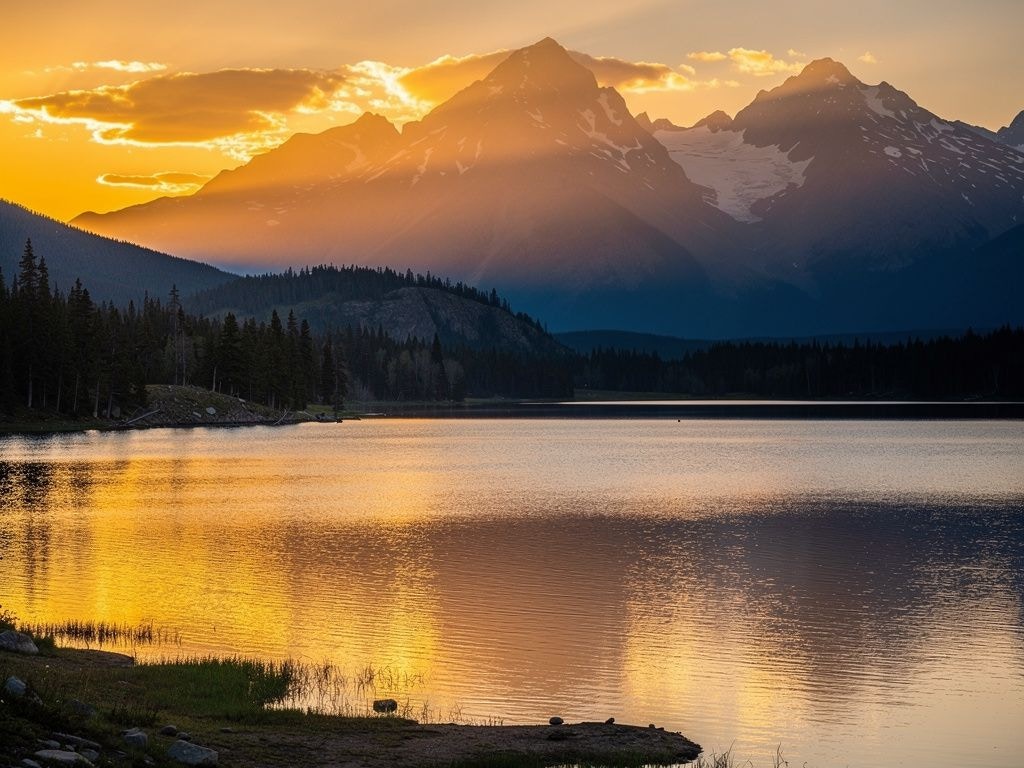
Here's how to generate images with FLUX.2:
```python Python theme={null}
from together import Together
client = Together()
response = client.images.generate(
model="black-forest-labs/FLUX.2-pro",
prompt="A mountain landscape at sunset with golden light reflecting on a calm lake",
width=1024,
height=768,
)
print(response.data[0].url)
```
```typescript TypeScript theme={null}
import Together from "together-ai";
const together = new Together();
async function main() {
const response = await together.images.generate({
model: "black-forest-labs/FLUX.2-pro",
prompt: "A mountain landscape at sunset with golden light reflecting on a calm lake",
width: 1024,
height: 768,
});
console.log(response.data[0].url);
}
main();
```
```bash cURL theme={null}
curl -X POST "https://api.together.ai/v1/images/generations" \
-H "Authorization: Bearer $TOGETHER_API_KEY" \
-H "Content-Type: application/json" \
-d '{
"model": "black-forest-labs/FLUX.2-pro",
"prompt": "A mountain landscape at sunset with golden light reflecting on a calm lake",
"width": 1024,
"height": 768
}'
```
 **Using FLUX.2 \[dev]**
The dev variant offers a great balance for development and iteration:
```python Python theme={null}
from together import Together
client = Together()
response = client.images.generate(
model="black-forest-labs/FLUX.2-dev",
prompt="A modern workspace with a laptop, coffee cup, and plants, natural lighting",
width=1024,
height=768,
steps=20,
)
print(response.data[0].url)
```
```typescript TypeScript theme={null}
import Together from "together-ai";
const together = new Together();
async function main() {
const response = await together.images.generate({
model: "black-forest-labs/FLUX.2-dev",
prompt: "A modern workspace with a laptop, coffee cup, and plants, natural lighting",
width: 1024,
height: 768,
steps: 20,
});
console.log(response.data[0].url);
}
main();
```
**Using FLUX.2 \[dev]**
The dev variant offers a great balance for development and iteration:
```python Python theme={null}
from together import Together
client = Together()
response = client.images.generate(
model="black-forest-labs/FLUX.2-dev",
prompt="A modern workspace with a laptop, coffee cup, and plants, natural lighting",
width=1024,
height=768,
steps=20,
)
print(response.data[0].url)
```
```typescript TypeScript theme={null}
import Together from "together-ai";
const together = new Together();
async function main() {
const response = await together.images.generate({
model: "black-forest-labs/FLUX.2-dev",
prompt: "A modern workspace with a laptop, coffee cup, and plants, natural lighting",
width: 1024,
height: 768,
steps: 20,
});
console.log(response.data[0].url);
}
main();
```
 **Using FLUX.2 \[flex]**
The flex variant provides maximum customization with the `guidance_scale` and `steps` parameters. It also excels at typography and text rendering.
```python Python theme={null}
from together import Together
client = Together()
response = client.images.generate(
model="black-forest-labs/FLUX.2-flex",
prompt="A vintage coffee shop sign with elegant typography reading 'The Daily Grind' in art deco style",
width=1024,
height=768,
steps=4,
guidance_scale=3.5,
)
print(response.data[0].url)
```
```typescript TypeScript theme={null}
import Together from "together-ai";
const together = new Together();
async function main() {
const response = await together.images.generate({
model: "black-forest-labs/FLUX.2-flex",
prompt: "A vintage coffee shop sign with elegant typography reading 'The Daily Grind' in art deco style",
width: 1024,
height: 768,
steps: 4,
guidance_scale: 3.5,
});
console.log(response.data[0].url);
}
main();
```
**Using FLUX.2 \[flex]**
The flex variant provides maximum customization with the `guidance_scale` and `steps` parameters. It also excels at typography and text rendering.
```python Python theme={null}
from together import Together
client = Together()
response = client.images.generate(
model="black-forest-labs/FLUX.2-flex",
prompt="A vintage coffee shop sign with elegant typography reading 'The Daily Grind' in art deco style",
width=1024,
height=768,
steps=4,
guidance_scale=3.5,
)
print(response.data[0].url)
```
```typescript TypeScript theme={null}
import Together from "together-ai";
const together = new Together();
async function main() {
const response = await together.images.generate({
model: "black-forest-labs/FLUX.2-flex",
prompt: "A vintage coffee shop sign with elegant typography reading 'The Daily Grind' in art deco style",
width: 1024,
height: 768,
steps: 4,
guidance_scale: 3.5,
});
console.log(response.data[0].url);
}
main();
```
 ## Parameters
**Common Parameters (All Models)**
| Parameter | Type | Description | Default |
| ------------------- | ------- | -------------------------------------------------- | ------------ |
| `prompt` | string | Text description of the image to generate | **Required** |
| `width` | integer | Image width in pixels (256-1920) | 1024 |
| `height` | integer | Image height in pixels (256-1920) | 768 |
| `seed` | integer | Seed for reproducibility | Random |
| `prompt_upsampling` | boolean | Automatically enhance prompt for better generation | true |
| `output_format` | string | Output format: `jpeg` or `png` | jpeg |
| `reference_images` | array | Reference image URL(s) for image-to-image editing | - |
**Additional Parameters for \[dev] and \[flex]**
FLUX.2 \[dev] and FLUX.2 \[flex] support additional parameters:
| Parameter | Type | Description | Default |
| ---------- | ------- | ----------------------------------------------------------- | ------------- |
| `steps` | integer | Number of inference steps (higher = better quality, slower) | Model default |
| `guidance` | float | Guidance scale (higher values follow prompt more closely) | Model default |
## Image-to-Image with Reference Images
FLUX.2 supports powerful image-to-image editing using the `reference_images` parameter. Pass one or more image URLs to guide generation.
**Core Capabilities:**
| Capability | Description |
| --------------------------- | -------------------------------------------------------------- |
| **Multi-reference editing** | Use multiple images in a single edit |
| **Sequential edits** | Edit images iteratively |
| **Color control** | Specify exact colors using hex values or reference images |
| **Image indexing** | Reference specific images by number: "the jacket from image 2" |
| **Natural language** | Describe elements naturally: "the woman in the blue dress" |
**Single Reference Image**
Edit or transform a single input image:
```python Python theme={null}
from together import Together
client = Together()
response = client.images.generate(
model="black-forest-labs/FLUX.2-pro",
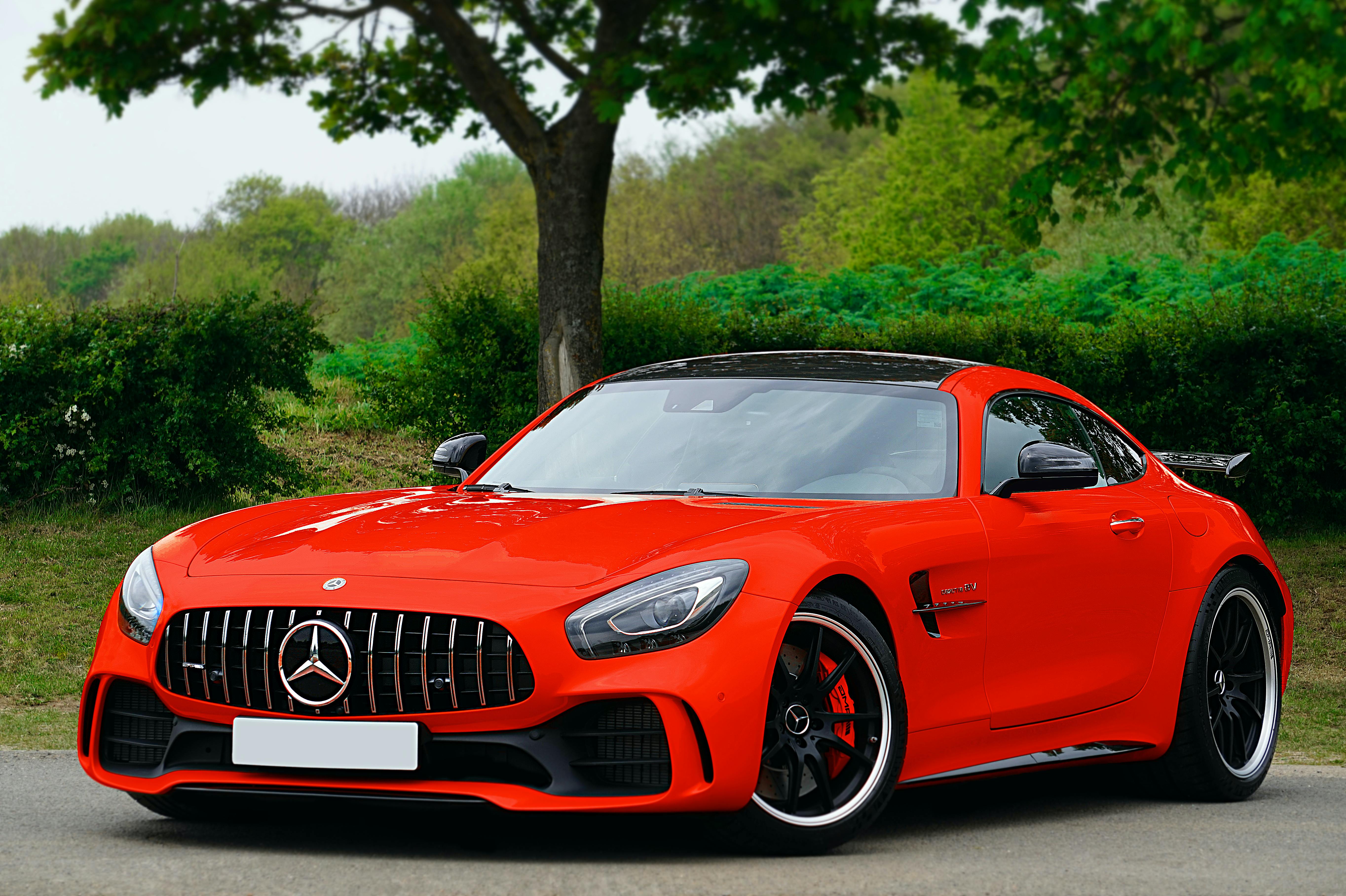
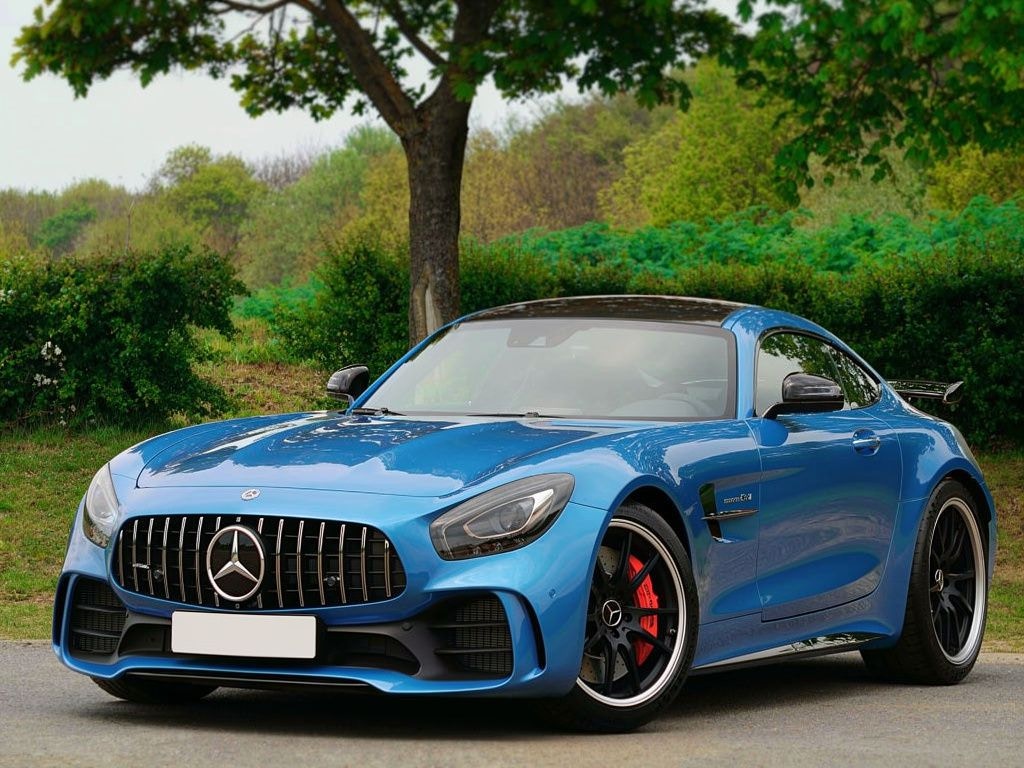
prompt="Replace the color of the car to blue",
width=1024,
height=768,
reference_images=[
"https://images.pexels.com/photos/3729464/pexels-photo-3729464.jpeg"
],
)
print(response.data[0].url)
```
```typescript TypeScript theme={null}
import Together from "together-ai";
const together = new Together();
async function main() {
const response = await together.images.generate({
model: "black-forest-labs/FLUX.2-pro",
prompt: "Replace the color of the car to blue",
width: 1024,
height: 768,
reference_images: [
"https://images.pexels.com/photos/3729464/pexels-photo-3729464.jpeg",
],
});
console.log(response.data[0].url);
}
main();
```
```bash cURL theme={null}
curl -X POST "https://api.together.ai/v1/images/generations" \
-H "Authorization: Bearer $TOGETHER_API_KEY" \
-H "Content-Type: application/json" \
-d '{
"model": "black-forest-labs/FLUX.2-pro",
"prompt": "Replace the color of the car to blue",
"width": 1024,
"height": 768,
"reference_images": ["https://images.pexels.com/photos/3729464/pexels-photo-3729464.jpeg"]
}'
```
## Parameters
**Common Parameters (All Models)**
| Parameter | Type | Description | Default |
| ------------------- | ------- | -------------------------------------------------- | ------------ |
| `prompt` | string | Text description of the image to generate | **Required** |
| `width` | integer | Image width in pixels (256-1920) | 1024 |
| `height` | integer | Image height in pixels (256-1920) | 768 |
| `seed` | integer | Seed for reproducibility | Random |
| `prompt_upsampling` | boolean | Automatically enhance prompt for better generation | true |
| `output_format` | string | Output format: `jpeg` or `png` | jpeg |
| `reference_images` | array | Reference image URL(s) for image-to-image editing | - |
**Additional Parameters for \[dev] and \[flex]**
FLUX.2 \[dev] and FLUX.2 \[flex] support additional parameters:
| Parameter | Type | Description | Default |
| ---------- | ------- | ----------------------------------------------------------- | ------------- |
| `steps` | integer | Number of inference steps (higher = better quality, slower) | Model default |
| `guidance` | float | Guidance scale (higher values follow prompt more closely) | Model default |
## Image-to-Image with Reference Images
FLUX.2 supports powerful image-to-image editing using the `reference_images` parameter. Pass one or more image URLs to guide generation.
**Core Capabilities:**
| Capability | Description |
| --------------------------- | -------------------------------------------------------------- |
| **Multi-reference editing** | Use multiple images in a single edit |
| **Sequential edits** | Edit images iteratively |
| **Color control** | Specify exact colors using hex values or reference images |
| **Image indexing** | Reference specific images by number: "the jacket from image 2" |
| **Natural language** | Describe elements naturally: "the woman in the blue dress" |
**Single Reference Image**
Edit or transform a single input image:
```python Python theme={null}
from together import Together
client = Together()
response = client.images.generate(
model="black-forest-labs/FLUX.2-pro",
prompt="Replace the color of the car to blue",
width=1024,
height=768,
reference_images=[
"https://images.pexels.com/photos/3729464/pexels-photo-3729464.jpeg"
],
)
print(response.data[0].url)
```
```typescript TypeScript theme={null}
import Together from "together-ai";
const together = new Together();
async function main() {
const response = await together.images.generate({
model: "black-forest-labs/FLUX.2-pro",
prompt: "Replace the color of the car to blue",
width: 1024,
height: 768,
reference_images: [
"https://images.pexels.com/photos/3729464/pexels-photo-3729464.jpeg",
],
});
console.log(response.data[0].url);
}
main();
```
```bash cURL theme={null}
curl -X POST "https://api.together.ai/v1/images/generations" \
-H "Authorization: Bearer $TOGETHER_API_KEY" \
-H "Content-Type: application/json" \
-d '{
"model": "black-forest-labs/FLUX.2-pro",
"prompt": "Replace the color of the car to blue",
"width": 1024,
"height": 768,
"reference_images": ["https://images.pexels.com/photos/3729464/pexels-photo-3729464.jpeg"]
}'
```
 →
→
**Multiple Reference Images**
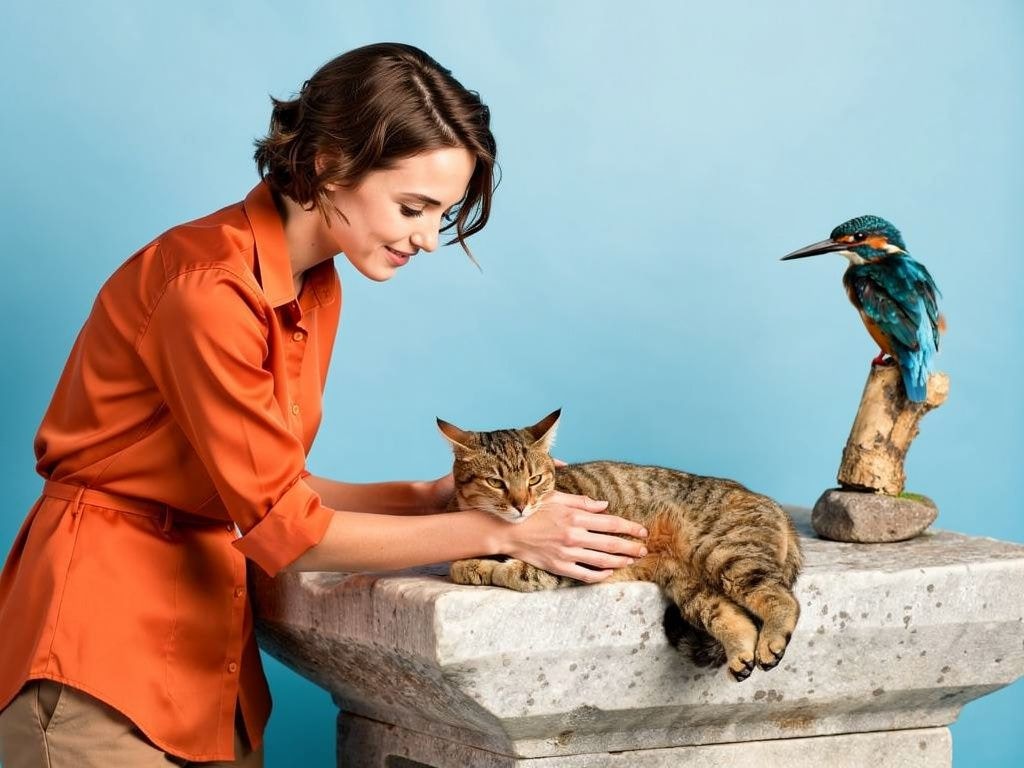
Combine elements from multiple images. Reference them by index (image 1, image 2, etc.):
```python theme={null}
from together import Together
client = Together()
response = client.images.generate(
model="black-forest-labs/FLUX.2-pro",
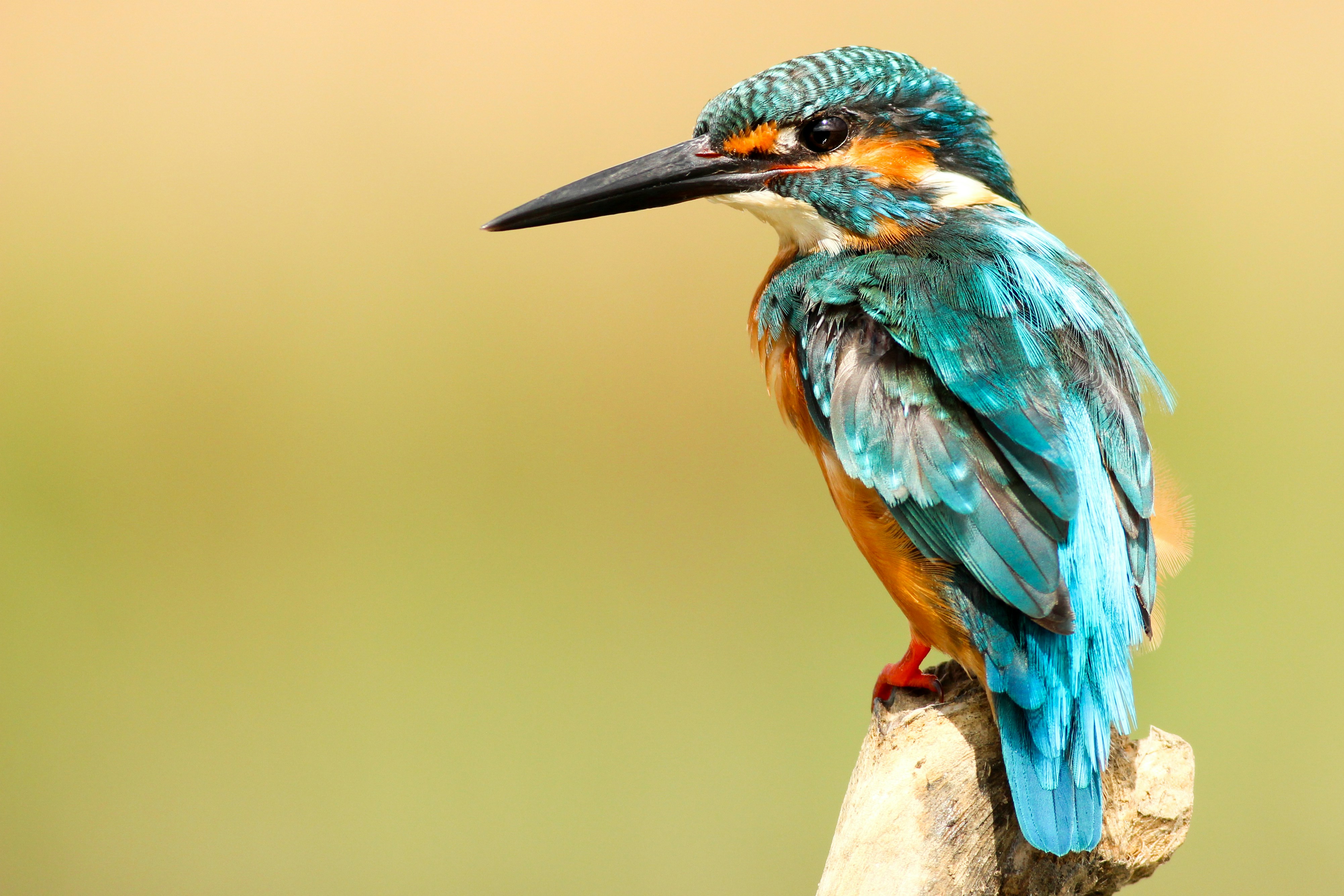
prompt="The person from image 1 is petting the cat from image 2, the bird from image 3 is next to them",
width=1024,
height=768,
reference_images=[
"https://t4.ftcdn.net/jpg/03/83/25/83/360_F_383258331_D8imaEMl8Q3lf7EKU2Pi78Cn0R7KkW9o.jpg",
"https://cdn.pixabay.com/photo/2020/05/20/08/27/cat-5195431_1280.jpg",
"https://images.unsplash.com/photo-1486365227551-f3f90034a57c",
],
)
print(response.data[0].url)
```
→
**Using Image Indexing**
Reference specific images by their position in the array:
```python theme={null}
from together import Together
client = Together()
response = client.images.generate(
model="black-forest-labs/FLUX.2-pro",
prompt="Replace the top of the person from image 2 with the one from image 1",
width=1024,
height=768,
reference_images=[
"https://img.freepik.com/free-photo/designer-working-3d-model_23-2149371896.jpg",
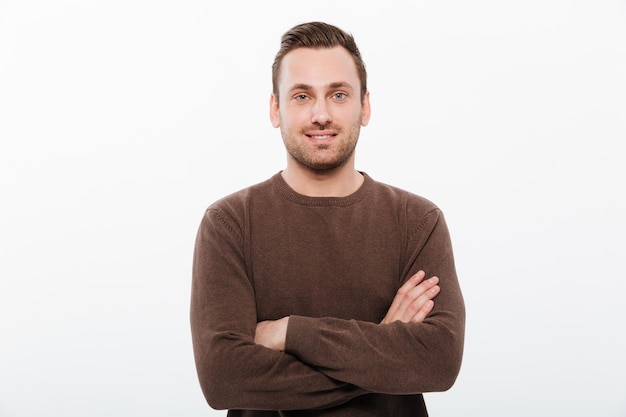
"https://img.freepik.com/free-photo/handsome-young-cheerful-man-with-arms-crossed_171337-1073.jpg",
],
)
print(response.data[0].url)
```
→
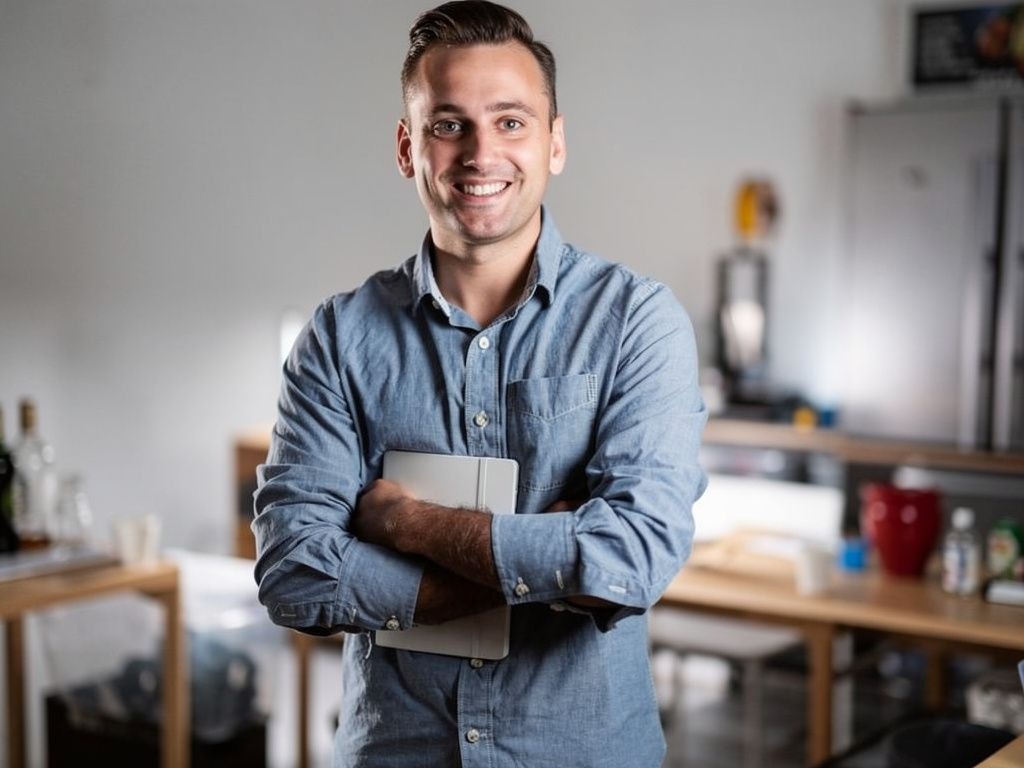
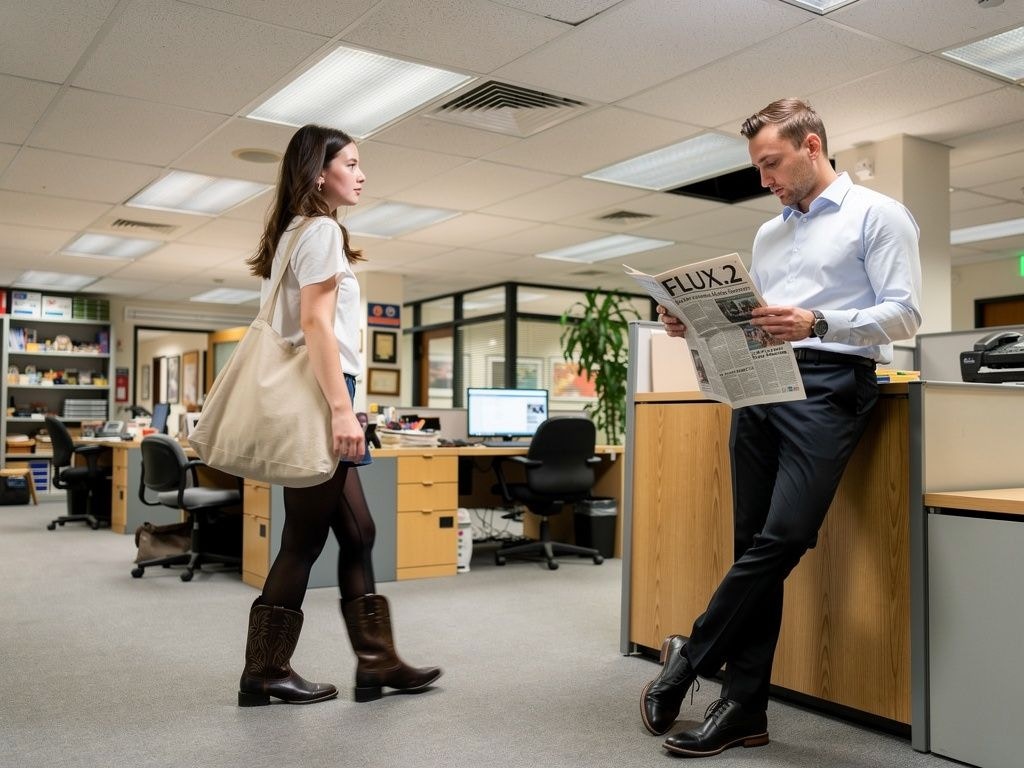
**Using Natural Language**
FLUX.2 understands the content in your images, so you can describe elements naturally:
```python theme={null}
from together import Together
client = Together()
response = client.images.generate(
model="black-forest-labs/FLUX.2-pro",
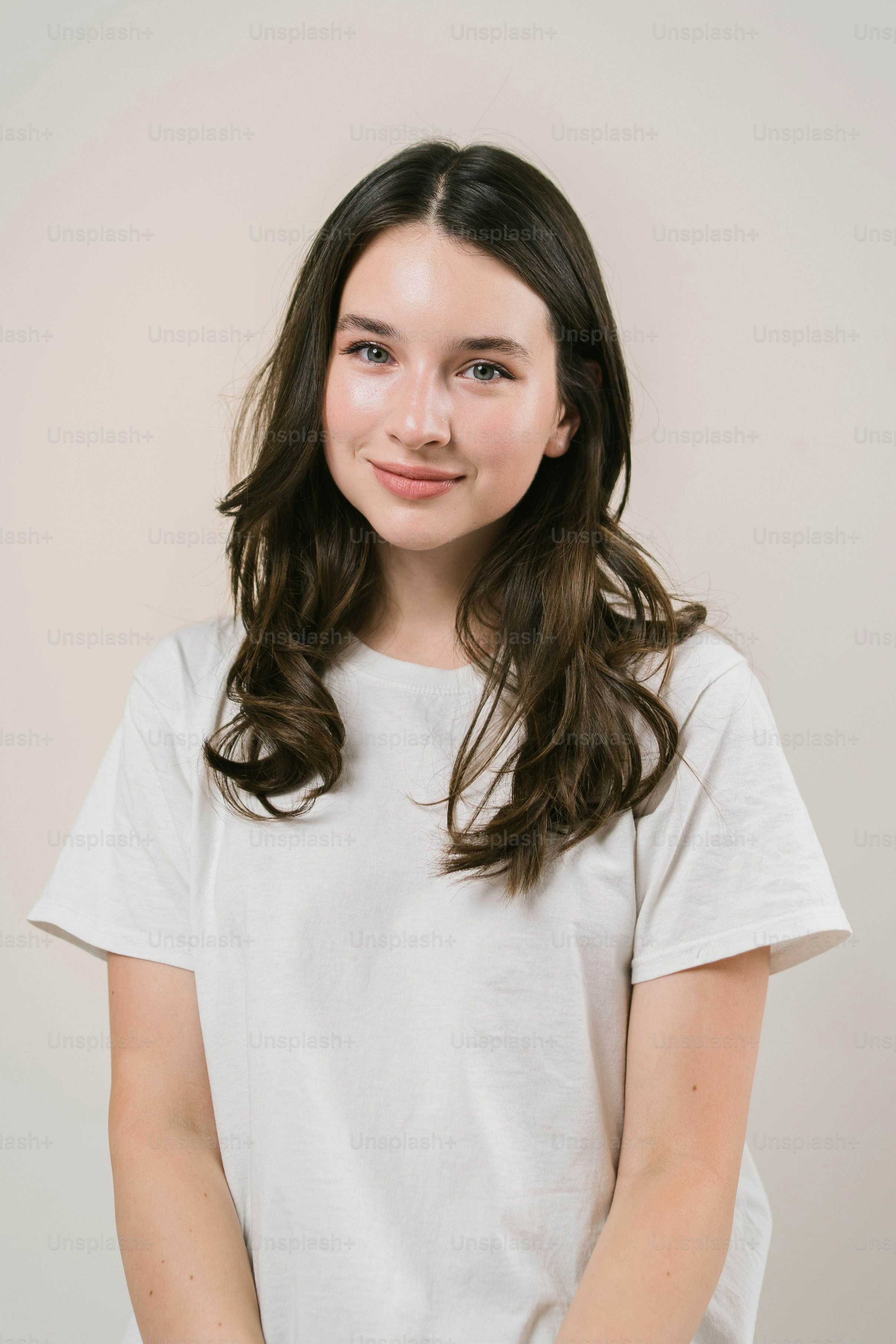
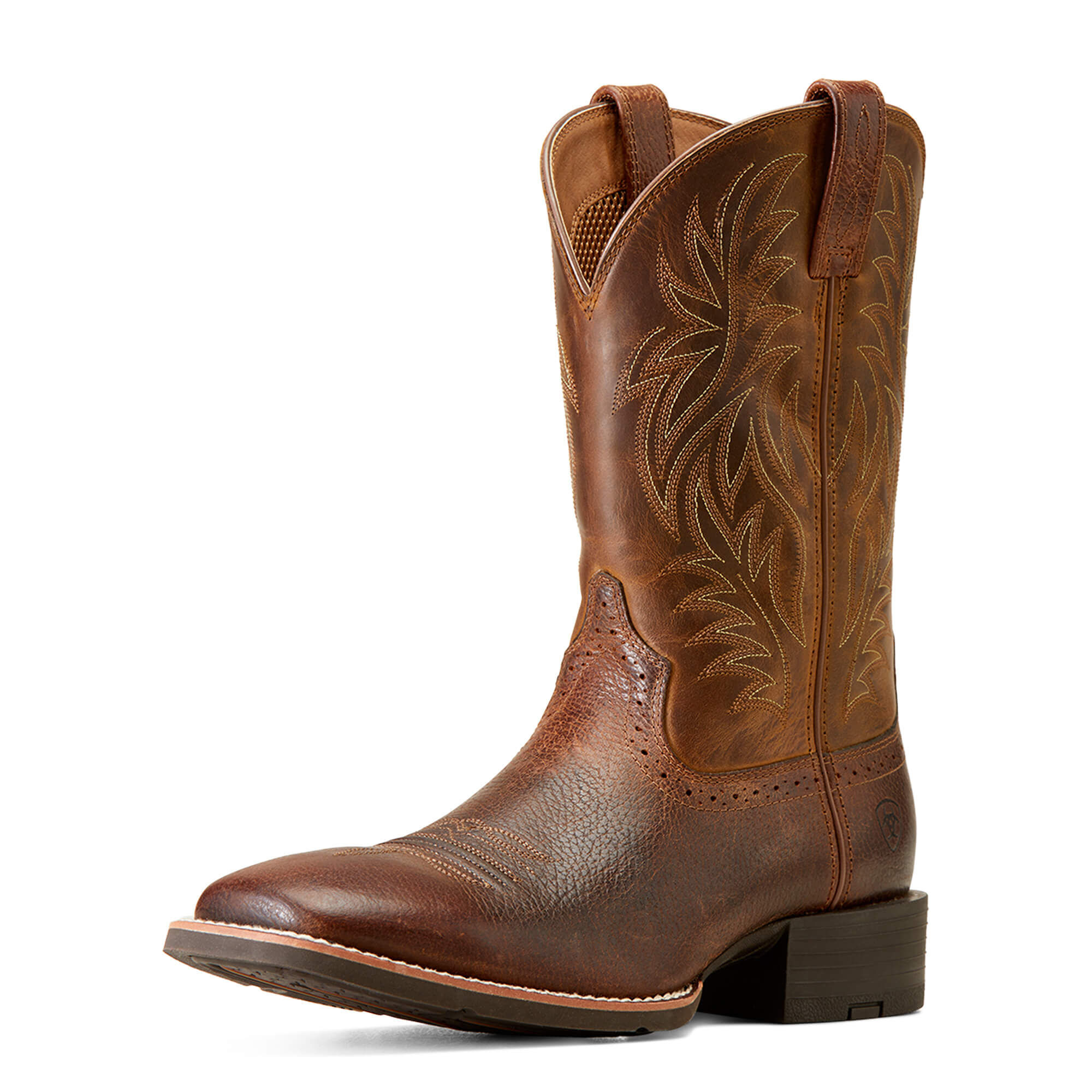
prompt="""The man is leaning against the wall reading a newspaper with the title "FLUX.2"
The woman is walking past him, carrying one of the tote bags and wearing the black boots.
The focus is on their contrasting styles — her relaxed, creative vibe versus his formal look.""",
width=1024,
height=768,
reference_images=[
"https://img.freepik.com/free-photo/handsome-young-cheerful-man-with-arms-crossed_171337-1073.jpg",
"https://plus.unsplash.com/premium_photo-1690407617542-2f210cf20d7e",
"https://www.ariat.com/dw/image/v2/AAML_PRD/on/demandware.static/-/Sites-ARIAT/default/dw00f9b649/images/zoom/10016291_3-4_front.jpg",
"https://i.pinimg.com/736x/dc/71/1c/dc711cc4c3ebafcd21f2a61efe8fd6cd.jpg",
],
)
print(response.data[0].url)
```
→
**Color Editing with Reference Images**
To change colors precisely, provide a color swatch image as a reference:
```python theme={null}
from together import Together
client = Together()
response = client.images.generate(
model="black-forest-labs/FLUX.2-pro",
prompt="Change the color of the gloves to the color of image 2",
width=1024,
height=768,
reference_images=[
"https://cdn.intellemo.ai/int-stock/62c6cc300a6a222fb36a2c8e/62c6cc320a6a222fb36a2c8f-v376/premium_boxing_gloves_from_top_brand_l.jpg",
"https://shop.reformcph.com/cdn/shop/files/Blue_9da983c6-f823-4205-bca1-b3b8470657cf_grande.png",
],
)
print(response.data[0].url)
```
→

**Best Practices for Reference Images**
1. **Use image indexing** — Reference images by number ("image 1", "image 2") for precise control
2. **Be descriptive** — Clearly describe what you want to change or combine
3. **Use high-quality inputs** — Better input images lead to better results
4. **Combine with HEX colors** — Use specific color codes or color swatch images for precise color changes
## JSON Structured Prompts
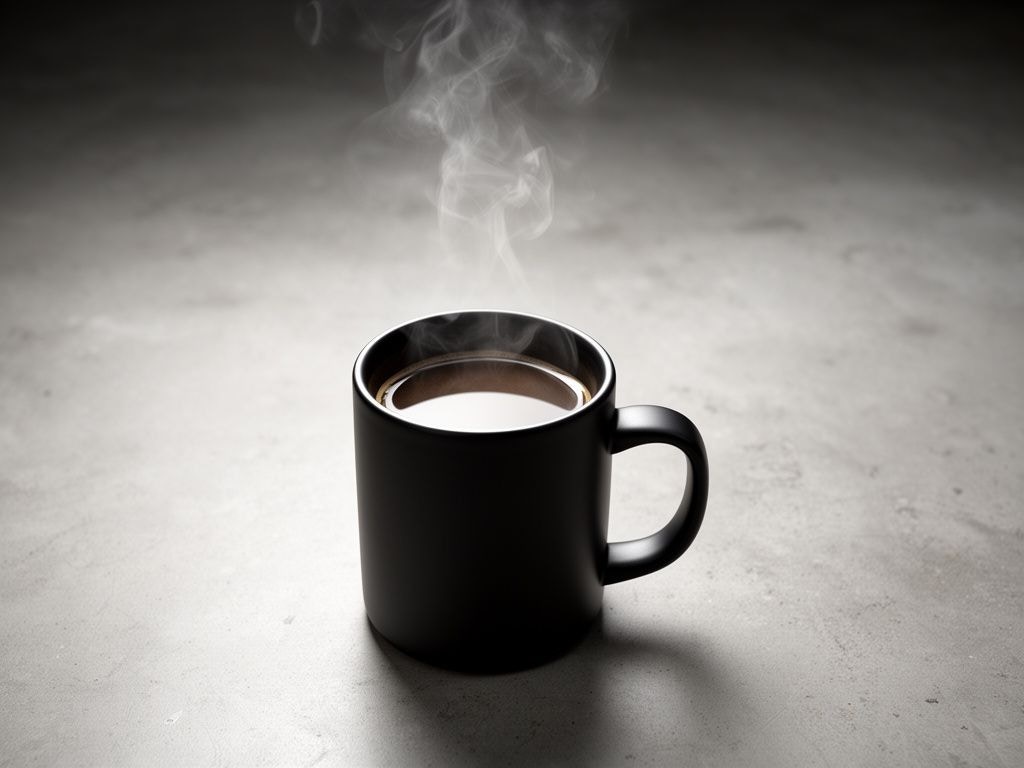
FLUX.2 is trained to understand structured JSON prompts, giving you precise control over subjects, composition, lighting, and camera settings.
**Basic JSON Prompt Structure**
```python theme={null}
from together import Together
client = Together()
json_prompt = """{
"scene": "Professional studio product photography setup",
"subjects": [
{
"type": "coffee mug",
"description": "Minimalist ceramic mug with steam rising from hot coffee",
"pose": "Stationary on surface",
"position": "foreground",
"color_palette": ["matte black ceramic"]
}
],
"style": "Ultra-realistic product photography",
"color_palette": ["matte black", "concrete gray", "soft white highlights"],
"lighting": "Three-point softbox setup with soft, diffused highlights",
"mood": "Clean, professional, minimalist",
"background": "Polished concrete surface with studio backdrop",
"composition": "rule of thirds",
"camera": {
"angle": "high angle",
"distance": "medium shot",
"focus": "sharp on subject",
"lens": "85mm",
"f-number": "f/5.6",
"ISO": 200
}
}"""
response = client.images.generate(
model="black-forest-labs/FLUX.2-dev", # Can also use FLUX.2-pro or FLUX.2-flex
prompt=json_prompt,
width=1024,
height=768,
steps=20,
)
print(response.data[0].url)
```
 **JSON Schema Reference**
Here's the recommended schema for structured prompts:
```json theme={null}
{
"scene": "Overall scene setting or location",
"subjects": [
{
"type": "Type of subject (e.g., person, object)",
"description": "Physical attributes, clothing, accessories",
"pose": "Action or stance",
"position": "foreground | midground | background"
}
],
"style": "Artistic rendering style",
"color_palette": ["color 1", "color 2", "color 3"],
"lighting": "Lighting condition and direction",
"mood": "Emotional atmosphere",
"background": "Background environment details",
"composition": "rule of thirds | golden spiral | minimalist negative space | ...",
"camera": {
"angle": "eye level | low angle | bird's-eye | ...",
"distance": "close-up | medium shot | wide shot | ...",
"focus": "deep focus | selective focus | sharp on subject",
"lens": "35mm | 50mm | 85mm | ...",
"f-number": "f/2.8 | f/5.6 | ...",
"ISO": 200
},
"effects": ["lens flare", "film grain", "soft bloom"]
}
```
**Composition Options**
| Option | Description |
| --------------------------- | ---------------------------- |
| `rule of thirds` | Classic balanced composition |
| `golden spiral` | Fibonacci-based natural flow |
| `minimalist negative space` | Clean, spacious design |
| `diagonal energy` | Dynamic, action-oriented |
| `vanishing point center` | Depth and perspective focus |
| `triangular arrangement` | Stable, hierarchical layout |
**Camera Angle Options**
| Angle | Use Case |
| ------------------- | ------------------------------ |
| `eye level` | Natural, relatable perspective |
| `low angle` | Heroic, powerful subjects |
| `bird's-eye` | Overview, patterns |
| `worm's-eye` | Dramatic, imposing |
| `over-the-shoulder` | Intimate, narrative |
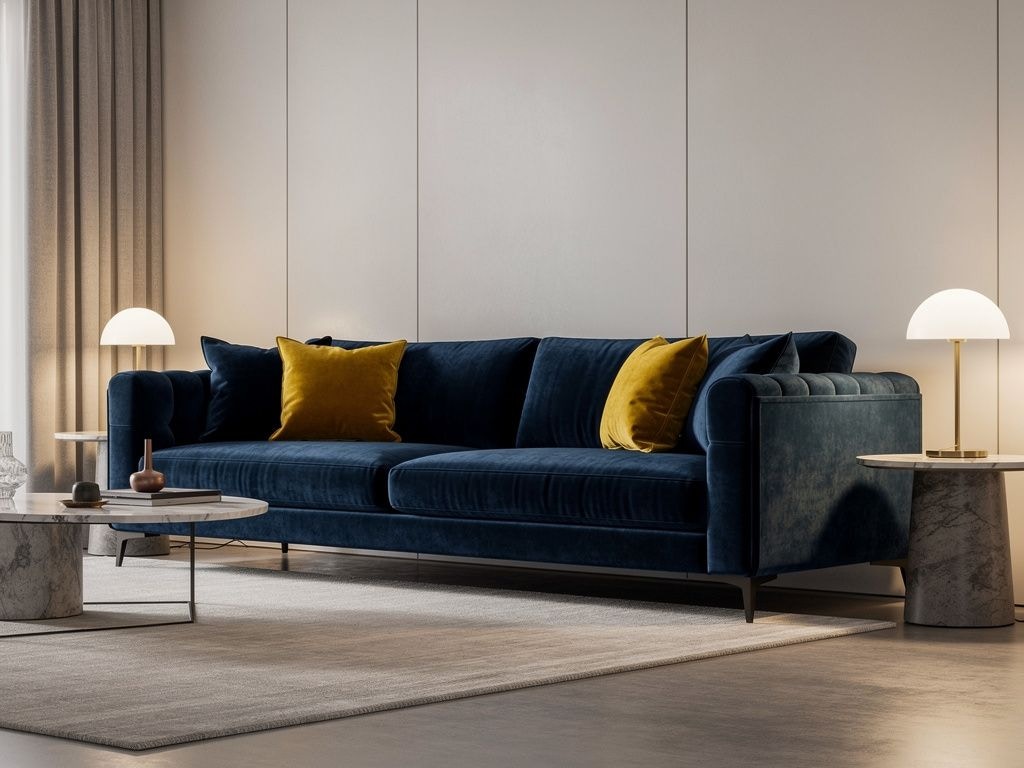
## HEX Color Code Prompting
FLUX.2 supports precise color control using HEX codes. Include the keyword "color" or "hex" followed by the code:
```python theme={null}
from together import Together
client = Together()
response = client.images.generate(
model="black-forest-labs/FLUX.2-pro",
prompt="A modern living room with a velvet sofa in color #2E4057 and accent pillows in hex #E8AA14, minimalist design with warm lighting",
width=1024,
height=768,
)
print(response.data[0].url)
```
**JSON Schema Reference**
Here's the recommended schema for structured prompts:
```json theme={null}
{
"scene": "Overall scene setting or location",
"subjects": [
{
"type": "Type of subject (e.g., person, object)",
"description": "Physical attributes, clothing, accessories",
"pose": "Action or stance",
"position": "foreground | midground | background"
}
],
"style": "Artistic rendering style",
"color_palette": ["color 1", "color 2", "color 3"],
"lighting": "Lighting condition and direction",
"mood": "Emotional atmosphere",
"background": "Background environment details",
"composition": "rule of thirds | golden spiral | minimalist negative space | ...",
"camera": {
"angle": "eye level | low angle | bird's-eye | ...",
"distance": "close-up | medium shot | wide shot | ...",
"focus": "deep focus | selective focus | sharp on subject",
"lens": "35mm | 50mm | 85mm | ...",
"f-number": "f/2.8 | f/5.6 | ...",
"ISO": 200
},
"effects": ["lens flare", "film grain", "soft bloom"]
}
```
**Composition Options**
| Option | Description |
| --------------------------- | ---------------------------- |
| `rule of thirds` | Classic balanced composition |
| `golden spiral` | Fibonacci-based natural flow |
| `minimalist negative space` | Clean, spacious design |
| `diagonal energy` | Dynamic, action-oriented |
| `vanishing point center` | Depth and perspective focus |
| `triangular arrangement` | Stable, hierarchical layout |
**Camera Angle Options**
| Angle | Use Case |
| ------------------- | ------------------------------ |
| `eye level` | Natural, relatable perspective |
| `low angle` | Heroic, powerful subjects |
| `bird's-eye` | Overview, patterns |
| `worm's-eye` | Dramatic, imposing |
| `over-the-shoulder` | Intimate, narrative |
## HEX Color Code Prompting
FLUX.2 supports precise color control using HEX codes. Include the keyword "color" or "hex" followed by the code:
```python theme={null}
from together import Together
client = Together()
response = client.images.generate(
model="black-forest-labs/FLUX.2-pro",
prompt="A modern living room with a velvet sofa in color #2E4057 and accent pillows in hex #E8AA14, minimalist design with warm lighting",
width=1024,
height=768,
)
print(response.data[0].url)
```
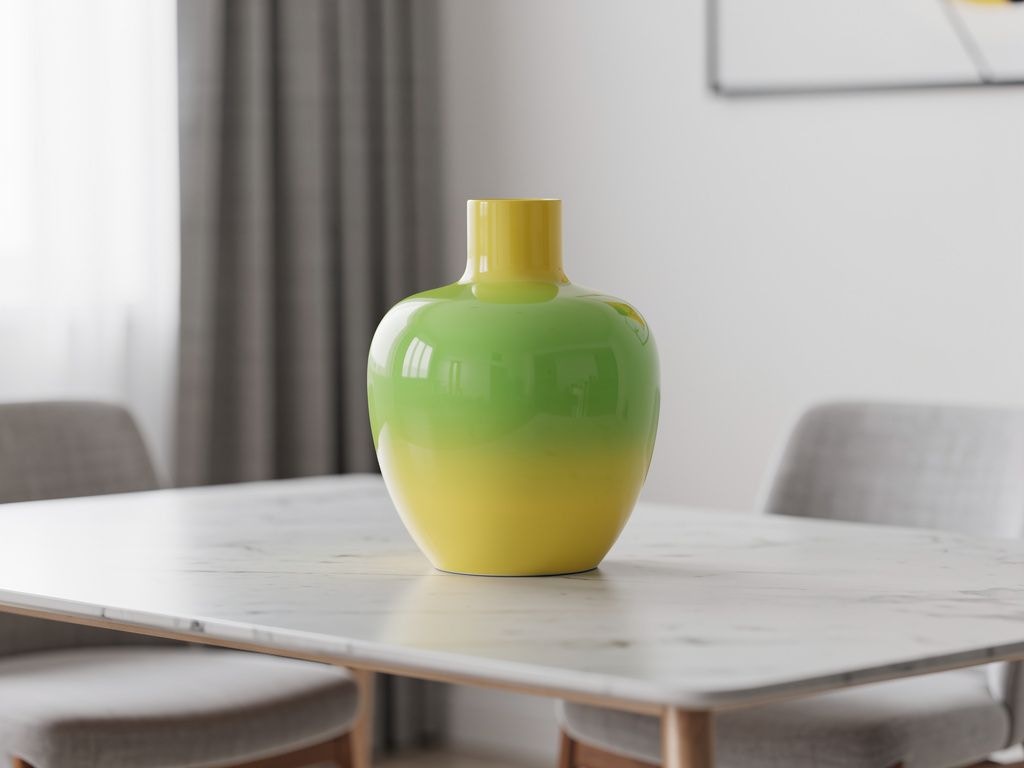
 **Gradient Example**
```python theme={null}
response = client.images.generate(
model="black-forest-labs/FLUX.2-pro",
prompt="A ceramic vase on a table, the color is a gradient starting with #02eb3c and finishing with #edfa3c, modern minimalist interior",
width=1024,
height=768,
)
```
**Gradient Example**
```python theme={null}
response = client.images.generate(
model="black-forest-labs/FLUX.2-pro",
prompt="A ceramic vase on a table, the color is a gradient starting with #02eb3c and finishing with #edfa3c, modern minimalist interior",
width=1024,
height=768,
)
```
 ## Advanced Use Cases
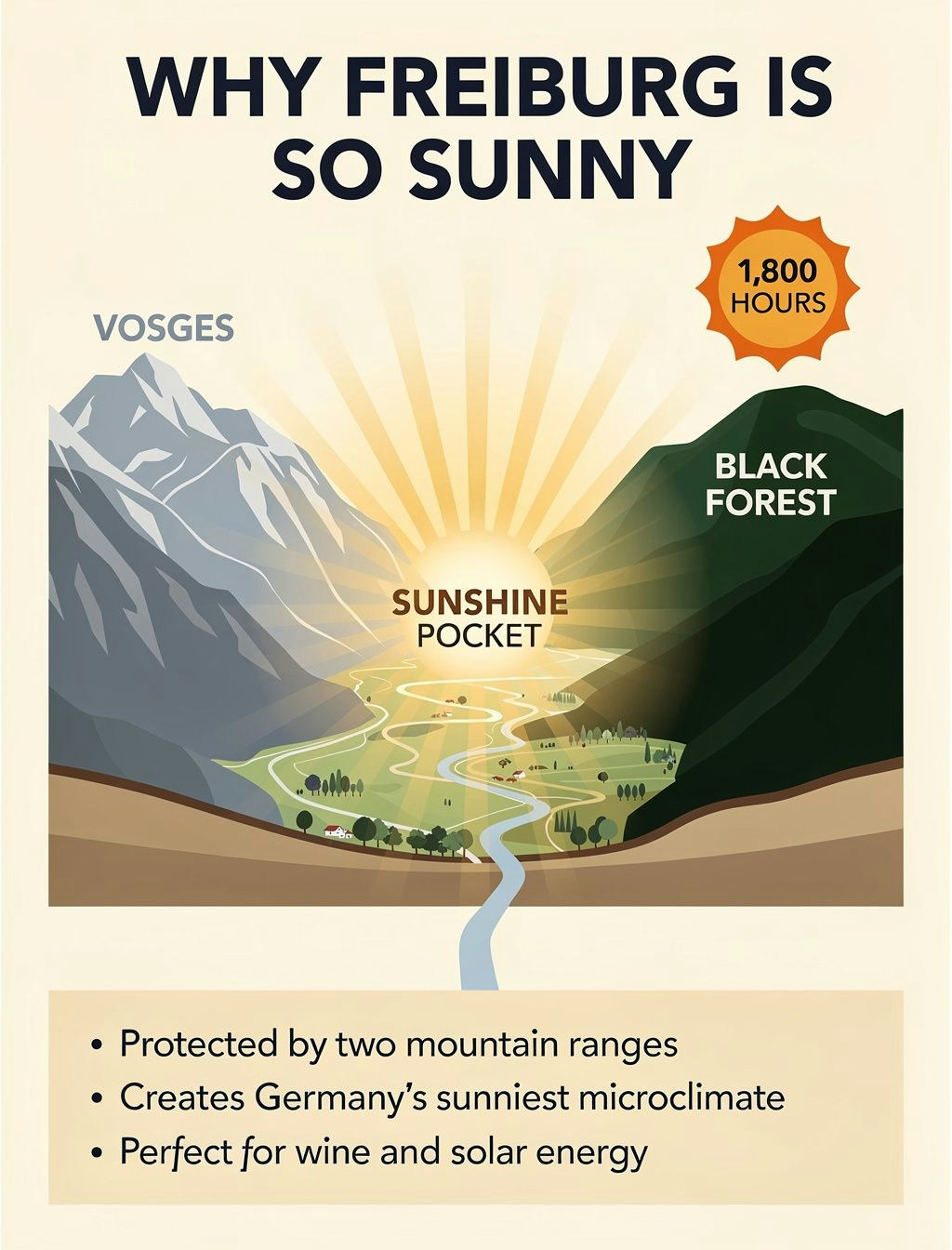
**Infographics**
FLUX.2 can create complex, visually appealing infographics. Specify all data and content explicitly:
```python theme={null}
prompt = """Educational weather infographic titled 'WHY FREIBURG IS SO SUNNY' in bold navy letters at top on cream background, illustrated geographic cross-section showing sunny valley between two mountain ranges, left side blue-grey mountains labeled 'VOSGES', right side dark green mountains labeled 'BLACK FOREST', central golden sunshine rays creating 'SUNSHINE POCKET' text over valley, orange sun icon with '1,800 HOURS' text in top right corner, bottom beige panel with three facts in clean sans-serif text: First fact: 'Protected by two mountain ranges', Second fact: 'Creates Germany's sunniest microclimate', Third fact: 'Perfect for wine and solar energy', flat illustration style with soft gradients"""
response = client.images.generate(
model="black-forest-labs/FLUX.2-pro",
prompt=prompt,
width=1024,
height=1344,
)
```
## Advanced Use Cases
**Infographics**
FLUX.2 can create complex, visually appealing infographics. Specify all data and content explicitly:
```python theme={null}
prompt = """Educational weather infographic titled 'WHY FREIBURG IS SO SUNNY' in bold navy letters at top on cream background, illustrated geographic cross-section showing sunny valley between two mountain ranges, left side blue-grey mountains labeled 'VOSGES', right side dark green mountains labeled 'BLACK FOREST', central golden sunshine rays creating 'SUNSHINE POCKET' text over valley, orange sun icon with '1,800 HOURS' text in top right corner, bottom beige panel with three facts in clean sans-serif text: First fact: 'Protected by two mountain ranges', Second fact: 'Creates Germany's sunniest microclimate', Third fact: 'Perfect for wine and solar energy', flat illustration style with soft gradients"""
response = client.images.generate(
model="black-forest-labs/FLUX.2-pro",
prompt=prompt,
width=1024,
height=1344,
)
```
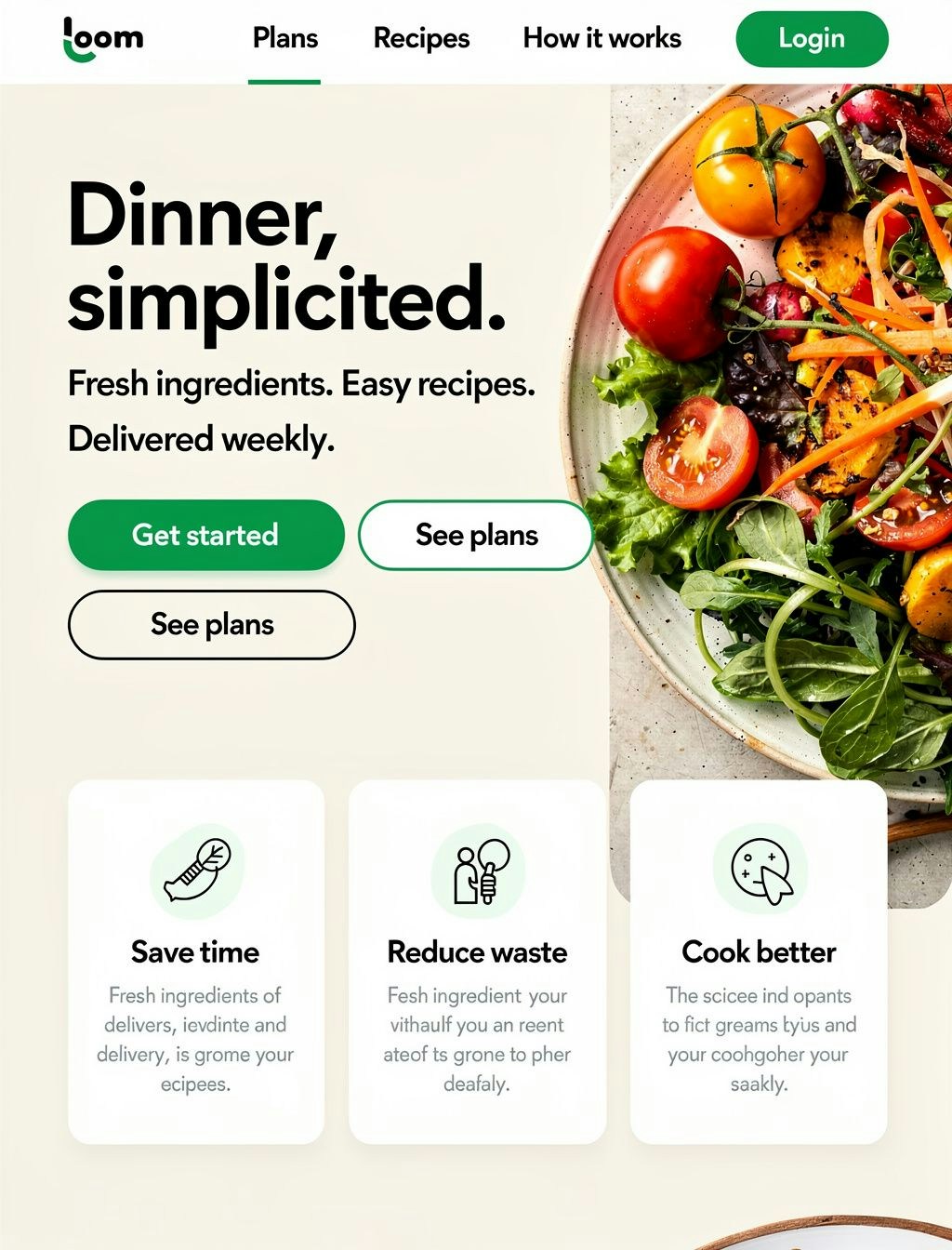
 **Website & App Design Mocks**
Generate full web design mockups for prototyping:
```python theme={null}
prompt = """Full-page modern meal-kit delivery homepage, professional web design layout. Top navigation bar with text links 'Plans', 'Recipes', 'How it works', 'Login' in clean sans-serif. Large hero headline 'Dinner, simplified.' in bold readable font, below it subheadline 'Fresh ingredients. Easy recipes. Delivered weekly.' Two CTA buttons: primary green rounded button with 'Get started' text, secondary outlined button with 'See plans' text. Right side features large professional food photography showing colorful fresh vegetables. Three value prop cards with icons and text 'Save time', 'Reduce waste', 'Cook better'. Bold green (#2ECC71) accent color, rounded buttons, crisp sans-serif typography, warm natural lighting, modern DTC aesthetic"""
response = client.images.generate(
model="black-forest-labs/FLUX.2-pro",
prompt=prompt,
width=1024,
height=1344,
)
```
**Website & App Design Mocks**
Generate full web design mockups for prototyping:
```python theme={null}
prompt = """Full-page modern meal-kit delivery homepage, professional web design layout. Top navigation bar with text links 'Plans', 'Recipes', 'How it works', 'Login' in clean sans-serif. Large hero headline 'Dinner, simplified.' in bold readable font, below it subheadline 'Fresh ingredients. Easy recipes. Delivered weekly.' Two CTA buttons: primary green rounded button with 'Get started' text, secondary outlined button with 'See plans' text. Right side features large professional food photography showing colorful fresh vegetables. Three value prop cards with icons and text 'Save time', 'Reduce waste', 'Cook better'. Bold green (#2ECC71) accent color, rounded buttons, crisp sans-serif typography, warm natural lighting, modern DTC aesthetic"""
response = client.images.generate(
model="black-forest-labs/FLUX.2-pro",
prompt=prompt,
width=1024,
height=1344,
)
```
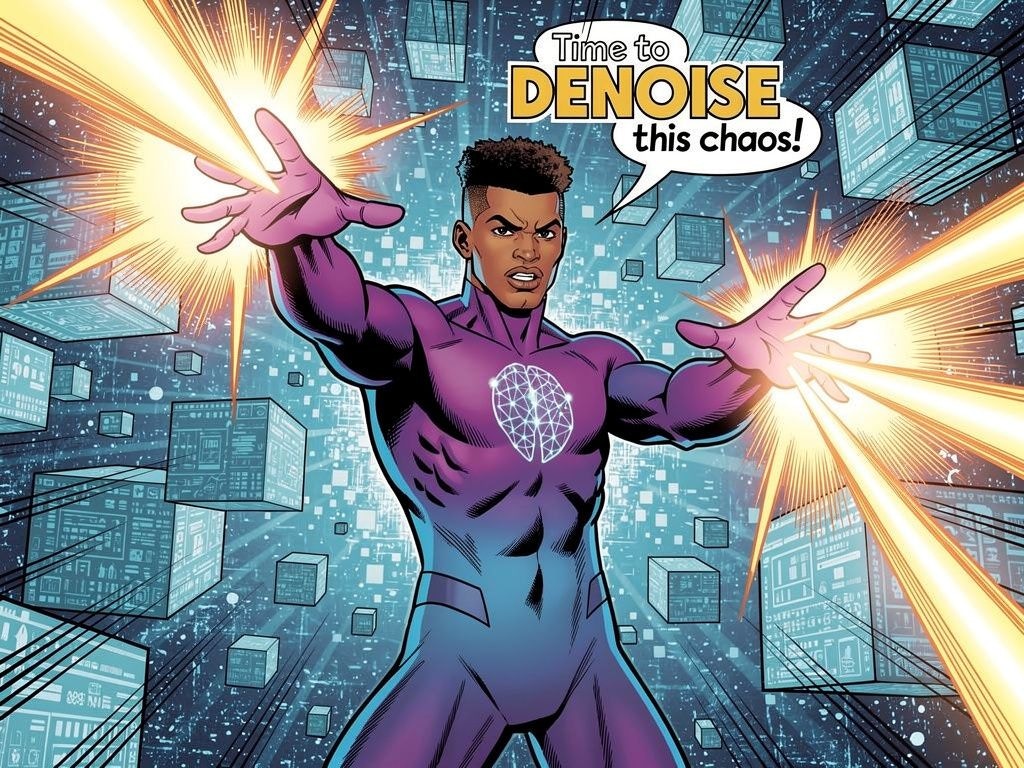
 **Comic Strips**
Create consistent comic-style illustrations:
```python theme={null}
prompt = """Style: Classic superhero comic with dynamic action lines
Character: Diffusion Man (athletic 30-year-old with brown skin tone and short natural fade haircut, wearing sleek gradient bodysuit from deep purple to electric blue, glowing neural network emblem on chest, confident expression) extends both hands forward shooting beams of energy
Setting: Digital cyberspace environment with floating data cubes
Text: "Time to DENOISE this chaos!"
Mood: Intense, action-packed with bright energy flashes"""
response = client.images.generate(
model="black-forest-labs/FLUX.2-pro",
prompt=prompt,
width=1024,
height=768,
)
```
**Comic Strips**
Create consistent comic-style illustrations:
```python theme={null}
prompt = """Style: Classic superhero comic with dynamic action lines
Character: Diffusion Man (athletic 30-year-old with brown skin tone and short natural fade haircut, wearing sleek gradient bodysuit from deep purple to electric blue, glowing neural network emblem on chest, confident expression) extends both hands forward shooting beams of energy
Setting: Digital cyberspace environment with floating data cubes
Text: "Time to DENOISE this chaos!"
Mood: Intense, action-packed with bright energy flashes"""
response = client.images.generate(
model="black-forest-labs/FLUX.2-pro",
prompt=prompt,
width=1024,
height=768,
)
```
 **Stickers**
Generate die-cut sticker designs:
```python theme={null}
prompt = """A kawaii die-cut sticker of a chubby orange cat, featuring big sparkly eyes and a happy smile with paws raised in greeting and a heart-shaped pink nose. The design should have smooth rounded lines with black outlines and soft gradient shading with pink cheeks."""
response = client.images.generate(
model="black-forest-labs/FLUX.2-pro",
prompt=prompt,
width=768,
height=768,
)
```
**Stickers**
Generate die-cut sticker designs:
```python theme={null}
prompt = """A kawaii die-cut sticker of a chubby orange cat, featuring big sparkly eyes and a happy smile with paws raised in greeting and a heart-shaped pink nose. The design should have smooth rounded lines with black outlines and soft gradient shading with pink cheeks."""
response = client.images.generate(
model="black-forest-labs/FLUX.2-pro",
prompt=prompt,
width=768,
height=768,
)
```
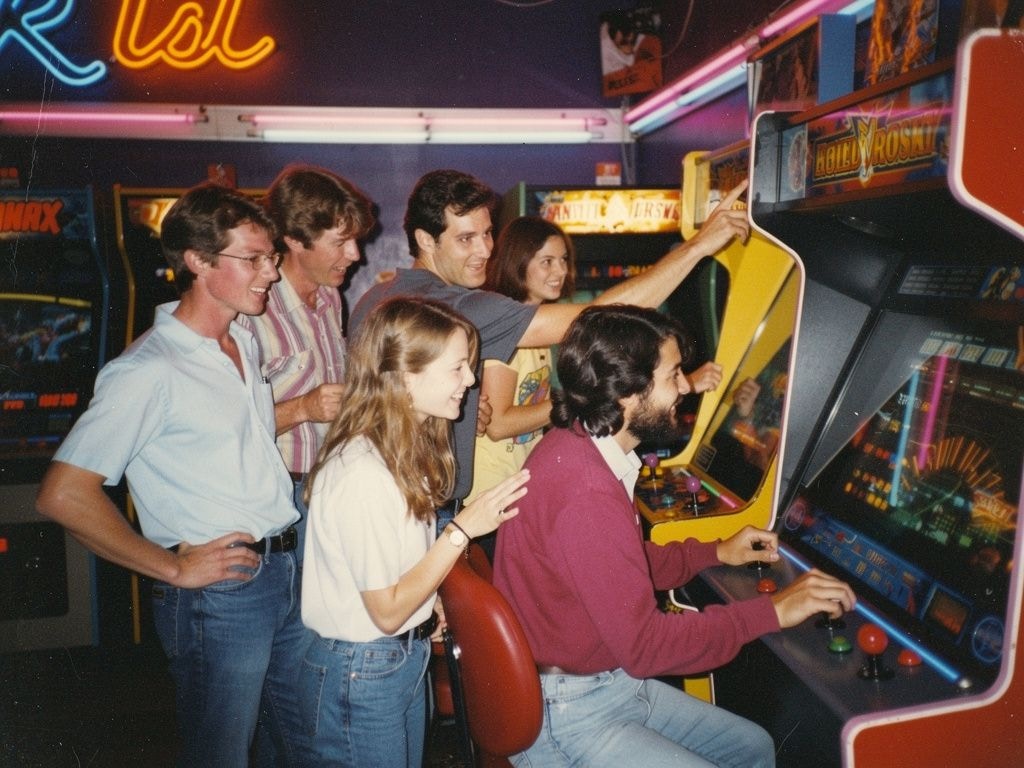
 ## Photography Styles
FLUX.2 excels at various photography aesthetics. Add style keywords to your prompts:
| Style | Prompt Suffix |
| ------------------- | ------------------------------------------------------ |
| Modern Photorealism | `close up photo, photorealistic` |
| 2000s Digicam | `2000s digicam style` |
| 80s Vintage | `80s vintage photo` |
| Analogue Film | `shot on 35mm film, f/2.8, film grain` |
| Vintage Cellphone | `picture taken from a vintage cellphone, selfie style` |
```python theme={null}
# Example: 80s vintage style
response = client.images.generate(
model="black-forest-labs/FLUX.2-pro",
prompt="A group of friends at an arcade, neon lights, having fun playing games, 80s vintage photo",
width=1024,
height=768,
)
```
## Photography Styles
FLUX.2 excels at various photography aesthetics. Add style keywords to your prompts:
| Style | Prompt Suffix |
| ------------------- | ------------------------------------------------------ |
| Modern Photorealism | `close up photo, photorealistic` |
| 2000s Digicam | `2000s digicam style` |
| 80s Vintage | `80s vintage photo` |
| Analogue Film | `shot on 35mm film, f/2.8, film grain` |
| Vintage Cellphone | `picture taken from a vintage cellphone, selfie style` |
```python theme={null}
# Example: 80s vintage style
response = client.images.generate(
model="black-forest-labs/FLUX.2-pro",
prompt="A group of friends at an arcade, neon lights, having fun playing games, 80s vintage photo",
width=1024,
height=768,
)
```
 ## Multi-Language Support
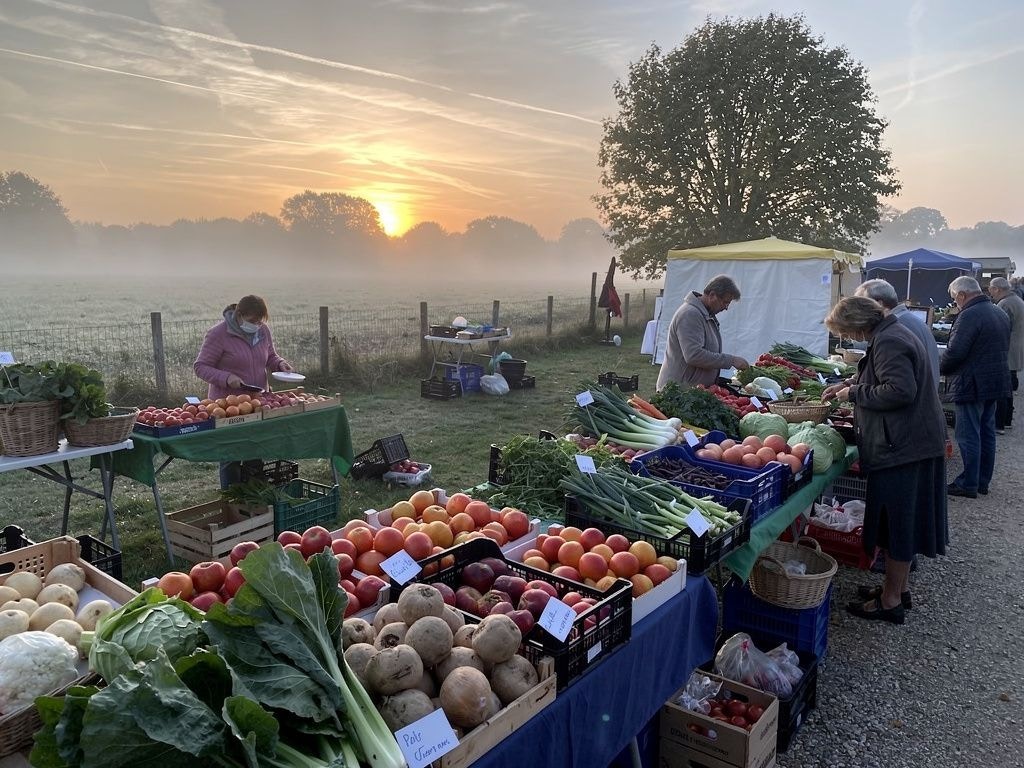
FLUX.2 supports prompting in many languages without translation:
```python theme={null}
# French
response = client.images.generate(
model="black-forest-labs/FLUX.2-pro",
prompt="Un marché alimentaire dans la campagne normande, des marchands vendent divers légumes, fruits. Lever de soleil, temps un peu brumeux",
width=1024,
height=768,
)
```
## Multi-Language Support
FLUX.2 supports prompting in many languages without translation:
```python theme={null}
# French
response = client.images.generate(
model="black-forest-labs/FLUX.2-pro",
prompt="Un marché alimentaire dans la campagne normande, des marchands vendent divers légumes, fruits. Lever de soleil, temps un peu brumeux",
width=1024,
height=768,
)
```
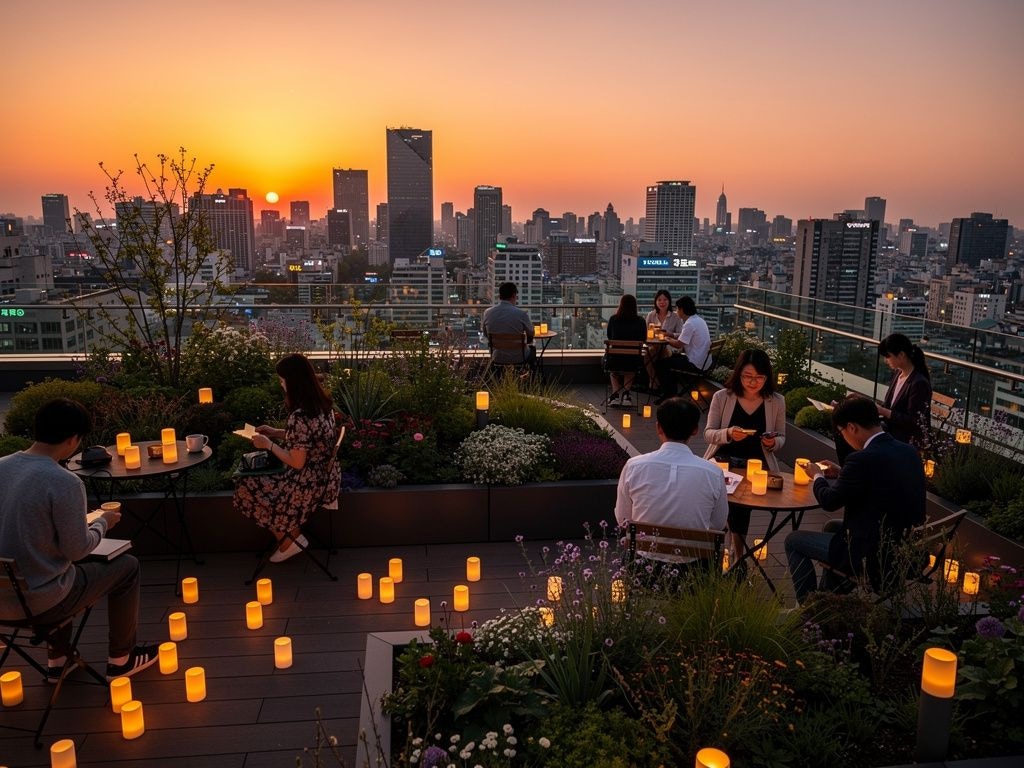
 ```python theme={null}
# Korean
response = client.images.generate(
model="black-forest-labs/FLUX.2-pro",
prompt="서울 도심의 옥상 정원, 저녁 노을이 지는 하늘 아래에서 사람들이 작은 등불을 켜고 있다",
width=1024,
height=768,
)
```
```python theme={null}
# Korean
response = client.images.generate(
model="black-forest-labs/FLUX.2-pro",
prompt="서울 도심의 옥상 정원, 저녁 노을이 지는 하늘 아래에서 사람들이 작은 등불을 켜고 있다",
width=1024,
height=768,
)
```
 ## Prompting Best Practices
**Golden Rules**
1. **Order by importance** — List the most important elements first in your prompt
2. **Be specific** — The more detailed, the more controlled the output
**Prompt Framework**
Follow this structure: **Subject + Action + Style + Context**
* **Subject**: The main focus (person, object, character)
* **Action**: What the subject is doing or their pose
* **Style**: Artistic approach, medium, or aesthetic
* **Context**: Setting, lighting, time, mood
**Avoid Negative Prompting**
FLUX.2 does **not** support negative prompts. Instead of saying what you don't want, describe what you do want:
| ❌ Don't | ✅ Do |
| ----------------------------------------- | ----------------------------------------------------------------------------------------- |
| `portrait, --no text, --no extra fingers` | `tight head-and-shoulders portrait, clean background, natural hands at rest out of frame` |
| `landscape, --no people` | `serene mountain landscape, untouched wilderness, pristine nature` |
## Troubleshooting
**Text not rendering correctly**
* Use FLUX.2 \[flex] for better typography
* Put exact text in quotes within the prompt
* Keep text short and clear
**Colors not matching**
* Use HEX codes with "color" or "hex" keyword
* Be explicit about which element should have which color
**Composition not as expected**
* Use JSON structured prompts for precise control
* Specify camera angle, distance, and composition type
* Use position descriptors (foreground, midground, background)
Check out all available Flux models [here](/docs/serverless/models#image-models)
## Prompting Best Practices
**Golden Rules**
1. **Order by importance** — List the most important elements first in your prompt
2. **Be specific** — The more detailed, the more controlled the output
**Prompt Framework**
Follow this structure: **Subject + Action + Style + Context**
* **Subject**: The main focus (person, object, character)
* **Action**: What the subject is doing or their pose
* **Style**: Artistic approach, medium, or aesthetic
* **Context**: Setting, lighting, time, mood
**Avoid Negative Prompting**
FLUX.2 does **not** support negative prompts. Instead of saying what you don't want, describe what you do want:
| ❌ Don't | ✅ Do |
| ----------------------------------------- | ----------------------------------------------------------------------------------------- |
| `portrait, --no text, --no extra fingers` | `tight head-and-shoulders portrait, clean background, natural hands at rest out of frame` |
| `landscape, --no people` | `serene mountain landscape, untouched wilderness, pristine nature` |
## Troubleshooting
**Text not rendering correctly**
* Use FLUX.2 \[flex] for better typography
* Put exact text in quotes within the prompt
* Keep text short and clear
**Colors not matching**
* Use HEX codes with "color" or "hex" keyword
* Be explicit about which element should have which color
**Composition not as expected**
* Use JSON structured prompts for precise control
* Specify camera angle, distance, and composition type
* Use position descriptors (foreground, midground, background)
Check out all available Flux models [here](/docs/serverless/models#image-models)