FLUX.2

Black Forest Labs has released FLUX.2 with support on Together AI. FLUX.2 is the next generation of image models, featuring enhanced control through JSON structured prompts, HEX color code support, reference image editing, and exceptional text rendering capabilities. Three model variants are available:
ModelBest ForKey Features
FLUX.2 [pro]Maximum qualityUp to 9 MP output, fastest generation
FLUX.2 [dev]Development & iterationGreat balance of quality and flexibility
FLUX.2 [flex]Maximum customizationAdjustable steps & guidance, better typography
Which model should I use?
  • Use [pro] for production workloads requiring the highest quality and speed
  • Use [dev] for development, experimentation, and when you need a balance of quality and control
  • Use [flex] when you need maximum control over generation parameters or require exceptional typography

Generating an image

Here’s how to generate images with FLUX.2:

from together import Together

client = Together()

response = client.images.generate(
    model="black-forest-labs/FLUX.2-pro",
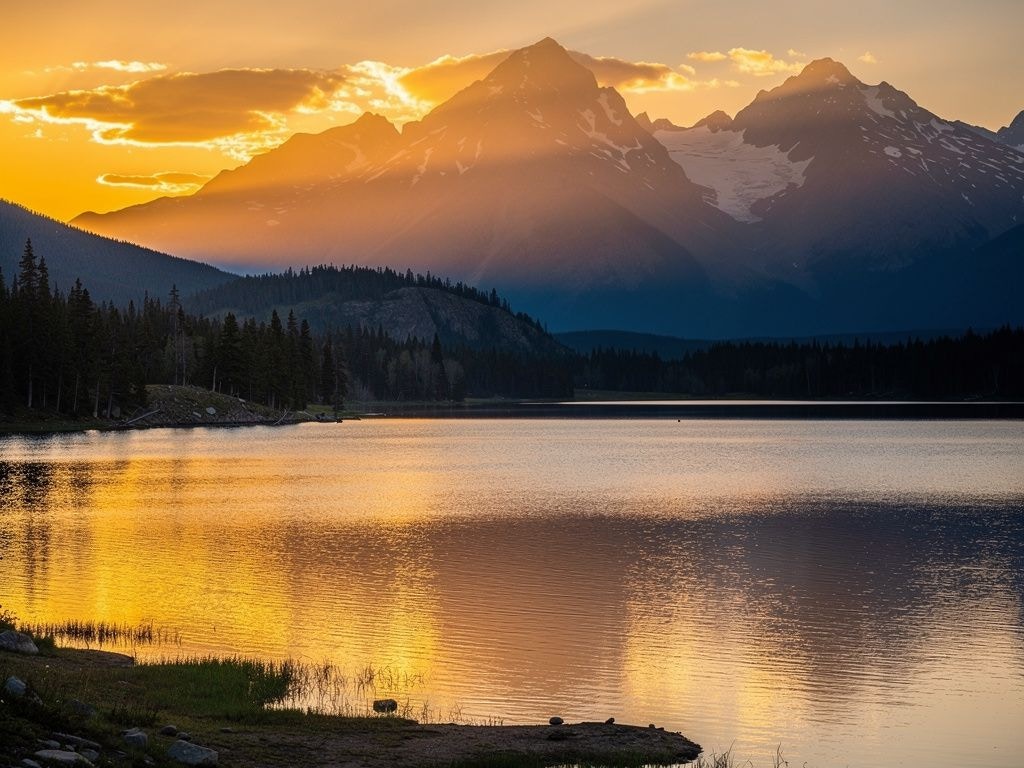
    prompt="A mountain landscape at sunset with golden light reflecting on a calm lake",
    width=1024,
    height=768,
)

print(response.data[0].url)
Using FLUX.2 [dev] The dev variant offers a great balance for development and iteration:
from together import Together

client = Together()

response = client.images.generate(
    model="black-forest-labs/FLUX.2-dev",
    prompt="A modern workspace with a laptop, coffee cup, and plants, natural lighting",
    width=1024,
    height=768,
    steps=20,
)

print(response.data[0].url)
Using FLUX.2 [flex] The flex variant provides maximum customization with steps and guidance parameters. It also excels at typography and text rendering.

from together import Together

client = Together()

response = client.images.generate(
    model="black-forest-labs/FLUX.2-flex",
    prompt="A vintage coffee shop sign with elegant typography reading 'The Daily Grind' in art deco style",
    width=1024,
    height=768,
    steps=28,
    guidance=7.5,
)

print(response.data[0].url)

Parameters

Common Parameters (All Models)
ParameterTypeDescriptionDefault
promptstringText description of the image to generateRequired
widthintegerImage width in pixels (256-1920)1024
heightintegerImage height in pixels (256-1920)768
seedintegerSeed for reproducibilityRandom
prompt_upsamplingbooleanAutomatically enhance prompt for better generationtrue
output_formatstringOutput format: jpeg or pngjpeg
reference_imagesarrayReference image URL(s) for image-to-image editing-
Additional Parameters for [dev] and [flex] FLUX.2 [dev] and FLUX.2 [flex] support additional parameters:
ParameterTypeDescriptionDefault
stepsintegerNumber of inference steps (higher = better quality, slower)Model default
guidancefloatGuidance scale (higher values follow prompt more closely)Model default

Image-to-Image with Reference Images

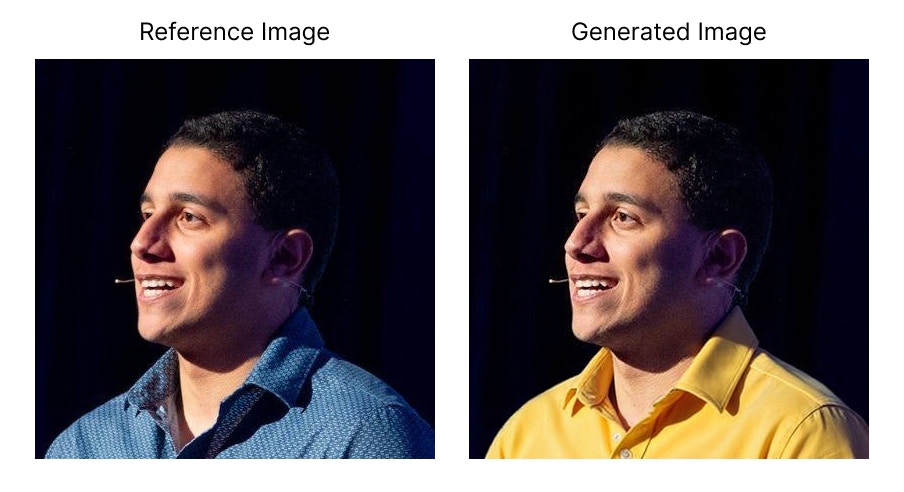
FLUX.2 supports powerful image-to-image editing using the reference_images parameter. Pass one or more image URLs to guide generation. Core Capabilities:
CapabilityDescription
Multi-reference editingUse multiple images in a single edit
Sequential editsEdit images iteratively
Color controlSpecify exact colors using hex values or reference images
Image indexingReference specific images by number: “the jacket from image 2”
Natural languageDescribe elements naturally: “the woman in the blue dress”
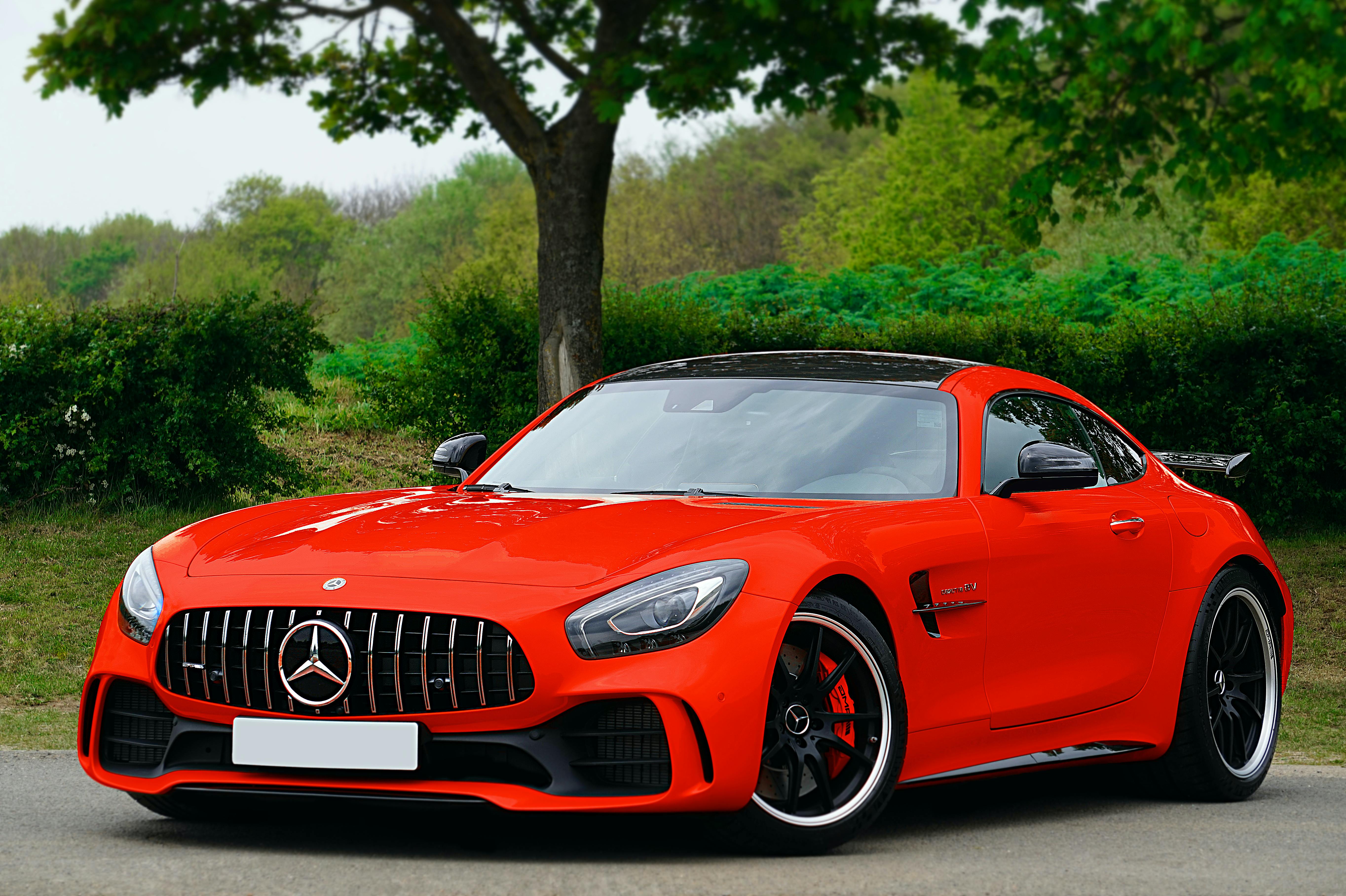
Single Reference Image Edit or transform a single input image:
from together import Together

client = Together()

response = client.images.generate(
    model="black-forest-labs/FLUX.2-pro",
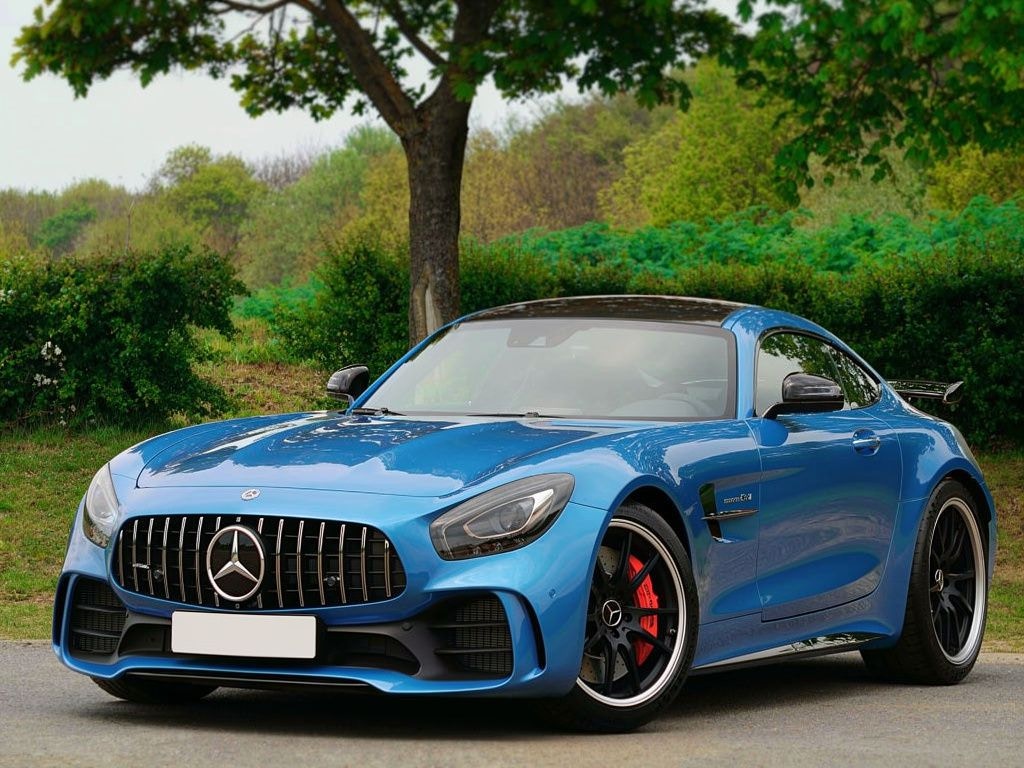
    prompt="Replace the color of the car to blue",
    width=1024,
    height=768,
    reference_images=[
        "https://images.pexels.com/photos/3729464/pexels-photo-3729464.jpeg"
    ],
)

print(response.data[0].url)
Multiple Reference Images Combine elements from multiple images. Reference them by index (image 1, image 2, etc.):
from together import Together

client = Together()

response = client.images.generate(
    model="black-forest-labs/FLUX.2-pro",
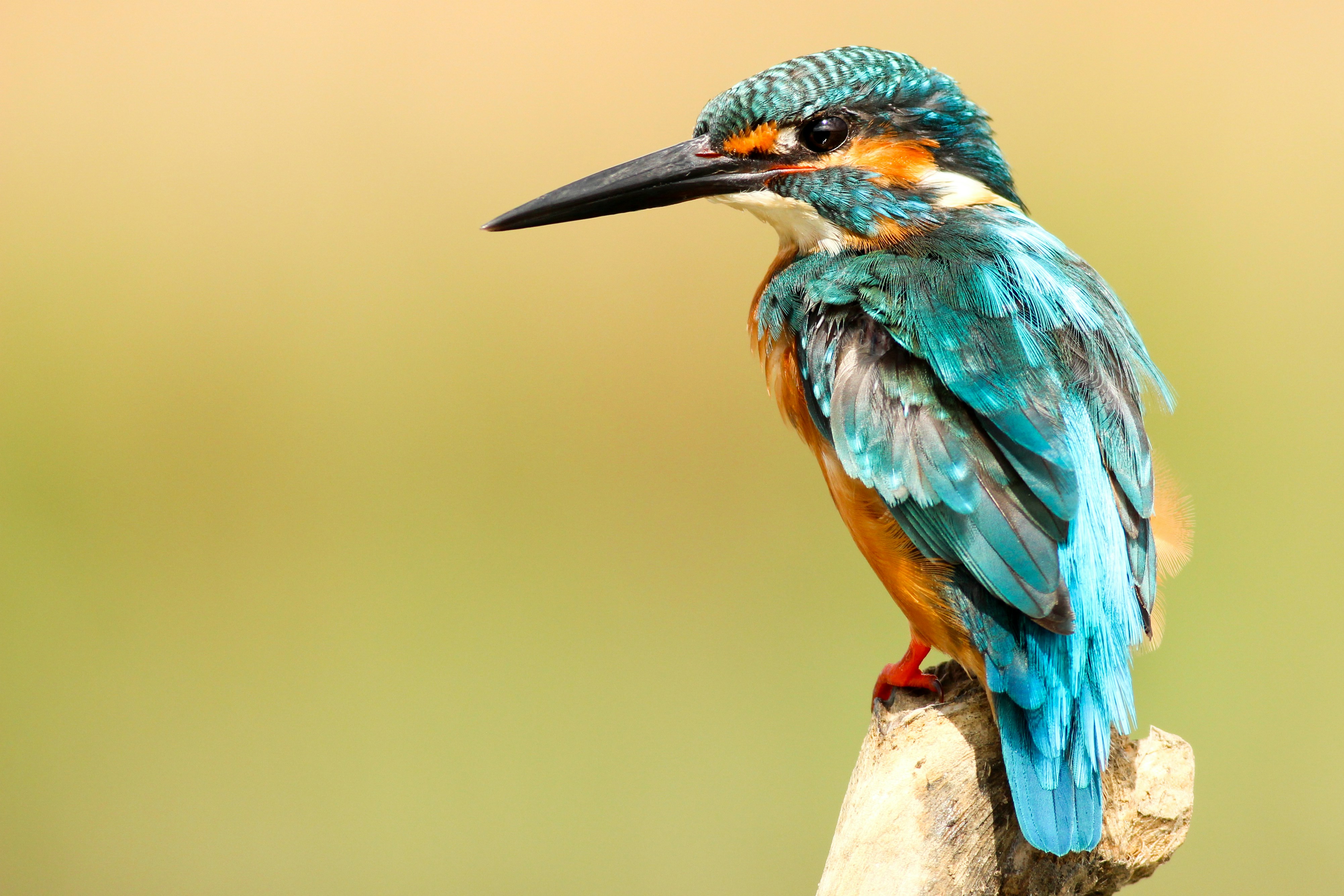
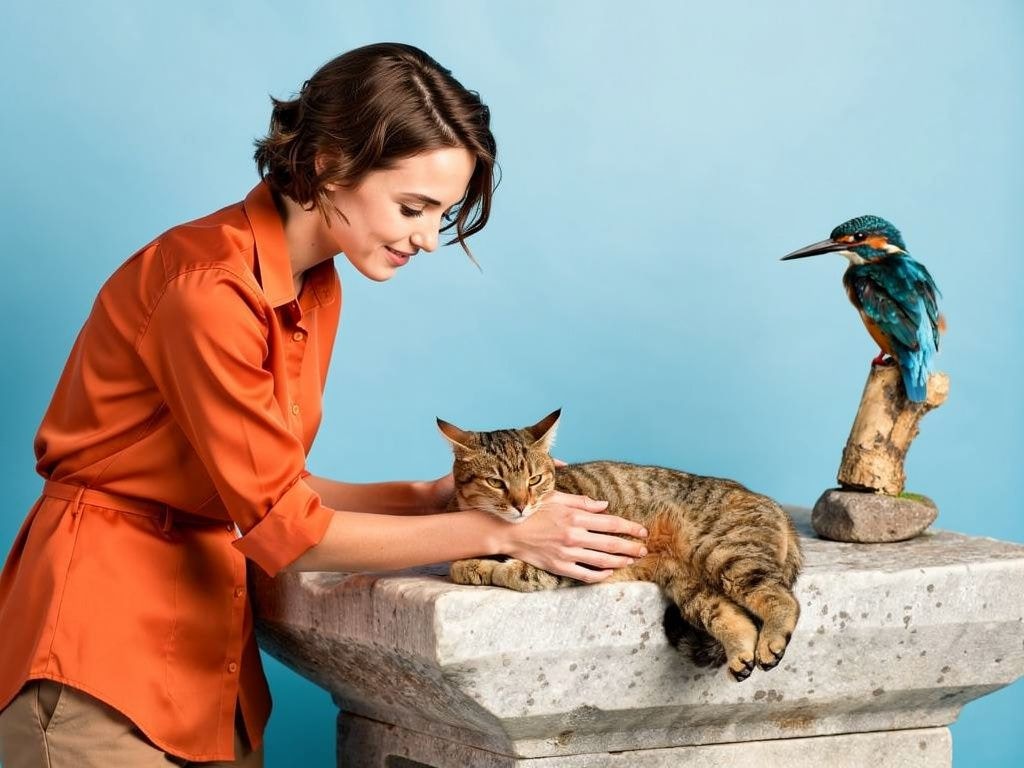
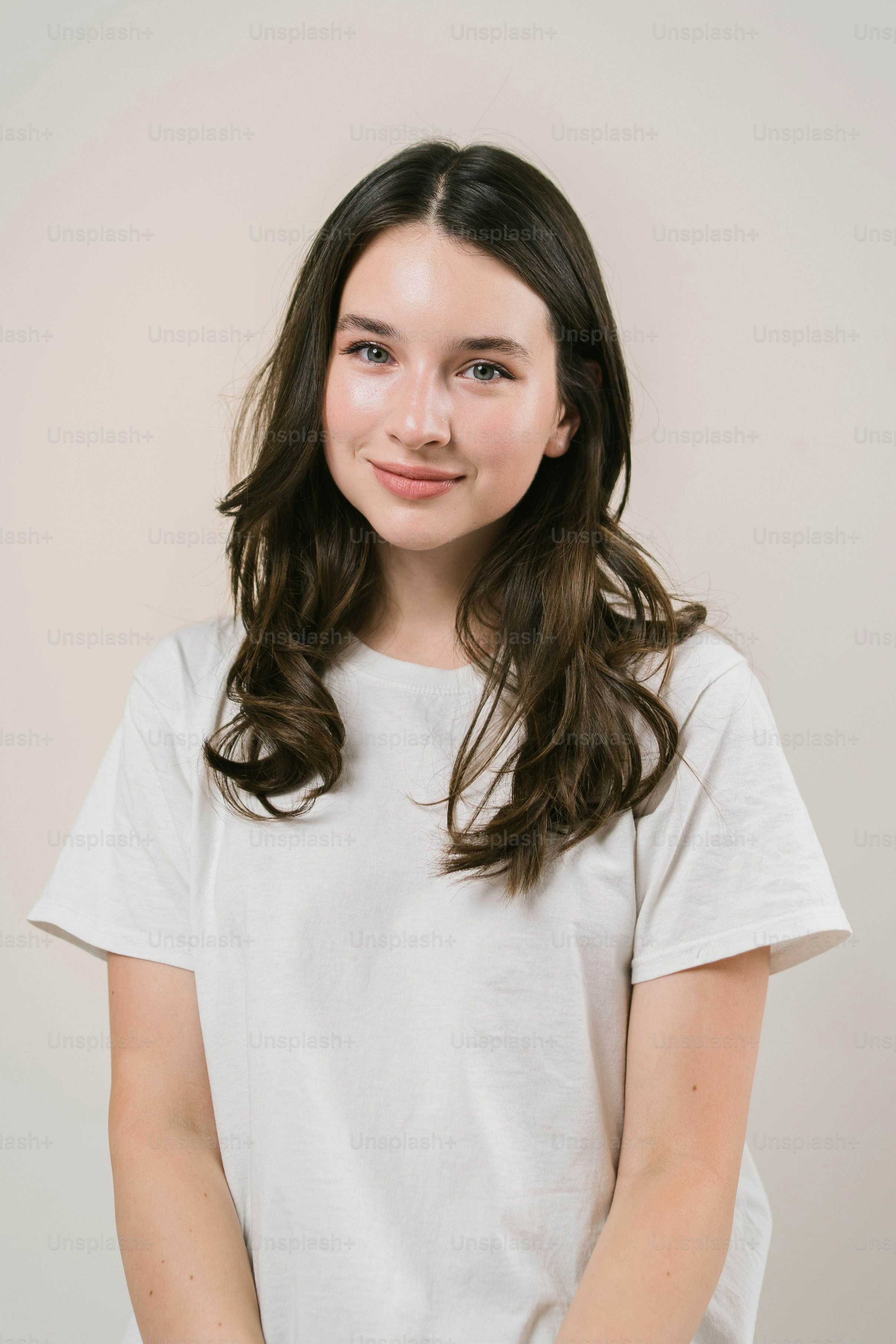
    prompt="The person from image 1 is petting the cat from image 2, the bird from image 3 is next to them",
    width=1024,
    height=768,
    reference_images=[
        "https://t4.ftcdn.net/jpg/03/83/25/83/360_F_383258331_D8imaEMl8Q3lf7EKU2Pi78Cn0R7KkW9o.jpg",
        "https://cdn.pixabay.com/photo/2020/05/20/08/27/cat-5195431_1280.jpg",
        "https://images.unsplash.com/photo-1486365227551-f3f90034a57c",
    ],
)

print(response.data[0].url)
Using Image Indexing Reference specific images by their position in the array:
from together import Together

client = Together()

response = client.images.generate(
    model="black-forest-labs/FLUX.2-pro",
    prompt="Replace the top of the person from image 2 with the one from image 1",
    width=1024,
    height=768,
    reference_images=[
        "https://img.freepik.com/free-photo/designer-working-3d-model_23-2149371896.jpg",
        "https://img.freepik.com/free-photo/handsome-young-cheerful-man-with-arms-crossed_171337-1073.jpg",
    ],
)

print(response.data[0].url)
Using Natural Language FLUX.2 understands the content in your images, so you can describe elements naturally:
from together import Together

client = Together()

response = client.images.generate(
    model="black-forest-labs/FLUX.2-pro",
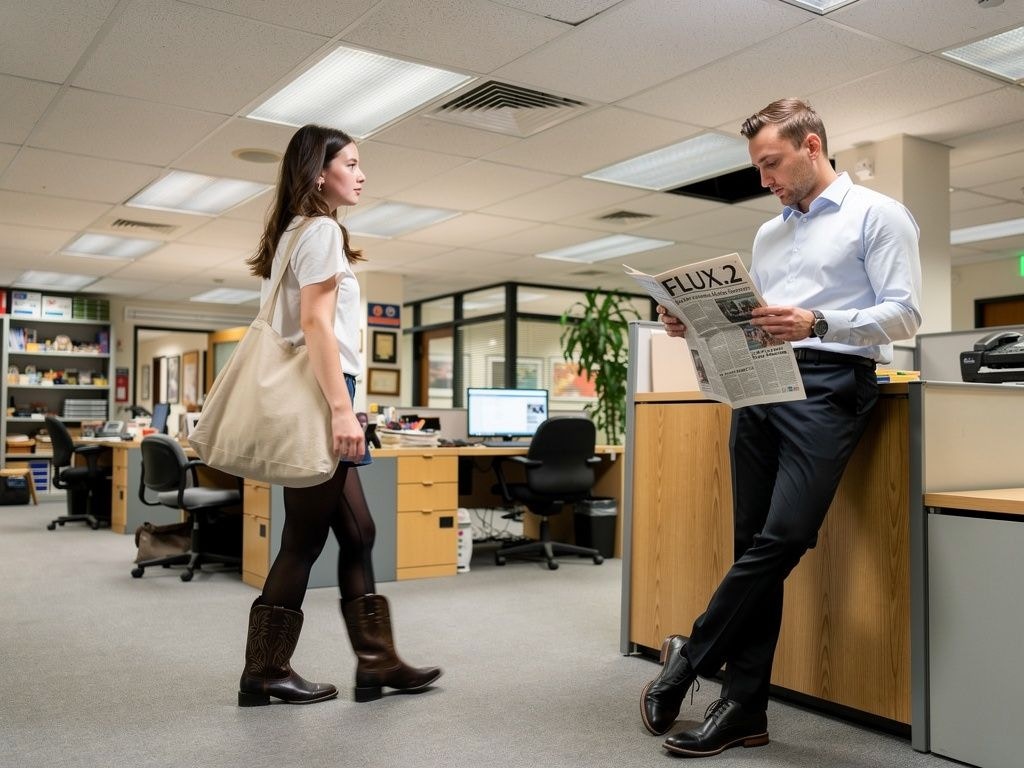
    prompt="""The man is leaning against the wall reading a newspaper with the title "FLUX.2"
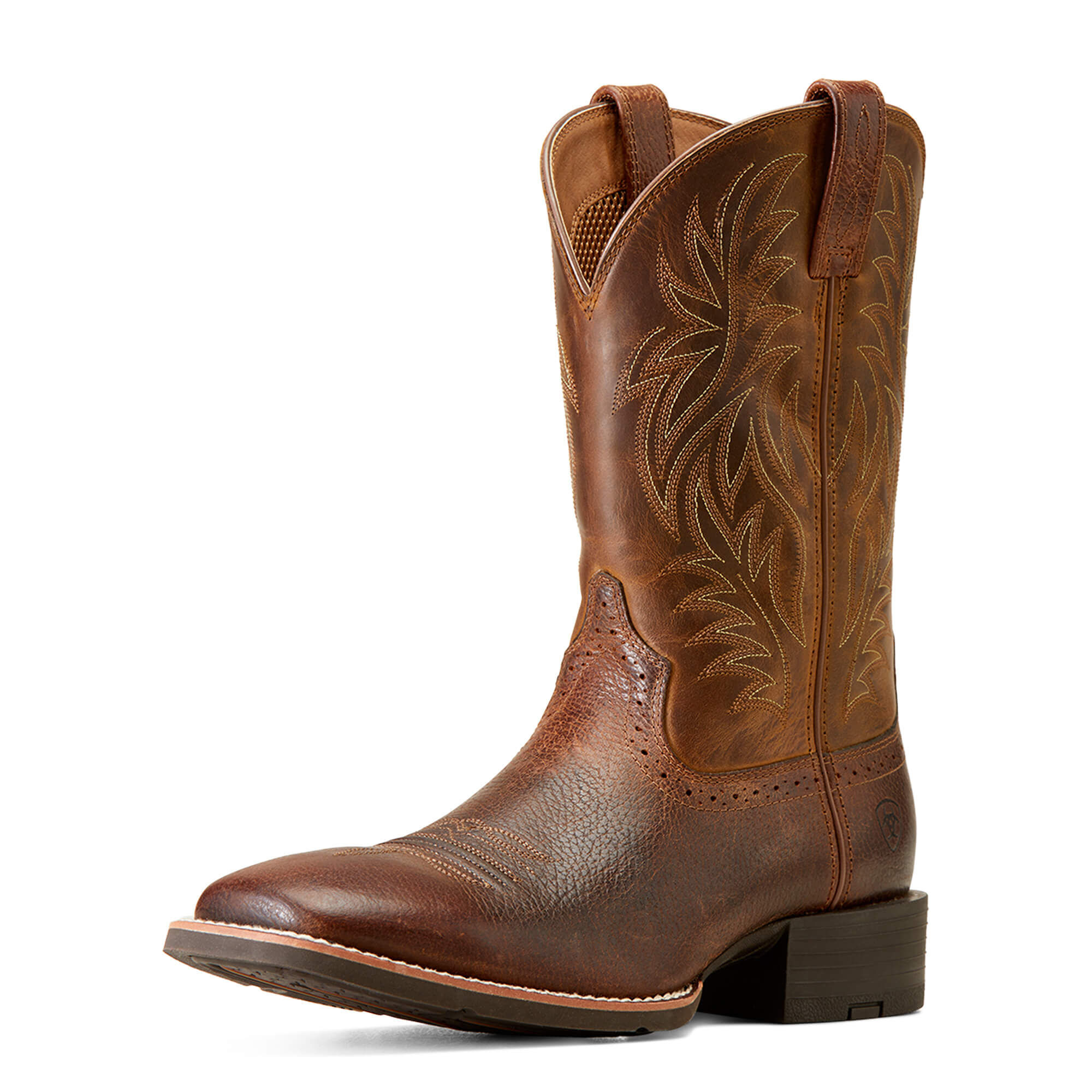
The woman is walking past him, carrying one of the tote bags and wearing the black boots.
The focus is on their contrasting styles — her relaxed, creative vibe versus his formal look.""",
    width=1024,
    height=768,
    reference_images=[
        "https://img.freepik.com/free-photo/handsome-young-cheerful-man-with-arms-crossed_171337-1073.jpg",
        "https://plus.unsplash.com/premium_photo-1690407617542-2f210cf20d7e",
        "https://www.ariat.com/dw/image/v2/AAML_PRD/on/demandware.static/-/Sites-ARIAT/default/dw00f9b649/images/zoom/10016291_3-4_front.jpg",
        "https://i.pinimg.com/736x/dc/71/1c/dc711cc4c3ebafcd21f2a61efe8fd6cd.jpg",
    ],
)

print(response.data[0].url)
Color Editing with Reference Images To change colors precisely, provide a color swatch image as a reference:
from together import Together

client = Together()

response = client.images.generate(
    model="black-forest-labs/FLUX.2-pro",
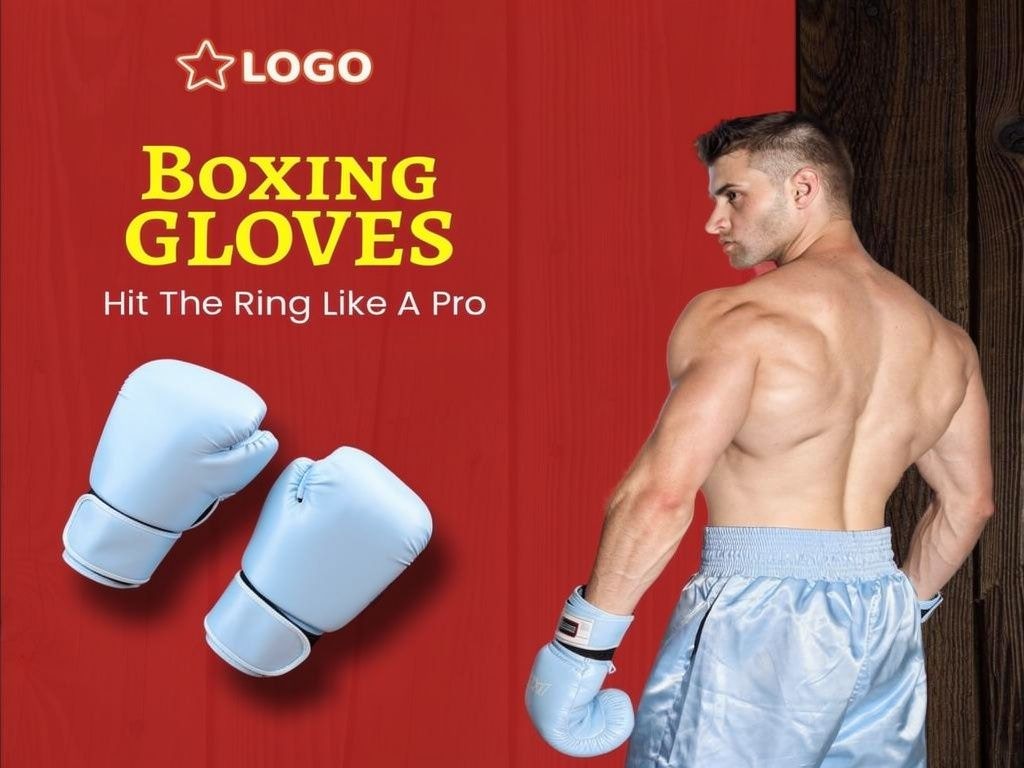
    prompt="Change the color of the gloves to the color of image 2",
    width=1024,
    height=768,
    reference_images=[
        "https://cdn.intellemo.ai/int-stock/62c6cc300a6a222fb36a2c8e/62c6cc320a6a222fb36a2c8f-v376/premium_boxing_gloves_from_top_brand_l.jpg",
        "https://shop.reformcph.com/cdn/shop/files/Blue_9da983c6-f823-4205-bca1-b3b8470657cf_grande.png",
    ],
)

print(response.data[0].url)
Best Practices for Reference Images
  1. Use image indexing — Reference images by number (“image 1”, “image 2”) for precise control
  2. Be descriptive — Clearly describe what you want to change or combine
  3. Use high-quality inputs — Better input images lead to better results
  4. Combine with HEX colors — Use specific color codes or color swatch images for precise color changes

JSON Structured Prompts

FLUX.2 is trained to understand structured JSON prompts, giving you precise control over subjects, composition, lighting, and camera settings. Basic JSON Prompt Structure
from together import Together

client = Together()

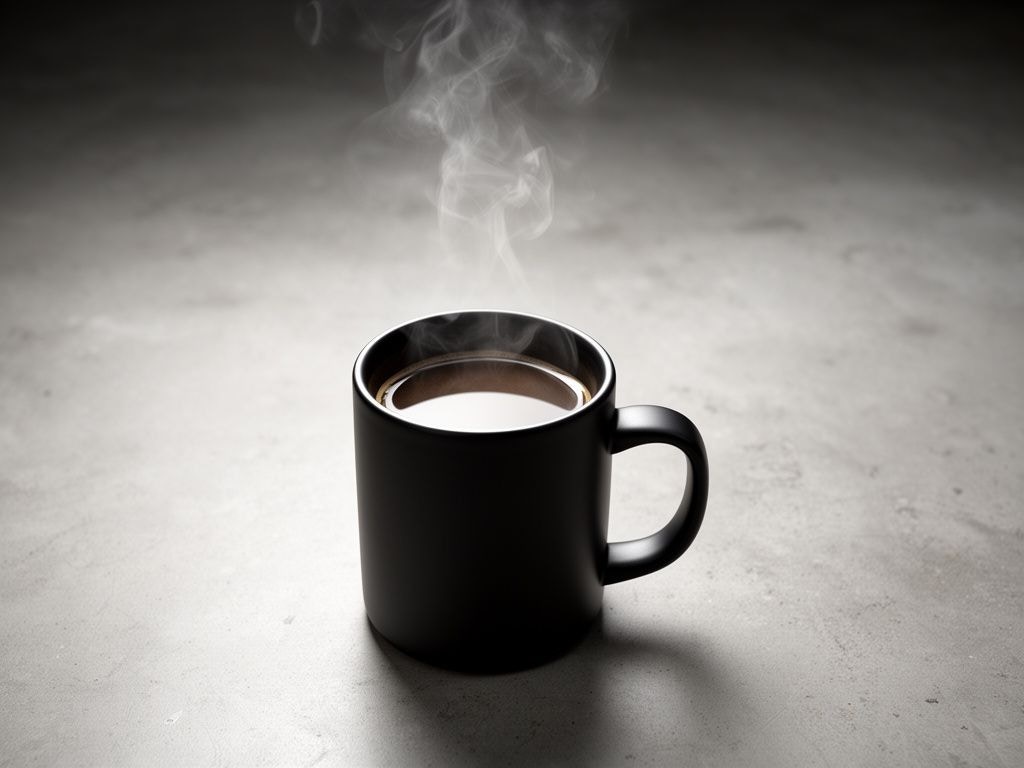
json_prompt = """{
  "scene": "Professional studio product photography setup",
  "subjects": [
    {
      "type": "coffee mug",
      "description": "Minimalist ceramic mug with steam rising from hot coffee",
      "pose": "Stationary on surface",
      "position": "foreground",
      "color_palette": ["matte black ceramic"]
    }
  ],
  "style": "Ultra-realistic product photography",
  "color_palette": ["matte black", "concrete gray", "soft white highlights"],
  "lighting": "Three-point softbox setup with soft, diffused highlights",
  "mood": "Clean, professional, minimalist",
  "background": "Polished concrete surface with studio backdrop",
  "composition": "rule of thirds",
  "camera": {
    "angle": "high angle",
    "distance": "medium shot",
    "focus": "sharp on subject",
    "lens": "85mm",
    "f-number": "f/5.6",
    "ISO": 200
  }
}"""

response = client.images.generate(
    model="black-forest-labs/FLUX.2-dev",  # Can also use FLUX.2-pro or FLUX.2-flex
    prompt=json_prompt,
    width=1024,
    height=768,
    steps=20,
)

print(response.data[0].url)
JSON Schema Reference Here’s the recommended schema for structured prompts:
{
  "scene": "Overall scene setting or location",
  "subjects": [
    {
      "type": "Type of subject (e.g., person, object)",
      "description": "Physical attributes, clothing, accessories",
      "pose": "Action or stance",
      "position": "foreground | midground | background"
    }
  ],
  "style": "Artistic rendering style",
  "color_palette": ["color 1", "color 2", "color 3"],
  "lighting": "Lighting condition and direction",
  "mood": "Emotional atmosphere",
  "background": "Background environment details",
  "composition": "rule of thirds | golden spiral | minimalist negative space | ...",
  "camera": {
    "angle": "eye level | low angle | bird's-eye | ...",
    "distance": "close-up | medium shot | wide shot | ...",
    "focus": "deep focus | selective focus | sharp on subject",
    "lens": "35mm | 50mm | 85mm | ...",
    "f-number": "f/2.8 | f/5.6 | ...",
    "ISO": 200
  },
  "effects": ["lens flare", "film grain", "soft bloom"]
}
Composition Options
OptionDescription
rule of thirdsClassic balanced composition
golden spiralFibonacci-based natural flow
minimalist negative spaceClean, spacious design
diagonal energyDynamic, action-oriented
vanishing point centerDepth and perspective focus
triangular arrangementStable, hierarchical layout
Camera Angle Options
AngleUse Case
eye levelNatural, relatable perspective
low angleHeroic, powerful subjects
bird's-eyeOverview, patterns
worm's-eyeDramatic, imposing
over-the-shoulderIntimate, narrative

HEX Color Code Prompting

FLUX.2 supports precise color control using HEX codes. Include the keyword “color” or “hex” followed by the code:
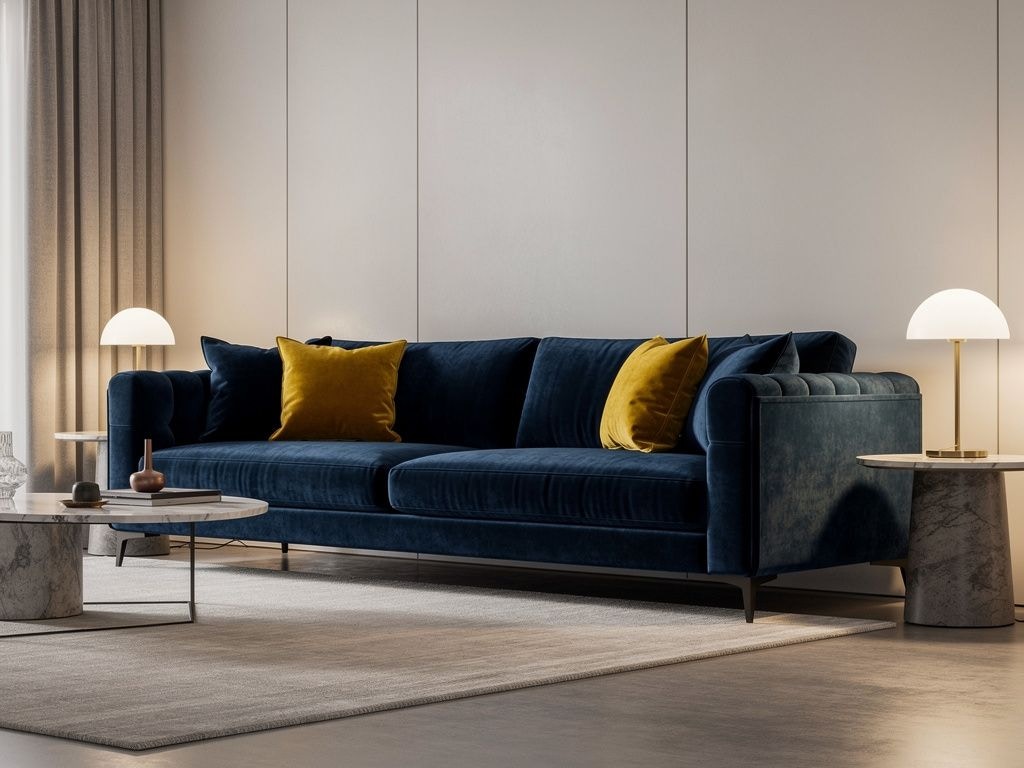
from together import Together

client = Together()

response = client.images.generate(
    model="black-forest-labs/FLUX.2-pro",
    prompt="A modern living room with a velvet sofa in color #2E4057 and accent pillows in hex #E8AA14, minimalist design with warm lighting",
    width=1024,
    height=768,
)

print(response.data[0].url)
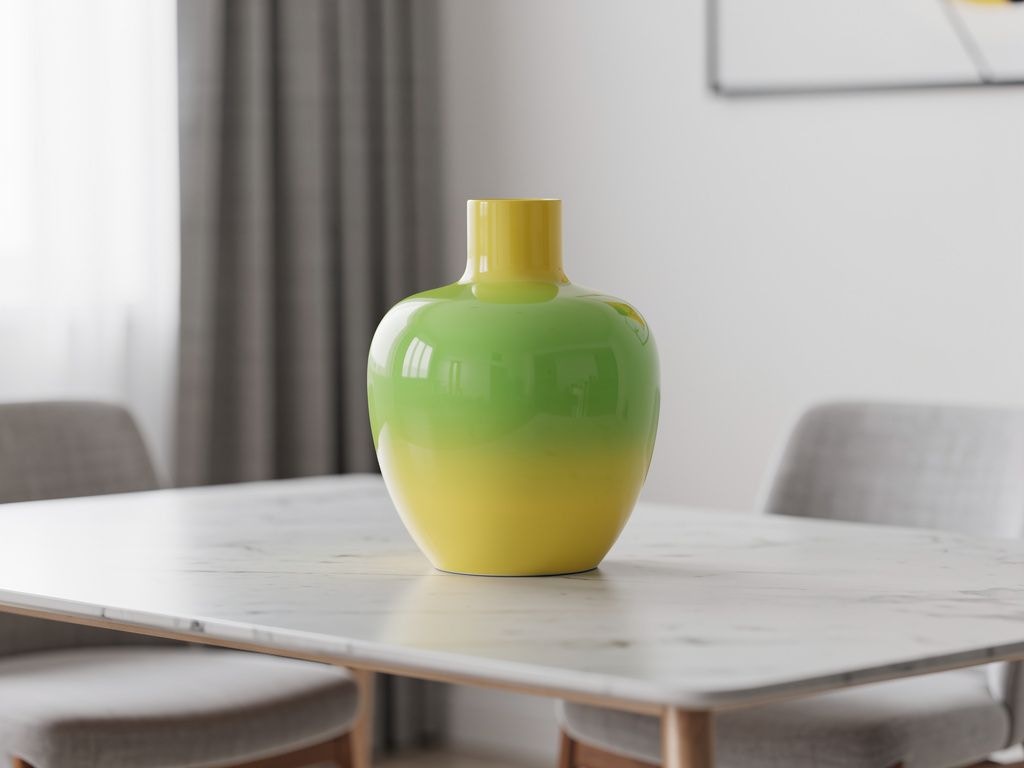
Gradient Example
response = client.images.generate(
    model="black-forest-labs/FLUX.2-pro",
    prompt="A ceramic vase on a table, the color is a gradient starting with #02eb3c and finishing with #edfa3c, modern minimalist interior",
    width=1024,
    height=768,
)

Advanced Use Cases

Infographics FLUX.2 can create complex, visually appealing infographics. Specify all data and content explicitly:
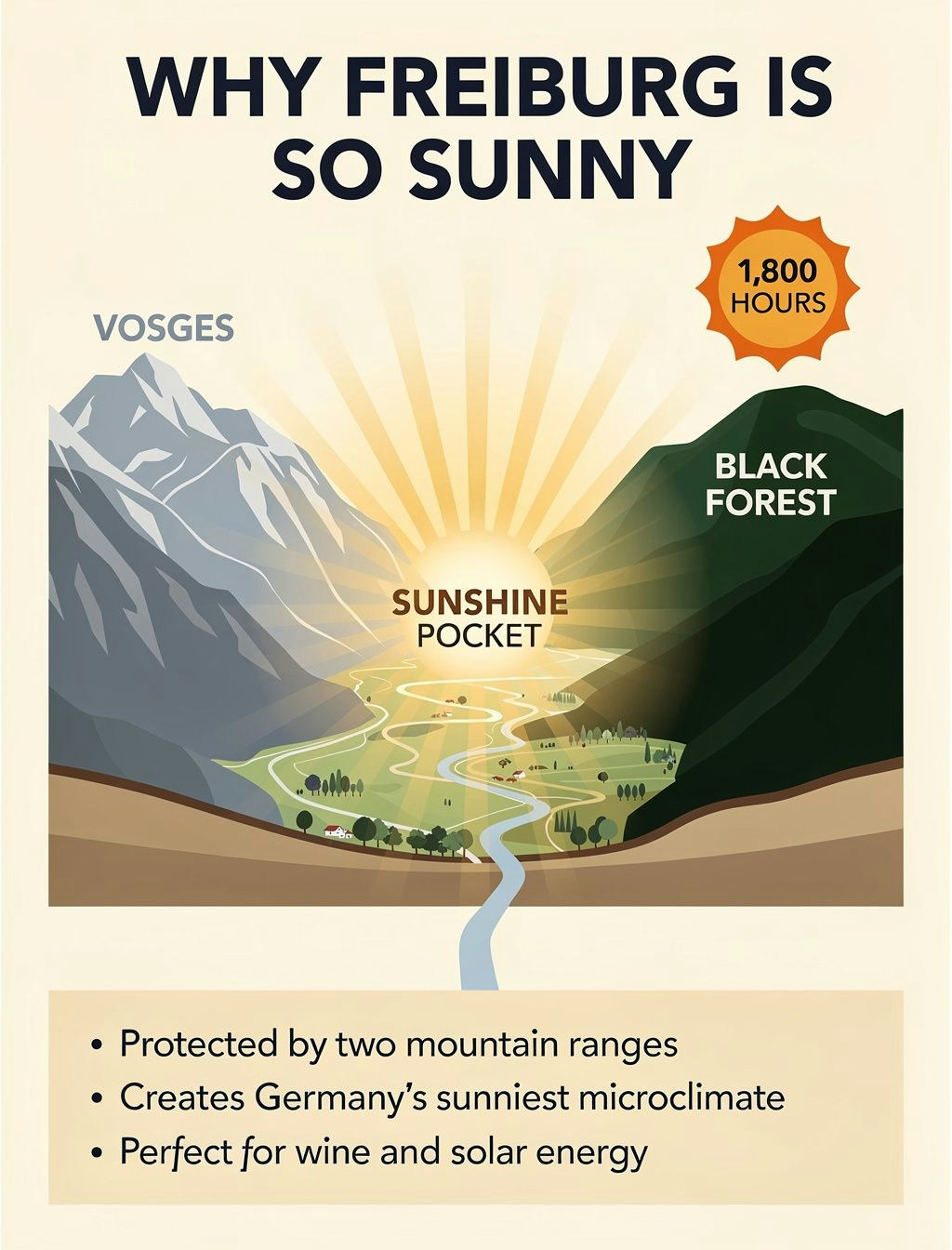
prompt = """Educational weather infographic titled 'WHY FREIBURG IS SO SUNNY' in bold navy letters at top on cream background, illustrated geographic cross-section showing sunny valley between two mountain ranges, left side blue-grey mountains labeled 'VOSGES', right side dark green mountains labeled 'BLACK FOREST', central golden sunshine rays creating 'SUNSHINE POCKET' text over valley, orange sun icon with '1,800 HOURS' text in top right corner, bottom beige panel with three facts in clean sans-serif text: First fact: 'Protected by two mountain ranges', Second fact: 'Creates Germany's sunniest microclimate', Third fact: 'Perfect for wine and solar energy', flat illustration style with soft gradients"""

response = client.images.generate(
    model="black-forest-labs/FLUX.2-pro",
    prompt=prompt,
    width=1024,
    height=1344,
)
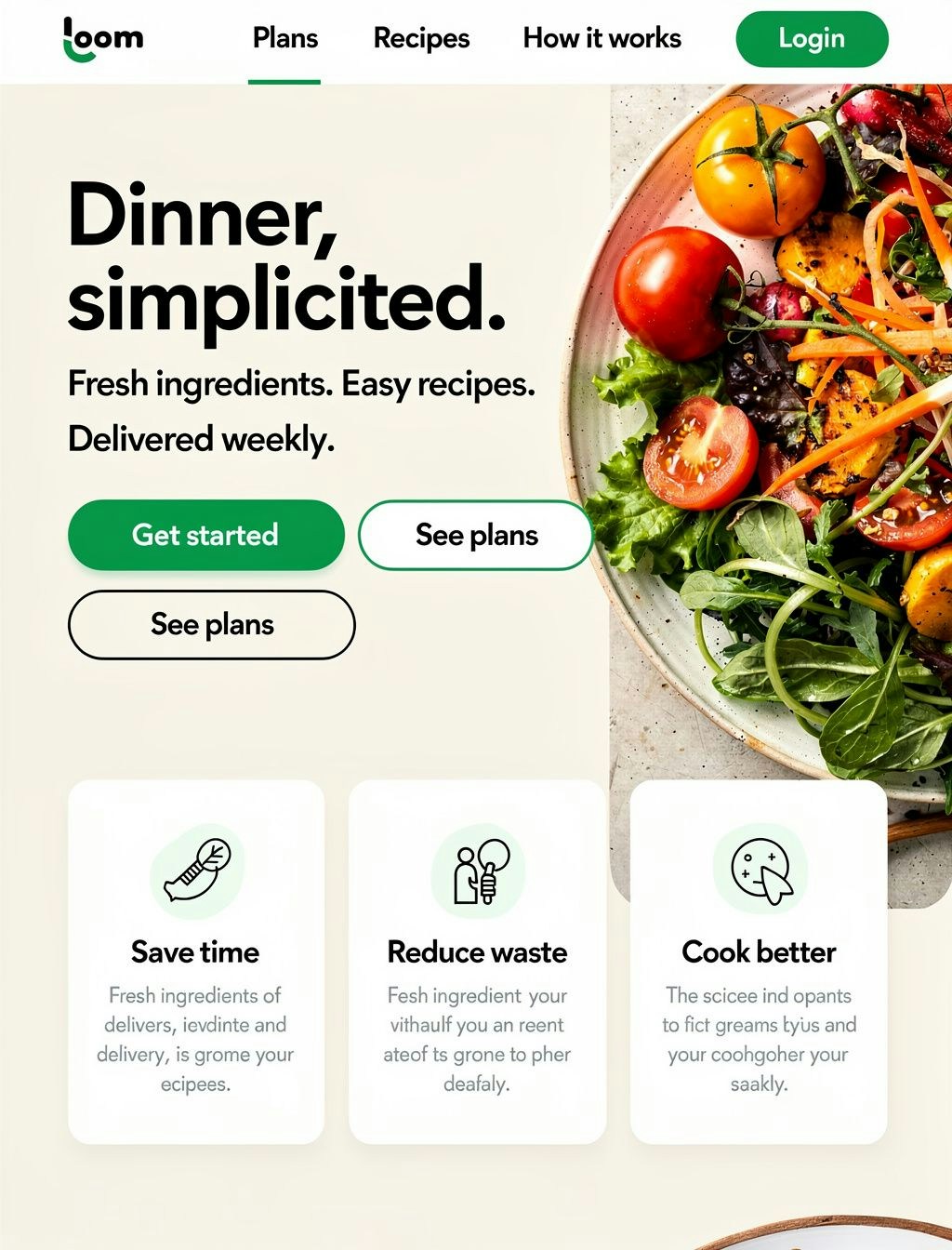
Website & App Design Mocks Generate full web design mockups for prototyping:
prompt = """Full-page modern meal-kit delivery homepage, professional web design layout. Top navigation bar with text links 'Plans', 'Recipes', 'How it works', 'Login' in clean sans-serif. Large hero headline 'Dinner, simplified.' in bold readable font, below it subheadline 'Fresh ingredients. Easy recipes. Delivered weekly.' Two CTA buttons: primary green rounded button with 'Get started' text, secondary outlined button with 'See plans' text. Right side features large professional food photography showing colorful fresh vegetables. Three value prop cards with icons and text 'Save time', 'Reduce waste', 'Cook better'. Bold green (#2ECC71) accent color, rounded buttons, crisp sans-serif typography, warm natural lighting, modern DTC aesthetic"""

response = client.images.generate(
    model="black-forest-labs/FLUX.2-pro",
    prompt=prompt,
    width=1024,
    height=1344,
)
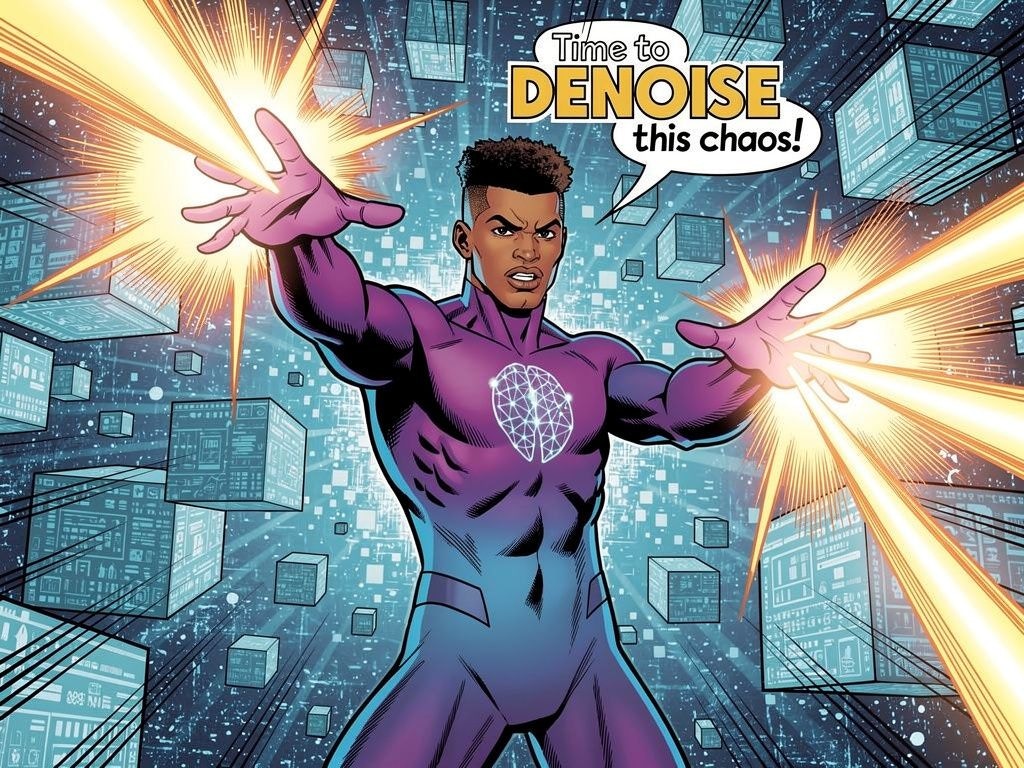
Comic Strips Create consistent comic-style illustrations:
prompt = """Style: Classic superhero comic with dynamic action lines
Character: Diffusion Man (athletic 30-year-old with brown skin tone and short natural fade haircut, wearing sleek gradient bodysuit from deep purple to electric blue, glowing neural network emblem on chest, confident expression) extends both hands forward shooting beams of energy
Setting: Digital cyberspace environment with floating data cubes
Text: "Time to DENOISE this chaos!"
Mood: Intense, action-packed with bright energy flashes"""

response = client.images.generate(
    model="black-forest-labs/FLUX.2-pro",
    prompt=prompt,
    width=1024,
    height=768,
)
Stickers Generate die-cut sticker designs:
prompt = """A kawaii die-cut sticker of a chubby orange cat, featuring big sparkly eyes and a happy smile with paws raised in greeting and a heart-shaped pink nose. The design should have smooth rounded lines with black outlines and soft gradient shading with pink cheeks."""

response = client.images.generate(
    model="black-forest-labs/FLUX.2-pro",
    prompt=prompt,
    width=768,
    height=768,
)

Photography Styles

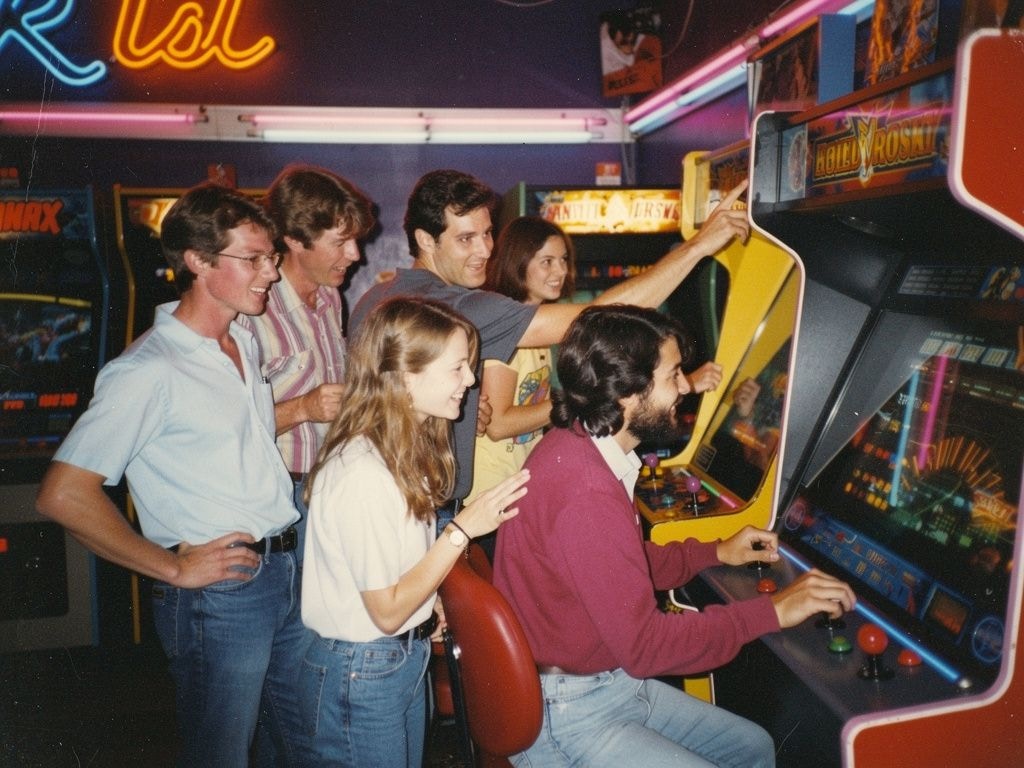
FLUX.2 excels at various photography aesthetics. Add style keywords to your prompts:
StylePrompt Suffix
Modern Photorealismclose up photo, photorealistic
2000s Digicam2000s digicam style
80s Vintage80s vintage photo
Analogue Filmshot on 35mm film, f/2.8, film grain
Vintage Cellphonepicture taken from a vintage cellphone, selfie style
# Example: 80s vintage style
response = client.images.generate(
    model="black-forest-labs/FLUX.2-pro",
    prompt="A group of friends at an arcade, neon lights, having fun playing games, 80s vintage photo",
    width=1024,
    height=768,
)

Multi-Language Support

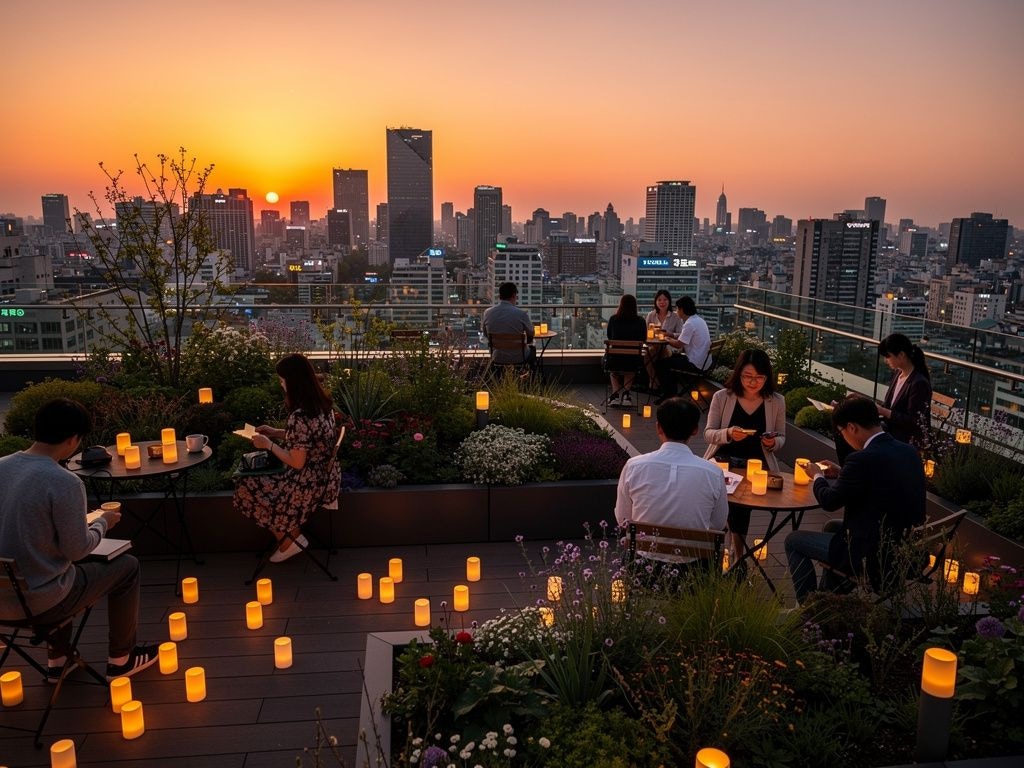
FLUX.2 supports prompting in many languages without translation:
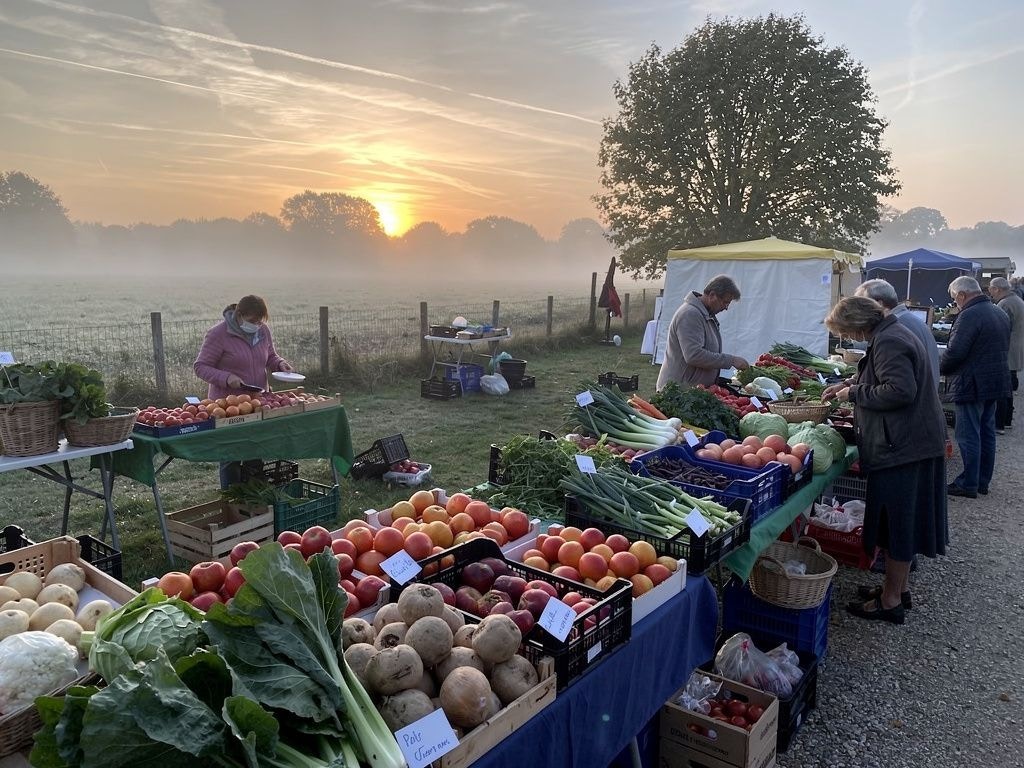
# French
response = client.images.generate(
    model="black-forest-labs/FLUX.2-pro",
    prompt="Un marché alimentaire dans la campagne normande, des marchands vendent divers légumes, fruits. Lever de soleil, temps un peu brumeux",
    width=1024,
    height=768,
)
# Korean
response = client.images.generate(
    model="black-forest-labs/FLUX.2-pro",
    prompt="서울 도심의 옥상 정원, 저녁 노을이 지는 하늘 아래에서 사람들이 작은 등불을 켜고 있다",
    width=1024,
    height=768,
)

Prompting Best Practices

Golden Rules
  1. Order by importance — List the most important elements first in your prompt
  2. Be specific — The more detailed, the more controlled the output
Prompt Framework Follow this structure: Subject + Action + Style + Context
  • Subject: The main focus (person, object, character)
  • Action: What the subject is doing or their pose
  • Style: Artistic approach, medium, or aesthetic
  • Context: Setting, lighting, time, mood
Avoid Negative Prompting FLUX.2 does not support negative prompts. Instead of saying what you don’t want, describe what you do want:
❌ Don’t✅ Do
portrait, --no text, --no extra fingerstight head-and-shoulders portrait, clean background, natural hands at rest out of frame
landscape, --no peopleserene mountain landscape, untouched wilderness, pristine nature

Troubleshooting

Text not rendering correctly
  • Use FLUX.2 [flex] for better typography
  • Put exact text in quotes within the prompt
  • Keep text short and clear
Colors not matching
  • Use HEX codes with “color” or “hex” keyword
  • Be explicit about which element should have which color
Composition not as expected
  • Use JSON structured prompts for precise control
  • Specify camera angle, distance, and composition type
  • Use position descriptors (foreground, midground, background)
Check out all available Flux models here