

tg beta endpoints deploy command bundles several API/SDK operations into one step for convenience: it creates the endpoint (when you pass a new endpoint name), attaches a deployment to it, and routes 100% of traffic to that deployment. The sections below show the individual operations underneath it.
To create your first deployment end-to-end, follow the quickstart.
You can run every operation on this page from the Together CLI and SDK or from the web console. Each section below shows both: the CLI or SDK command, and the equivalent steps in the console.
Create an endpoint
When you deploy a model to a new endpoint, Together creates the endpoint, attaches the deployment, and routes all traffic to it. (To create an endpoint resource with no deployments, use the SDK or API.) Before you deploy, choose a supported model and a deployment profile.- CLI
- Console
Pass a model and a new endpoint name to Add
tg beta endpoints deploy. It creates the endpoint, attaches a deployment on the model’s default hardware, and routes 100% of traffic to it:CLI
--config <cr_...> when the model has more than one deployment profile, and --min-replicas / --max-replicas to set the replica bounds.Create a deployment
Add more deployments to an endpoint to run several models or hardware configs behind it, for traffic splitting, A/B tests, or shadow experiments. It works like creating an endpoint, except you target an existing endpoint and give the deployment a traffic weight so it takes a share of the traffic split.- CLI
- Console
Pass an existing endpoint ID (or a new endpoint name) to When a model has more than one deployment profile, Re-run with
tg beta endpoints deploy --endpoint to add a deployment. The model is the positional argument, and the config is --config:CLI
deploy returns an error that lists the available profiles, for example:--config <cr_...> to choose one. When a model has a single profile, the CLI selects it automatically. List a model’s profiles anytime with tg beta models configs <model_id>.The CLI defaults --min-replicas and --max-replicas to 1, so a bare deploy creates a single-replica deployment. If you pass only --min-replicas, the max matches it. --min-replicas 0 alone creates the deployment stopped.For the full flag list, including placement, the autoscaling windows, and the scaling percentile, see the CLI reference.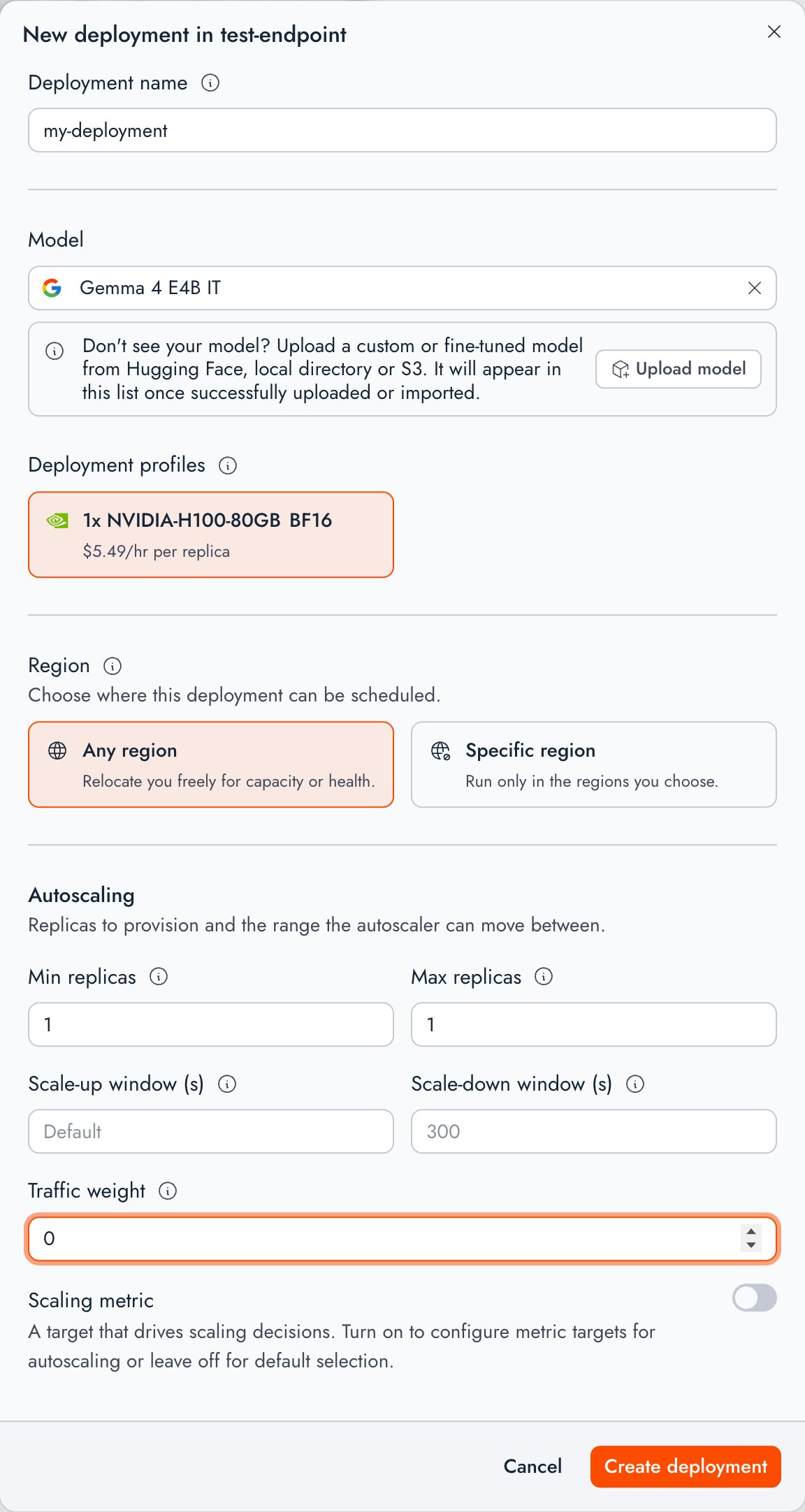
Placement profiles
Choose a placement profile to restrict which regions your deployment can run in. Placement can’t be changed on an existing deployment, so set it when you deploy. You have two options:- Attach a profile: Pass
--placement <pp_...>with a placement profile ID. A placement profile is a reusable, Together-managed list of preferred regions that you attach instead of repeating the same region list on every deploy. - Set placement inline: Pass
--placement.regionswith a comma-separated region list, and--placement.constraint(requiredorpreferred) to control how strictly Together enforces it.
Compliance policy
To run replicas only on HIPAA-attested clusters, pass--placement.hipaa when you deploy. The policy is always enforced strictly, regardless of --placement.constraint. If no qualifying cluster is available, the deployment stays unscheduled.
CLI
compliancePolicy object on inline placement, for example "compliancePolicy": {"hipaa": true}. See the create deployment API.
Poll deployment status
- CLI
- Console
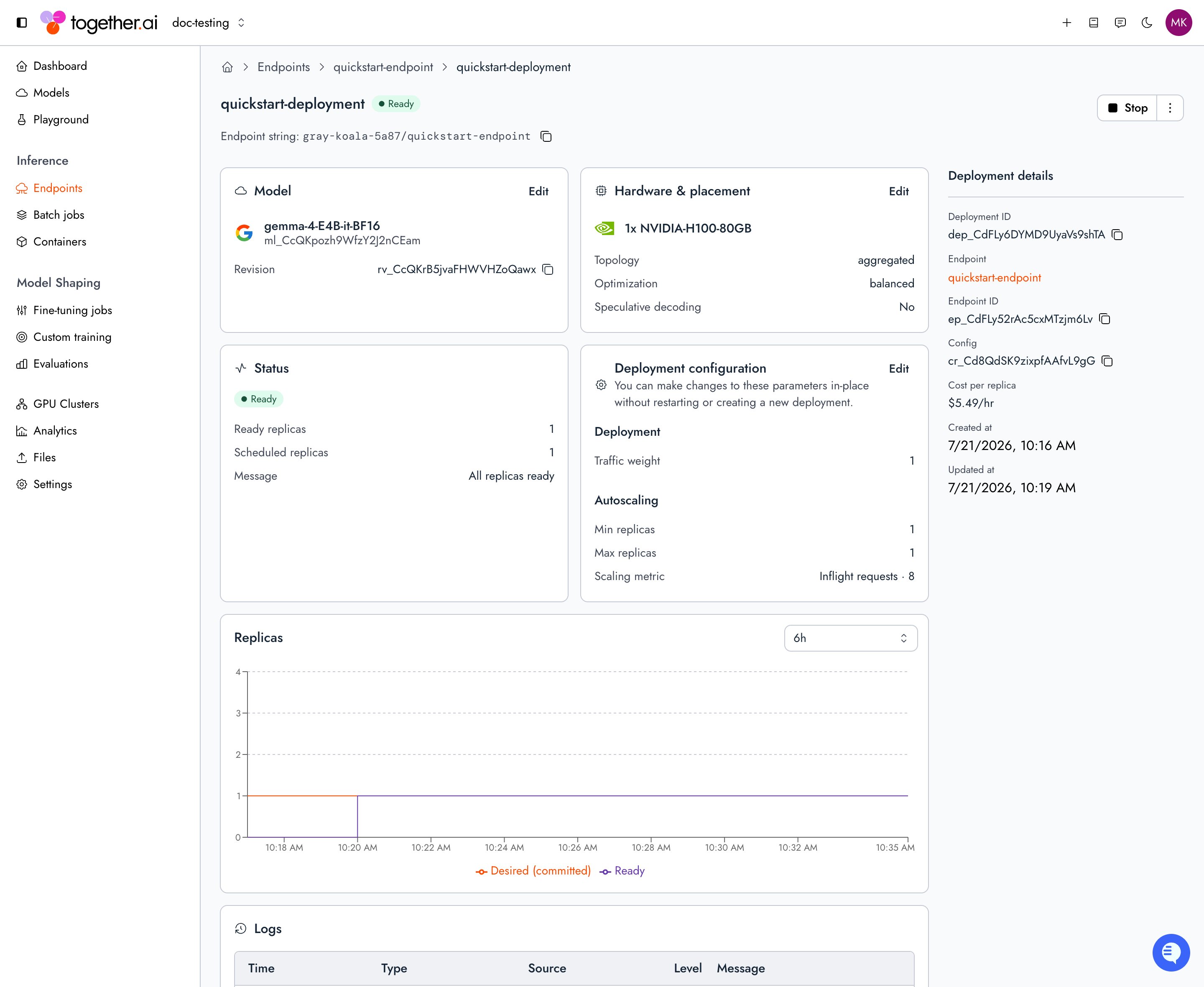
To check a deployment’s status, run For the full set of status fields (scheduled replicas, status message), run
tg beta endpoints get on its endpoint name or ID. The output lists up to the 10 newest deployments’ state and ready/desired replica counts, so re-run it to watch a specific deployment come up:CLI
get on the deployment itself with --json and read status:CLI
Deployment states
A deployment reports its lifecycle instatus.state. The API returns the fully-qualified enum (for example DEPLOYMENT_STATE_READY). This page uses the short name for readability.
A deployment that never reaches
READY within six hours after starting will be marked as FAILED.
Scale a deployment
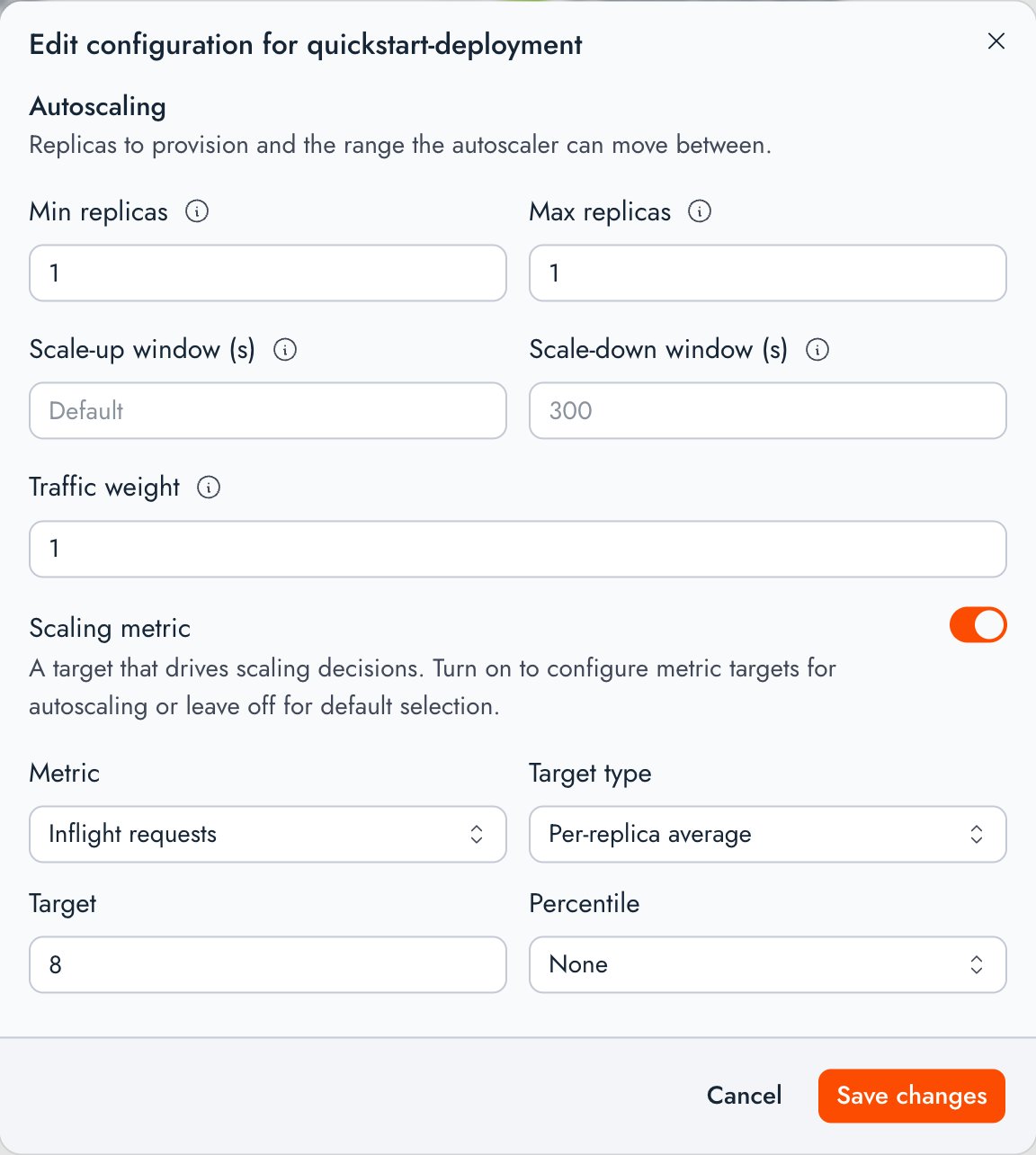
Deployment scale is controlled by the deployment’s replica bounds, and optionally autoscaled using scaling metrics. Set the initial bounds when you create the deployment, then change them on a running deployment.- CLI
- Console
CLI
Stop a deployment
A deployment runs until you stop it. Stopping scales it to zero replicas and releases its hardware. To stop a deployment automatically when it goes unused, set an inactivity timeout instead.- CLI
- Console
Pass both
--min-replicas 0 and --max-replicas 0. The CLI rejects a stop request that sets only one bound to zero:CLI
DEPLOYMENT_STATE_STOPPED and billing stops.
Restart a deployment
A stopped deployment doesn’t restart on its own. Only deployments inDEPLOYMENT_STATE_STOPPED can be restarted. A deployment in FAILED is terminal and can’t be brought back this way. Deploy a new deployment instead. To restart a stopped deployment, raise both bounds to 1 or more.
- CLI
- Console
CLI
List resources
- CLI
- Console
List and get endpoints with the CLI:
CLI
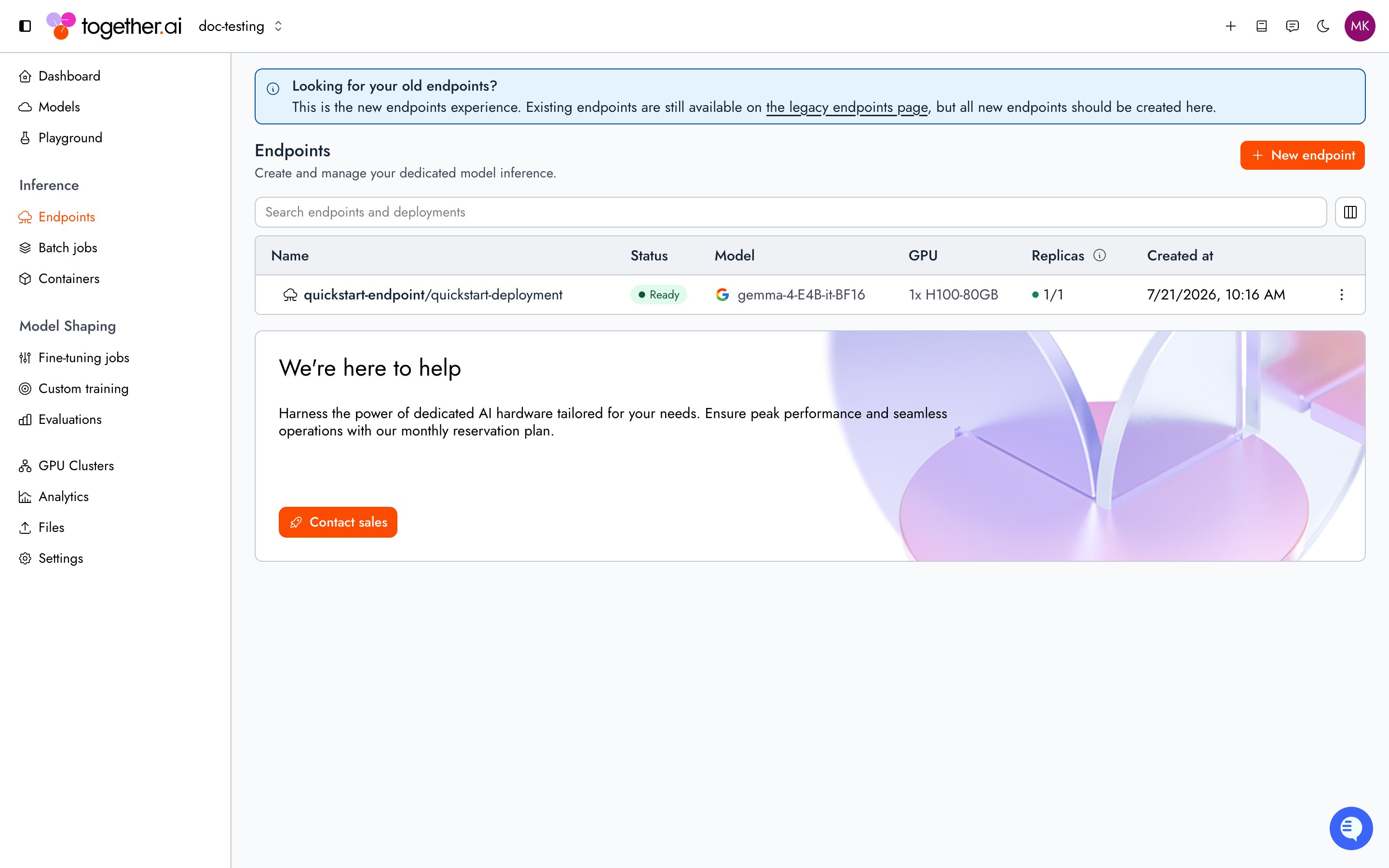
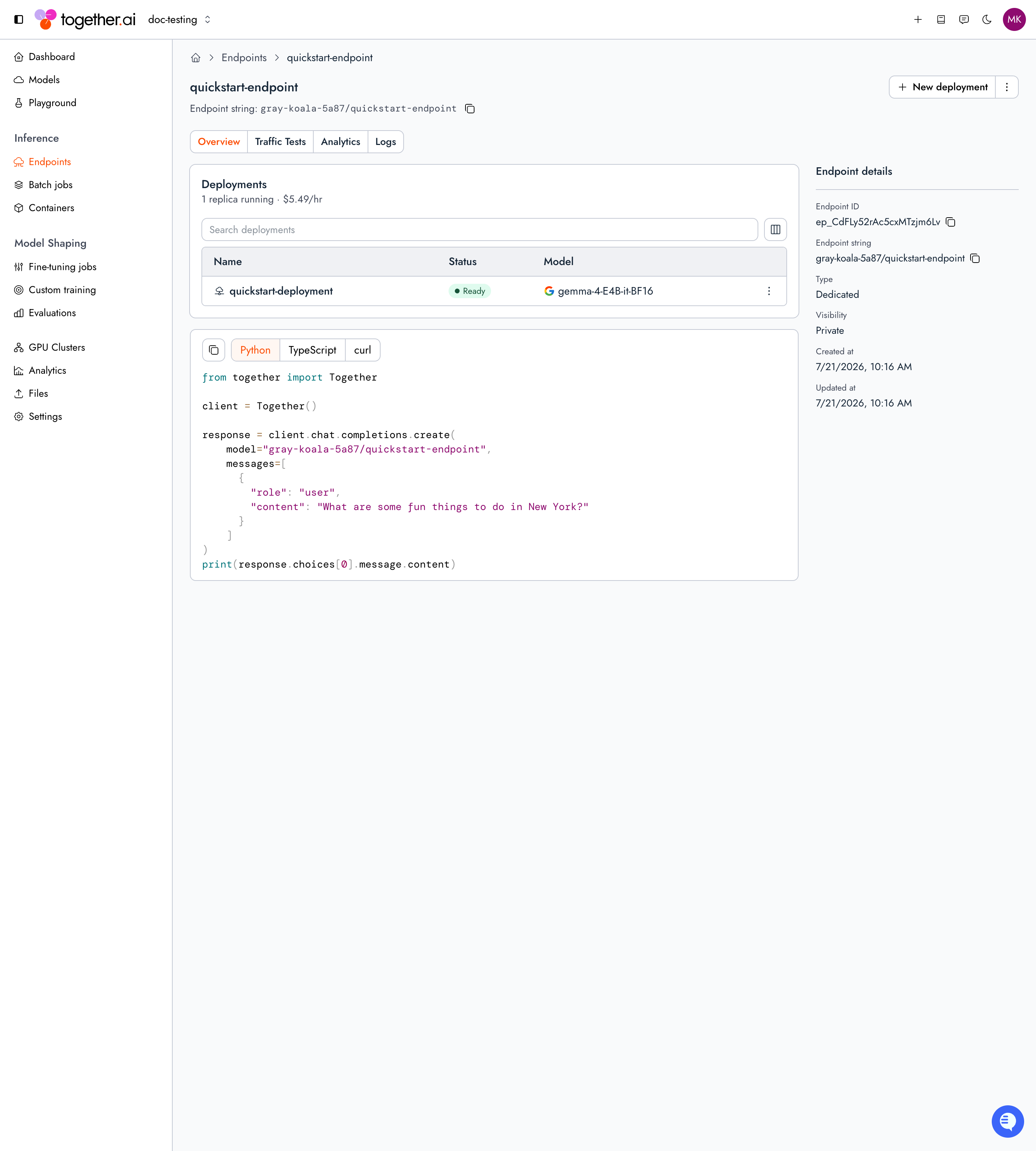
deployments array. The array includes at most the 10 newest deployments per endpoint (ordered by createdAt, descending). To list every deployment on an endpoint, use the SDK or API.
Same-project get, update, and list responses also include activeRolloutId when a rollout is in flight (including paused). The field is omitted when there is no active rollout, on cross-project reads, and in organization or public catalog lists.
List flags
tg beta endpoints ls accepts these flags:
List responses are paginated: when more results are available, the response includes
next_cursor, which you pass as --after on the next request.
Delete resources
Deletion is permanent. A deployment must be stopped before it can be deleted. Follow this order:- Scale the deployment to zero and wait for
DEPLOYMENT_STATE_STOPPED. - Delete the deployment. If you use the SDK or API (not the CLI), set the deployment’s traffic split weight to 0 on the endpoint first.
- Delete the endpoint once it has no deployments.
- CLI
- Console
The CLI’s To delete an endpoint that still has deployments, pass
rm command is a smart-delete: it resolves the resource by its ID prefix, so the same command deletes an endpoint (ep_), a deployment (dep_), an A/B experiment (abx_), a shadow experiment (exp_), or a rollout (rol_). When you run tg beta endpoints rm dep_..., the CLI automatically detaches the deployment from the traffic split and from any experiments it belongs to:CLI
--force to rm. If the endpoint has other deployments you want to keep, rebalance the remaining weights instead of clearing the split. See Route traffic.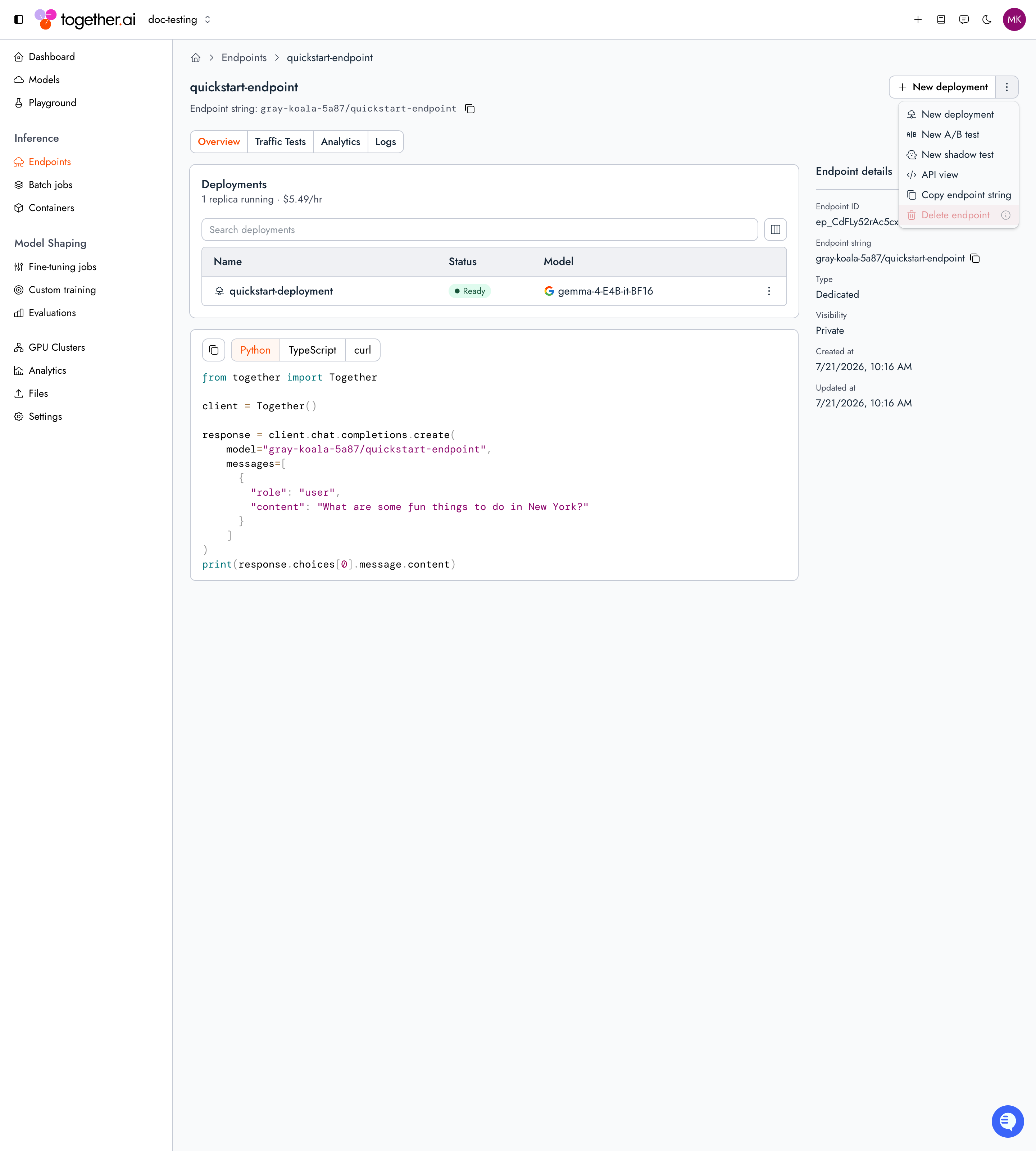
Troubleshooting
unknown field "..."(HTTP 400) on a management API request: The JSON body or query string includes a key the API does not define. Remove the named field (including retired keys such asinactive_timeout) and retry. Known fields accept both camelCase and snake_case spellings.endpoint_not_configured(HTTP 400) though the deployment isREADY: Confirm the deployment is in the endpoint’s traffic split with a non-zero weight.- Deployment
DEGRADEDwithCannot place replicas: insufficient GPU capacity: Hardware for the config is constrained, so the scheduler couldn’t place all replicas yet. Comparestatus.scheduledReplicastodesiredReplicas. The scheduler keeps retrying and the deployment starts once capacity frees up. To improve the chance of placement, request fewer replicas or choose a config with a smaller hardware footprint. - Deployment
DEGRADEDwithStartup stalledorNot ready: A placed replica is still booting or hit a startup failure. Read the detail after the colon instatus.message. The deployment staysDEGRADEDrather thanFAILEDonce any replica has been successfully started. - Deployment
FAILEDwithTimed out waiting for readiness: No replica could be provisioned within six hours of the current run’s start. Read the stall cause at the end ofstatus.message. Deploy a new deployment to try again with a fresh readiness budget. - Restart fails with
the deployment is in a terminal FAILED state and cannot be restarted; create a new deployment(HTTP 400): AFAILEDdeployment can’t be brought back by raising replica bounds. Deploy a new deployment on the endpoint instead. - Restart fails with
the deployment must be stopped before it can be restarted(HTTP 400): Wait for the deployment to reachDEPLOYMENT_STATE_STOPPEDafter you stop it, or confirm both replica bounds are0, before raising them again. - Deployment
FAILEDfor another reason: Readstatus.message. Common causes include deterministic placement rejection (Cannot place replicas: …), manifest generation failure, or remediation exhaustion. - Model not supported: Not every model can be deployed. See the model catalog. A fine-tuned model deploys only if its base model is supported.
- Deploy fails with
the model has no revisions to deploy: The model record exists but has no uploaded weights yet. Finish uploading the model and wait for the upload to succeed before you deploy it. - Deploy fails with a revision validation error: When you pin a specific model or speculator revision, that revision must have passed validation first. Check
validationStatuson the revision (custom models, adapters). Deploy the latest validated revision, or wait for the pinned revision to finish validating. - Deploy or update fails with
GPU quota exceeded(HTTP 429): The request would put your project or organization over its per-GPU-type quota. The error message names the GPU type and the would-be total against the limit (for example,this deployment would put your project at 116 of 100 H100 GPUs). Lower the requested replica count, stop unused deployments on that GPU type, or contact support to raise the limit. When the platform itself is out of capacity for a GPU type (GPU quota exceeded for H100), retry later or contact support to request capacity. - Deployment delete fails with
the deployment stands in an endpoint's traffic split and cannot be deleted; remove it from the traffic split (it may be standing at weight 0), then delete(HTTP 400): The deployment is still a member of the endpoint’s traffic split, including after a completed rollout that left the drained source at weight0. Remove it from the split before deleting. The CLI’stg beta endpoints rm dep_...detaches it automatically. - Deployment delete fails with
the deployment is an A/B experiment member; remove it from the experiment first(HTTP 400): The deployment is still a control or variant in an A/B test. Remove it from the test (or delete the test) before deleting the deployment. The CLI’stg beta endpoints rm dep_...detaches it automatically. - Stop or delete is disabled on a deployment in the console: The deployment is the source or target of an active rollout. Complete or cancel the rollout first.
Next steps
Configure autoscaling
Autoscale a deployment on the right metric.
Route traffic
Split traffic across deployments behind one endpoint.
Observability
Monitor metrics and scrape the Prometheus-compatible endpoint.
Pricing
Understand per-minute and reserved pricing.