

Requirements
Before you begin, make sure you have:- Created an account and generated an API key in the project you’ll deploy to. Run
tg whoamiafter you log in to see the CLI’s project. - Set your API key as an environment variable in your terminal.
- Installed the Together CLI and logged in:
tg login requires Together CLI version 2.41.0 or later. Check your version with tg --version.In CI, agents, or other environments where the CLI cannot prompt for confirmation, select a project before deploying. Run
tg whoami to find your project ID, then set TOGETHER_PROJECT_ID or pass --project <project_id> to the command.Step 1: Deploy a model
Deploygoogle/gemma-4-E4B-it, one of the supported models Together hosts. The deployment provisions in the background: for a model this size, first-time provisioning usually takes about 5 to 10 minutes while the weights download and hardware is allocated, and larger models take longer.
- CLI
- Console
The The command returns as soon as the resources are created and prints the endpoint’s details:Note the endpoint string (
endpoints deploy command creates an endpoint, attaches a deployment on the model’s default hardware, and routes all traffic to it:your-project-slug/quickstart-endpoint): pass it as the model parameter when you send requests.Check the deployment’s status with the deployment ID from the output, and wait for DEPLOYMENT_STATE_READY: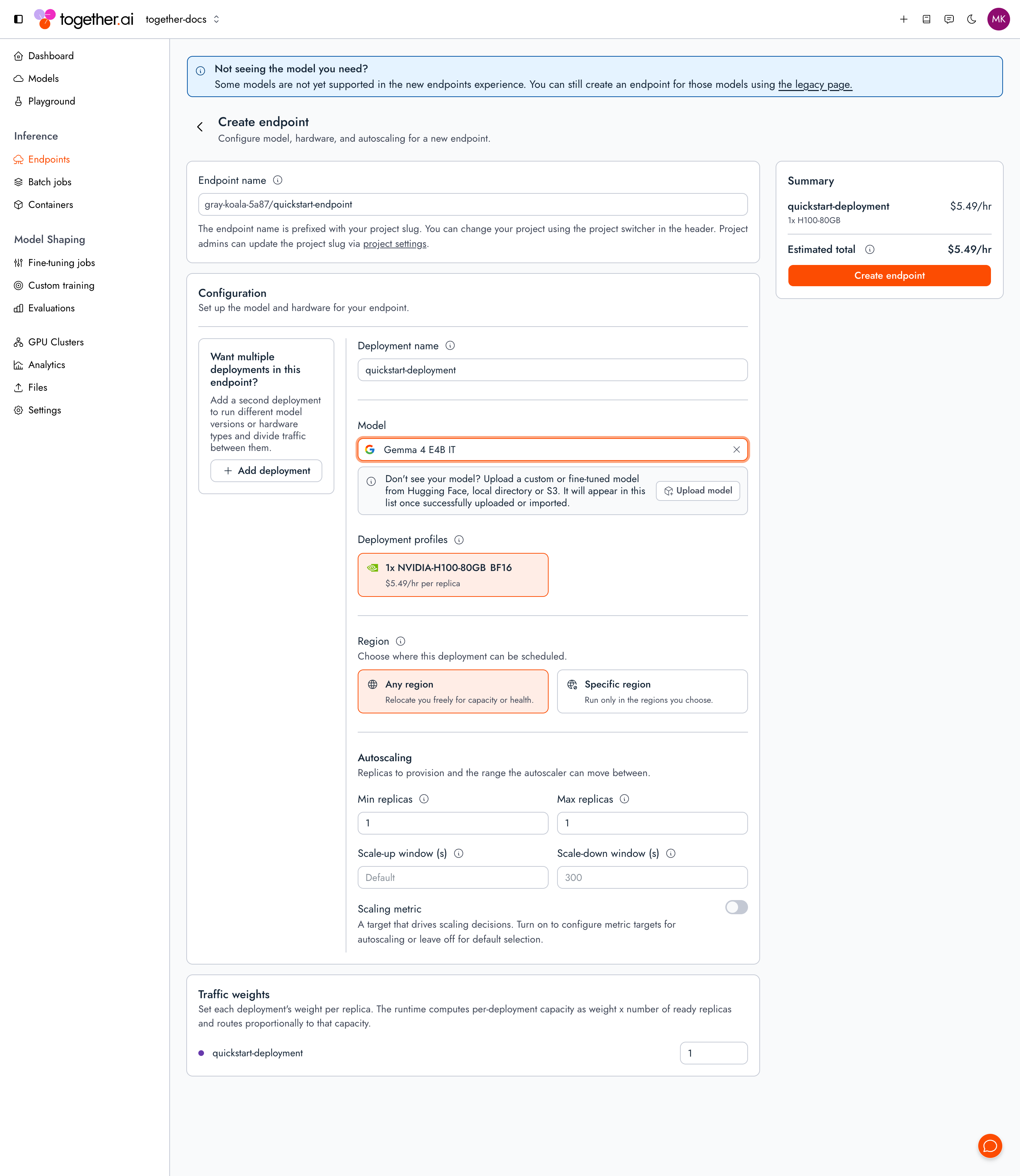
Step 2: Send a request
Point the inference base URL athttps://api-inference.together.ai/v1, pass the endpoint string as the model parameter, and use the same request shape as a serverless model:
Congrats! You deployed and called your first dedicated model on Together AI.
Step 3: Clean up resources
Dedicated model inference bills per minute per running replica, so tear down what you deployed once you’re done.- CLI
- Console
Pass the endpoint ID (To stop charges without deleting anything (for example, to redeploy later), scale the deployment to zero instead, then re-run the status command above to confirm it reaches
ep_abc123) from the deploy output to rm with --force to delete the endpoint and its deployment in one step:DEPLOYMENT_STATE_STOPPED.Next steps
Concepts
Understand the resource model and development workflow.
Manage deployments
Create, scale, stop, and delete endpoints and deployments.
Configure autoscaling
Autoscale a deployment on the metric that fits your workload.
Upload a model
Deploy a model you fine-tuned from a supported base model.