

Get started in two minutes
Requirements
- An OpenClaw installation (install guide).
- A Together API key (grab one at api.together.ai).
Step 1: Onboard with Together AI
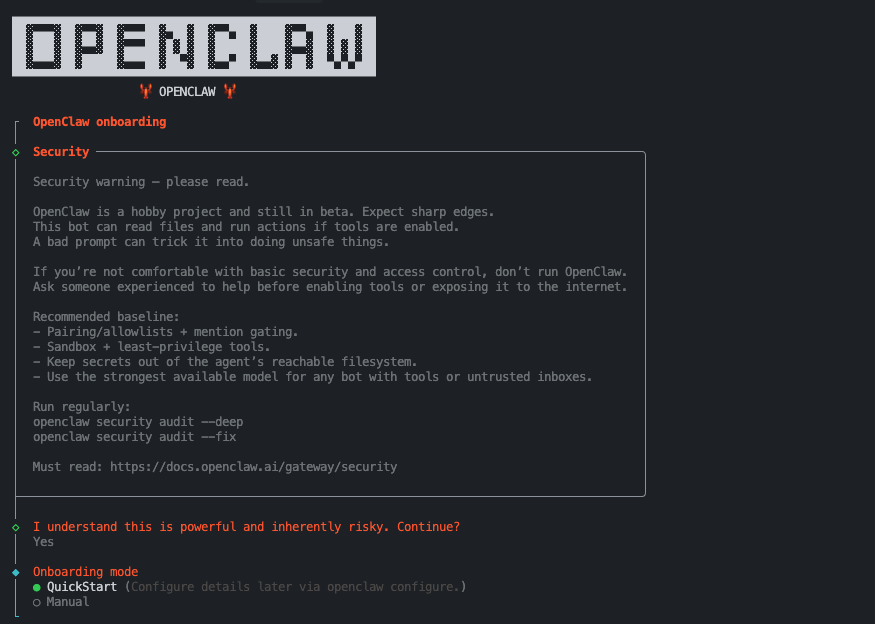
TOGETHER_API_KEY and stores it securely for the Gateway.
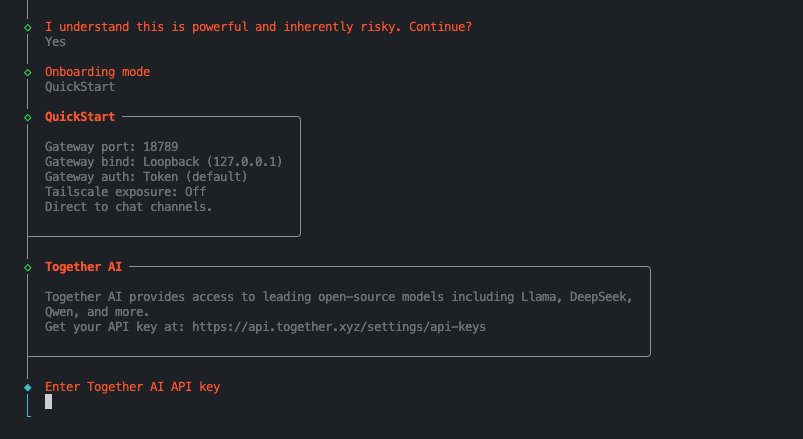
Step 2: Set your default model
Using the onboard command and “QuickStart” mode, OpenClaw selects a default model for you. Set Kimi K3 as your default model in your OpenClaw config. Remember to prefix the model name withtogether/:
Step 3: Launch and chat
Start the Gateway and begin chatting via the web UI, CLI, Telegram, or WhatsApp:Environment note
If the Gateway runs as a daemon (launchd / systemd), make sureTOGETHER_API_KEY is available to that process, for example in ~/.openclaw/.env or via env.shellEnv.
Why Together AI + OpenClaw?
Together AI gives you access to the best open-source models with high throughput and low latency. For token-hungry agent workflows like OpenClaw, this translates to massive savings without sacrificing quality:- Kimi K3: 1M context, top pick for coding and agent workflows.
- GLM 5.2: Top-tier coding and agentic all-rounder.
- DeepSeek V4 Pro 0813: Advanced reasoning for complex tasks.