

How it works
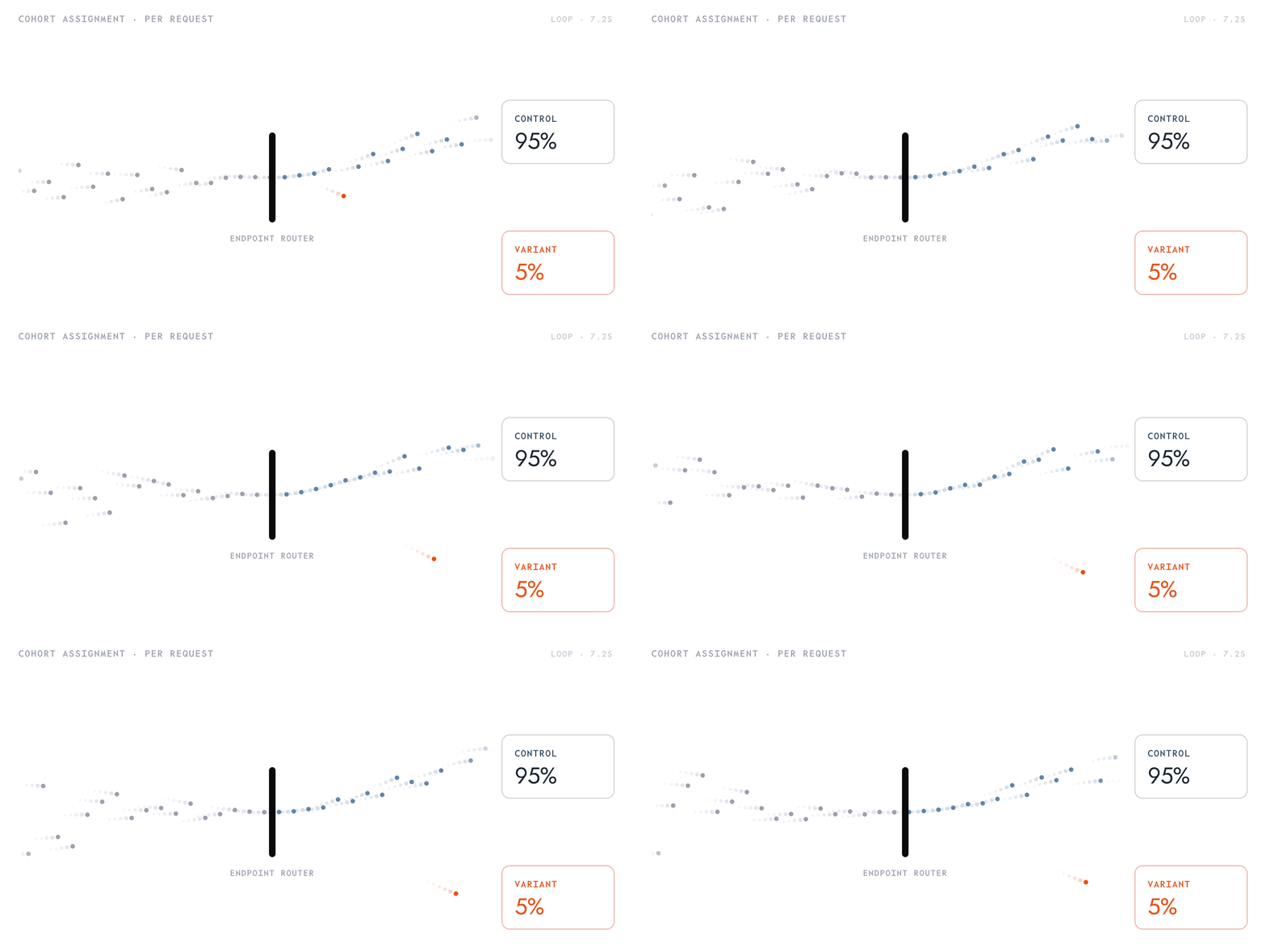
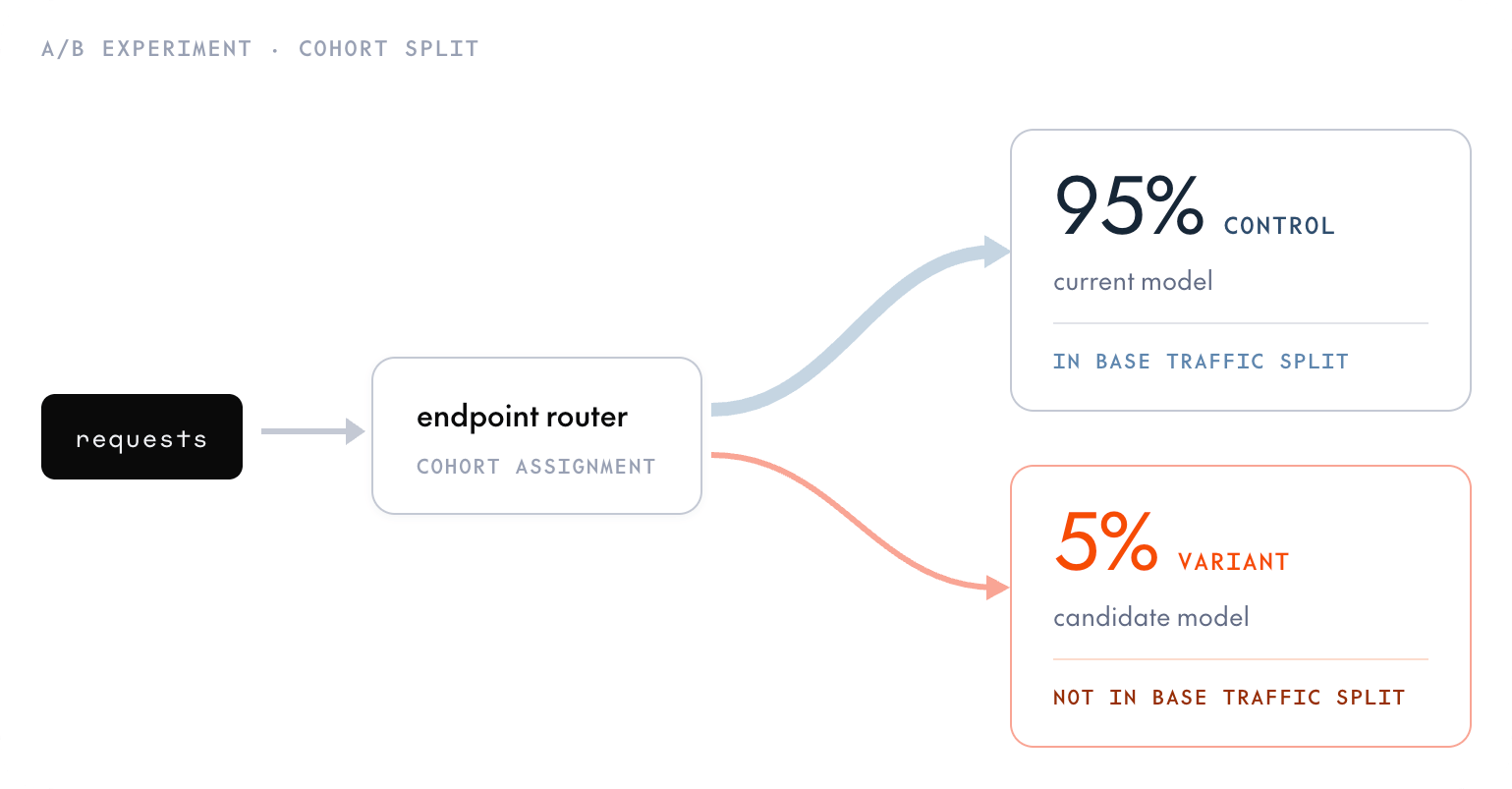
A/B tests compare two or more deployments on live traffic. While the A/B test is active, it subdivides the control’s share of traffic among the control and its variants. Requests that would route to the control are re-sampled across the test members by the percentages you set. The rest of the endpoint’s traffic split is unaffected. An A/B test needs exactly one control and at least one variant, up to 19 variants (20 members total). Each member, including the control, is assigned a percentage of the control’s traffic, and the percentages must sum to 100. Because the test only subdivides traffic destined for the control, a control withweight: 0 (or one that’s absent from the traffic split) means the test receives no traffic at all.
Requirements
You need aREADY control deployment that is receiving traffic, plus a model to test as the variant. The CLI’s ab command creates the variant deployment for you. See Create a deployment if you don’t have a control yet.
The examples below use these example IDs, which you should replace with your own:
- Endpoint:
ep_abc123. - Control deployment:
dep_control123. - Variant model:
ml_CbJNwQC2ZqCU2iFT3mrCh. - Second variant model:
ml_Zk7pR2mQ9sT4vU6yB1nD3.
Create an A/B test
- CLI
- Console
1
Route traffic to the control
Attach the control (and only the control) to the endpoint’s traffic split. Pass the control’s deployment ID—the CLI resolves its parent endpoint and preserves the other deployments’ weights. For a single deployment, any non-zero weight routes all traffic to it:
CLI
2
Start the test
The CLI’s Note the experiment ID (
ab command creates the variant deployment for the model you pass and starts the experiment, assigning --percent to the variant and the remainder to the control. Start the variant small, for example 5% (the CLI assigns the remaining 95% to the control). Percents must be integers in [1, 99] so the control keeps at least 1%.CLI
abx_...) and the variant’s deployment ID (dep_...) from the response. You use the experiment ID to adjust or delete the test, and the variant’s deployment ID to ramp or promote it.3
Send requests
Send requests to the endpoint, using the endpoint string as the
model field.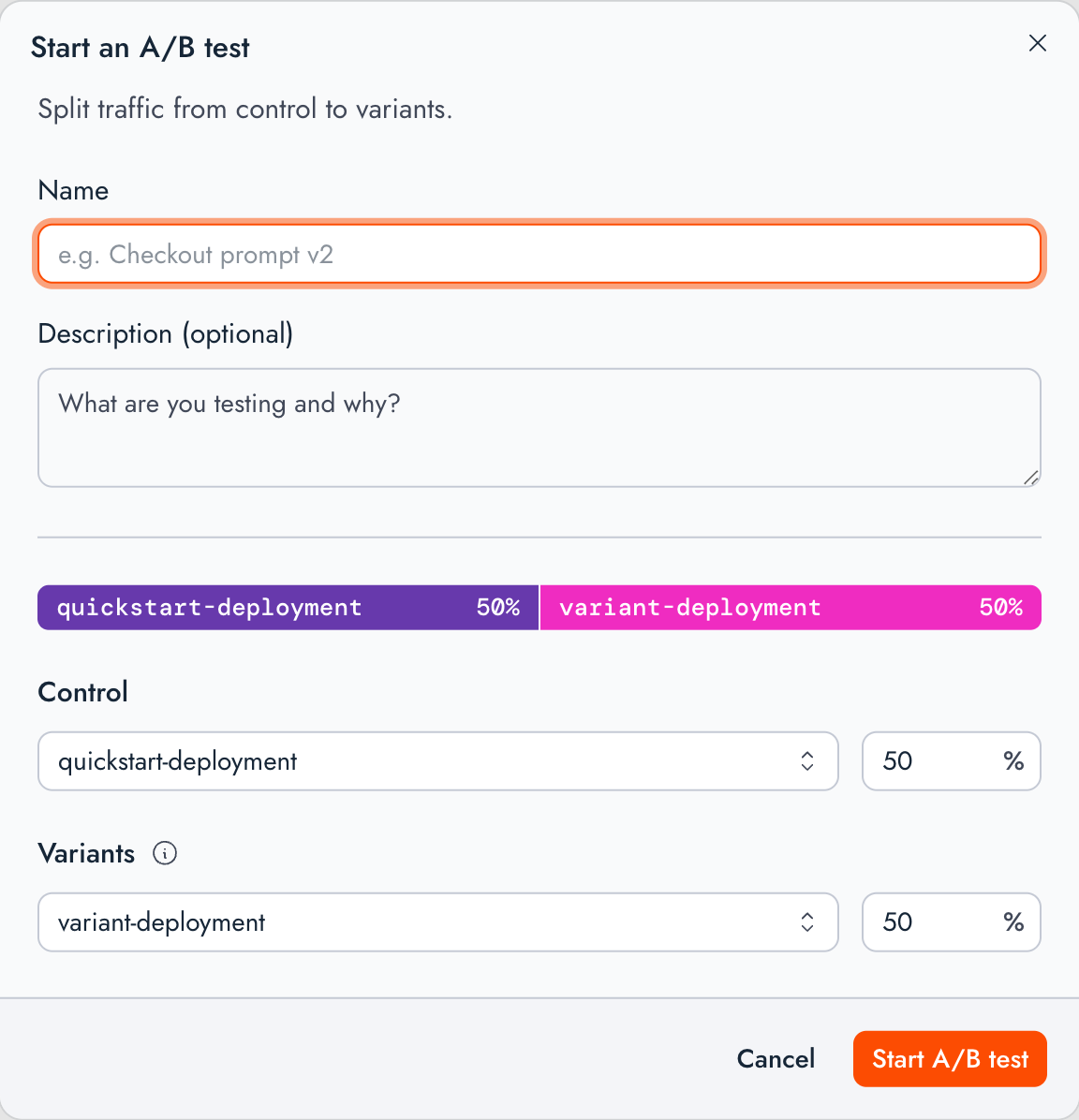
Ramp the variant
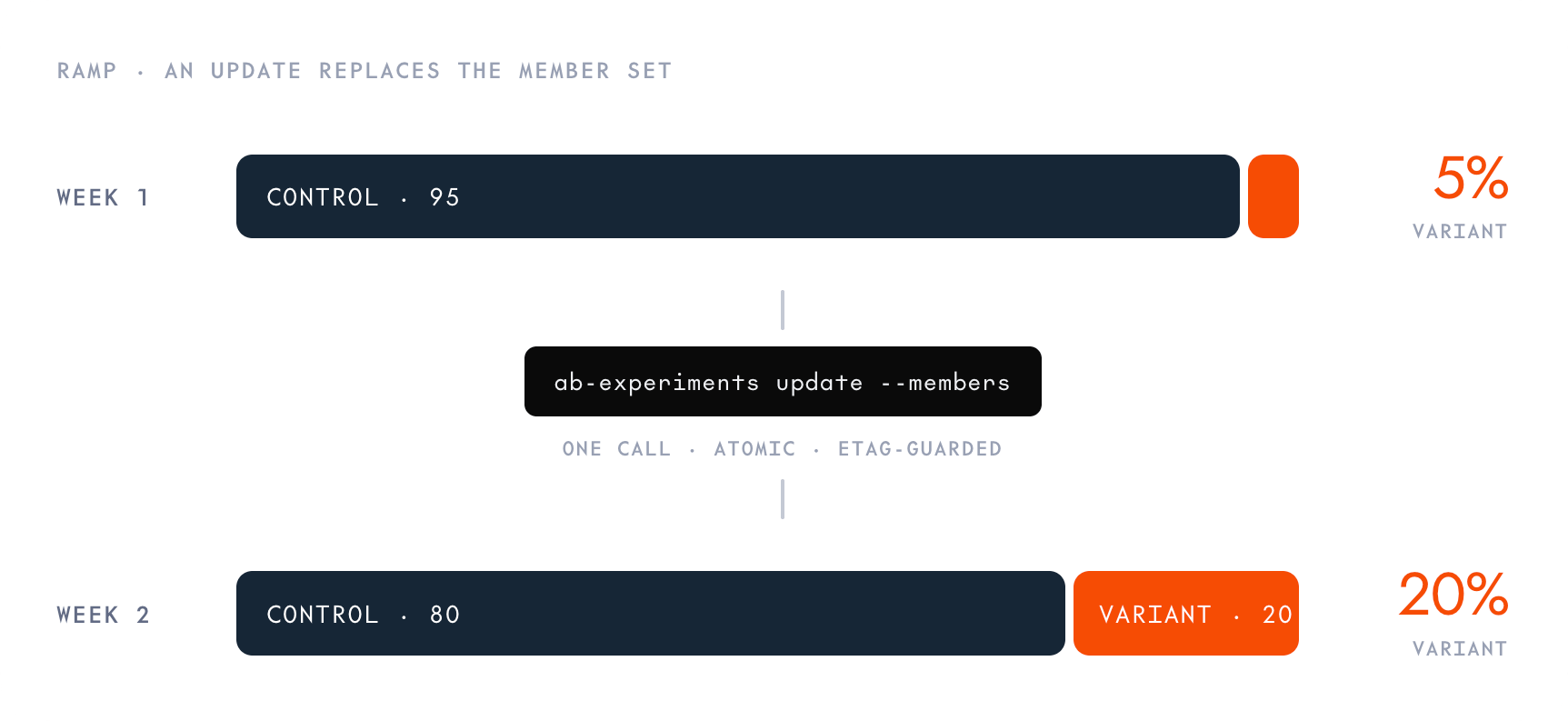
To change a variant’s share, pass--ab-percent with the variant’s deployment ID to tg endpoints update. The CLI finds the A/B experiment for that deployment, sets the variant to the new percent, and adjusts only the control so the members still sum to 100. Other variants stay unchanged. The deployment must be a variant in an existing experiment (not the control), and the control must remain at least 1%. Percents are integers in [1, 99].
CLI
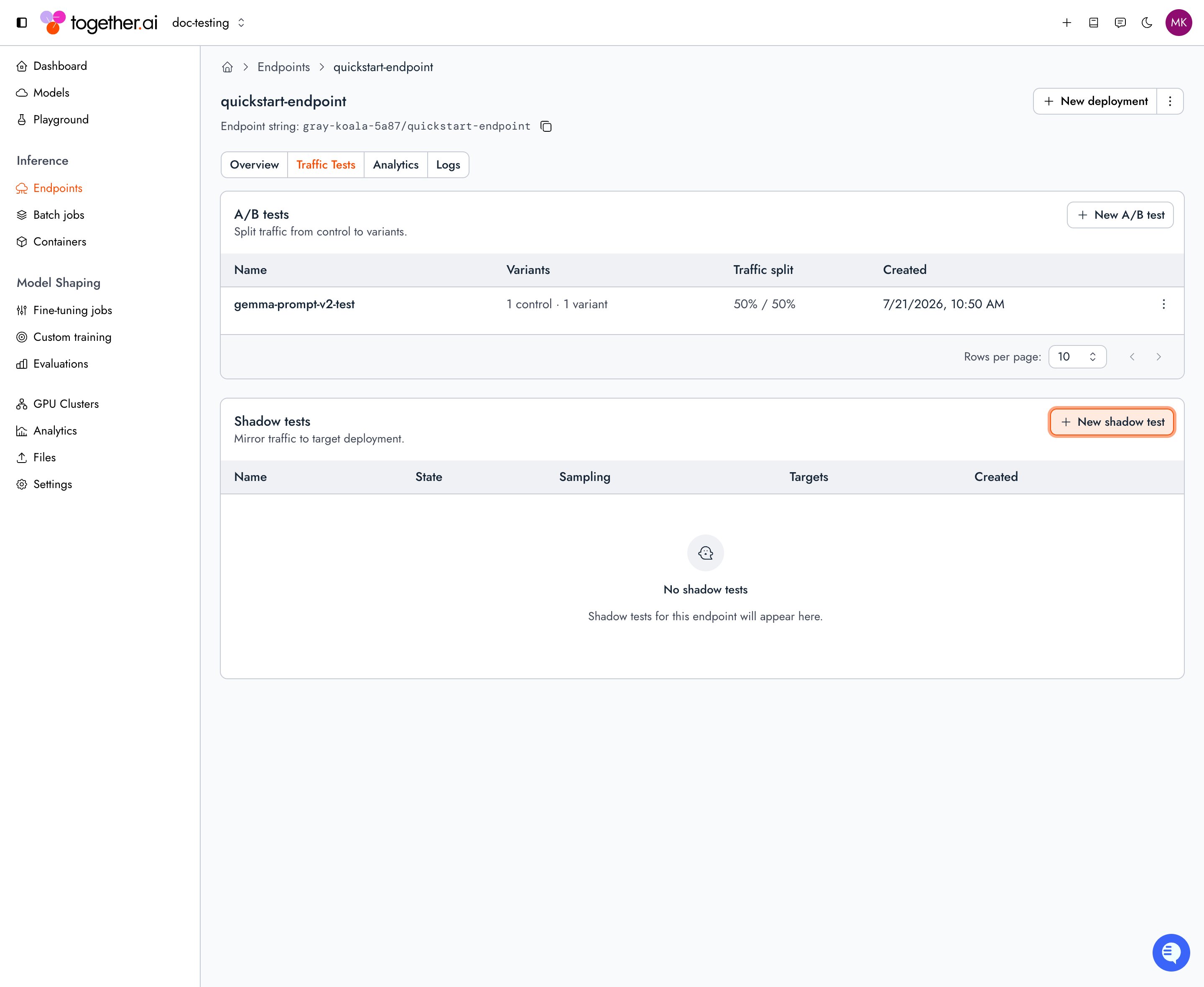
members. Updating members replaces the whole set and re-validates the shape, so resend every member each time. The ETag is optional, but passing the current ETag guards against concurrent changes. In the console, open the test’s actions menu on the Traffic Tests tab and select Edit A/B test to change member percentages.
Add more variants
You can compare more than one candidate at once. Runab again with the same control and a different variant model. The CLI creates the new variant deployment, finds the existing experiment for that control, and adds the deployment to it as another variant.
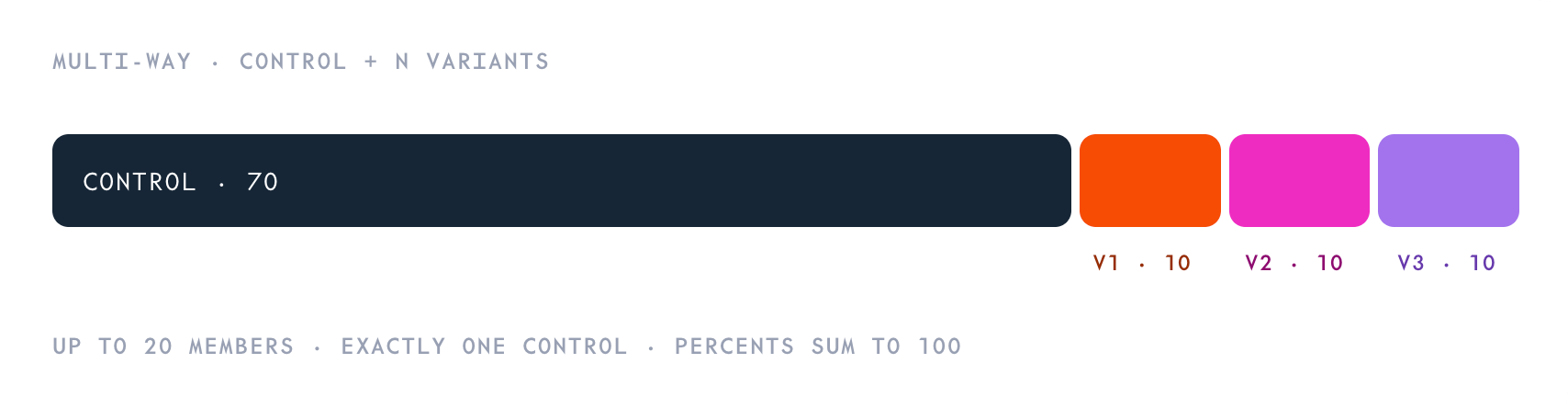
ab call carves the new variant’s percentage out of the control’s share and leaves the existing variants untouched. Continuing from the 90% / 10% split above, adding a second variant at 10% gives 80% control / 10% / 10%:
CLI
Promote a variant
When you’ve picked a winner, the safest way to promote it is a rollout: pass--detach and the CLI removes the variant from the test (deleting the test if it can’t continue without the variant), then shifts traffic to it while draining the control.
CLI
0 (or delete them):
CLI
Delete the test
Deleting an A/B test ends the variant/control split immediately. All traffic returns to the endpoint’s regular traffic split, either the control, or the variant you promoted. The CLI’s smart-deleterm accepts the experiment ID:
CLI
Next steps
Create a deployment
Create control and variant deployments for an A/B test.
Split traffic
Promote a winning variant by updating the endpoint’s traffic split.
Observability
Compare control and variant deployments with per-deployment metrics.
Route traffic
Understand how traffic is routed across deployments under an endpoint.